




Yasd
Community Team
-
Joined
-
Last visited
Everything posted by Yasd
-
Hello! Pls attach the Ragepluginhook.log from the main gta folder 😄
-

-
-
Hi! Try to rename the mods folder to _mods if you have lml installed, rename lml folder to _lml and vfs.dll to _vfs.dll
-
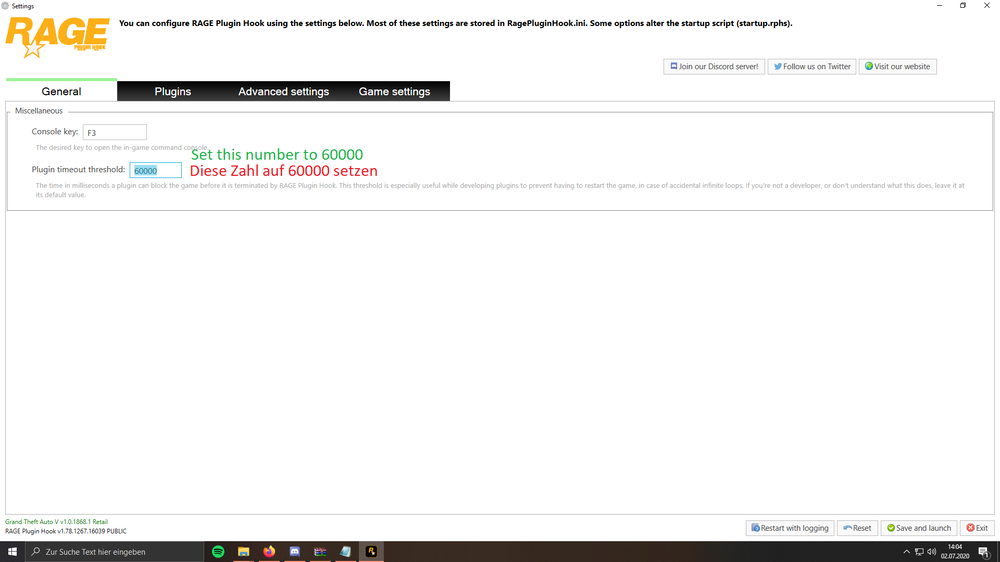
set your rph loading time to 60000.
-
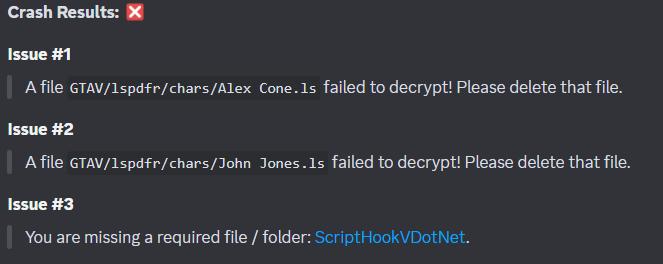
Hello! 🙂 Temporarily remove all ScripthookVDotNet files and try again!
-
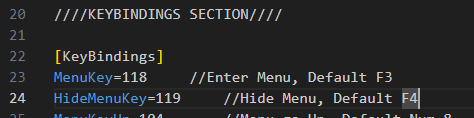
Hey! Do you have the latest version of TrainerV? Last update was 3 days ago, i guess you need to update: https://de.gta5-mods.com/scripts/simple-trainer-for-gtav If still no success, which key are you using for opening and closing? open the trainerv.ini and go to line 22 to check
-
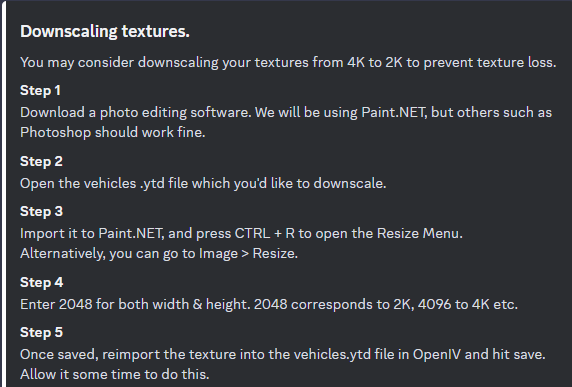
This is from the LSPDFR TS Discord Server.
-
shvdn is known to causes issues. you can try a nightly build: https://github.com/scripthookvdotnet/scripthookvdotnet-nightly/releases or if you do not need it, you can remove it. be aware some plugins require shvdn, but therefore you would notice by getting crashes. 😉
-
Im not sure which plugins spawn the new dlc vehicles, here is a topic to disable them for yourself: Your topic has been moved to LSPDFR 0.4 Support. Please post in the correct location in the future.
-
Pls respond in english, since its an international forum 🙂 To upload a log, click on: and then choose the file Ragepluginhook.log from the main gta folder.

-
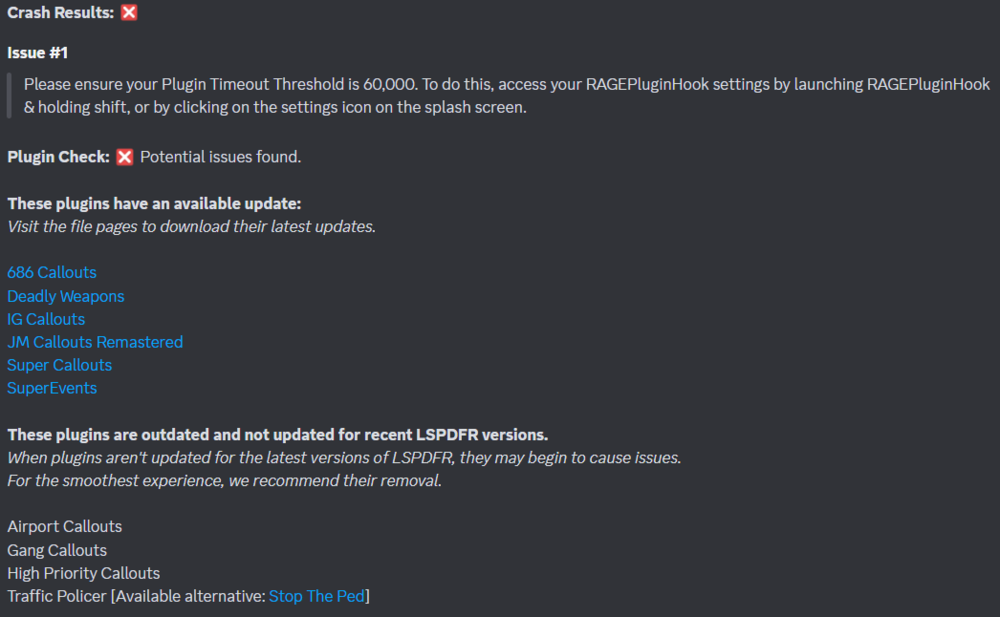
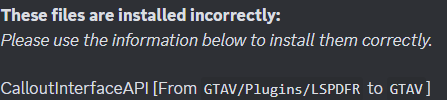
-
post the ragepluginhook.log from the main gta folder, its a text file and is NOT in the logs folder.
-
Hi!😄 A plugin is requiring ScriptHookVDotNet, download here. Install SHVDN.asi, SHVDN1,2 & 3 in the main gta folder.
-
Pls remove ComputerPlus, its outdated. You can install CompuLite as a replacement. https://www.bejoijo.com/post/compulite
-
Post the ragepluginhook.log from the main gta folder
-
This means a replacement with the same features as the old plugin is available, so you can remove the old one and have the same features with a new and stable plugin👍 I highly recommend to remove those listed. Otherwise you won’t be happy, cause you will get many crashes due to outdated plugins
-
You have a permission issue. add the gta folder as an exception in your antivirus. if it still crashes, check out page 4 on the faq: https://docs.google.com/document/d/1Hp2Qco0qsgKfohkhjYWUxTr2OF7NSCkp8uSZwWz6rRQ/edit
-
Update lspd first response.dll and .pdb in gtav/plugins Your topic has been moved to LSPDFR 0.4 Support. Please post in the correct location in the future.
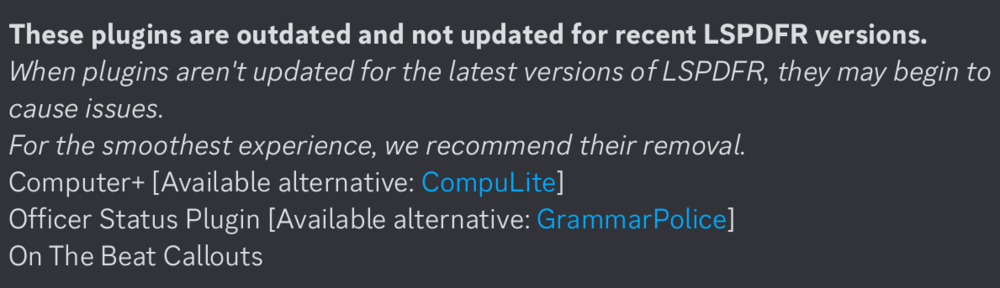
-
Update your mods folder, and update the gameconfig
-
-
Where is your scripthookv and dinput8? move dangerouscallouts from gtav to gtav/plugins/lspdfr
-
Rename mods folder to _mods
-
What have you done before the crash? rename mods folder to _mods
-
First Post your scripthookvdotnet.log and the asiloader.log and the scripthookv.log file from the main gta folder additionally you can remove all scripthookvdotnet files, then try again.






