


FCV96
Members
-
Joined
-
Last visited
Everything posted by FCV96
-
Glad I could be of service. :D
-
That's really impressive. I see there are still rotating bits inside of the lightbar; is there an LED in that rotating assembly as opposed to a regular incandescent bulb - or is there something else I'm missing? I love the look of rotators in a lightbar, and if it can be implemented with the visibility of LEDs then I'd be quite a happy camper. Also, this is one of the new Vision SLRs, right? - http://www.fedsig.com/products/296/vision_slr_lightbar
-
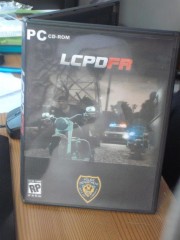 Fantastic if I do say so myself. Would be great if LCPDFR could turn into what DayZ for Arma II has.
 -
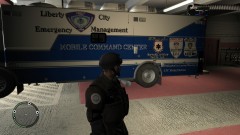 Will it be released?
 -
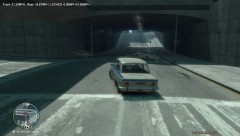 Definitely an interesting choice for a police vehicle. :D
 -
You definitely got the color correct for the real NYPD traffic; their vests are quite yellow. I'll download this later to test it in-game.
-
Here's the one I use; it is quite good as per the screenshots I will post below[it can be installed perfectly fine without EFLC; I'm running with standard GTA IV and have no problems] -
-
That is nothing short of awesome!; can't wait to see when its done. Will these be ELS enabled? - if so, I will be incredibly excited about the single dome beacon light! :D
-
Not bad, though I assume that NYPD will continue to use the Vision SL lightbars for quite some time.
- 11 comments
- 1 review
-
-
Your CVPI is pretty impressive if I do say so myself; I love the different options for pushbars. A shame the ENB I'm currently using makes the flashers in the reverse-lights nearly blinding, thereby making the car almost impossible to drive.
-
You could always use the Pass Through Doors/"open doors" commands [or something similar, I forget the exact wording] in Simple Native Trainer. It'll open up the bank, but no NPCs will be inside. I suppose you could spawn them with the trainer as well.
-
 Can't wait; we haven't had a legitimate Ford Econoline/E-Series anything yet!
 -
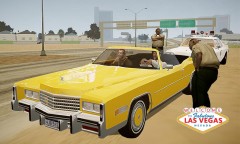 Pretty awesome if I do say so myself! Is this IV? - because I'd love to have that Eldorado! :D
 -
-
-
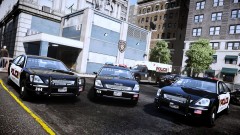 Pretty sweet, I must say. Though I'd prefer it much more if it was ELS enabled. Love the textures though.
 -
Assuming the Crown Victoria is Canadian is not necessarily correct. The LTD Crown Vics as well as the Grand Marquis and Town Cars of the early days [1980-1991] were primarily built in both the United States and Canada. The Town Car was built in the United States until 2008. The Panther Platform is most definitely a United States design; it being built in Canada does not make it primarily Canadian - just as having the current-gen Chevrolet Impala built in Canada does not make it primarily Canadian.
-
An incredible CVPI, that's for sure! There is only one problem I have with it; the flashing lights in the reverse lights. They are fine; but because of my ENB they are blinding and make the car difficult to drive. Any chance of a version without them?
- 29 comments
- 14 reviews
-
-
Beautiful CVPI, I really love that lightbar. A shame it is using a modified template though; I can't use older textures without editing them. >___< - Why is Sgt. Kanyo the only author that has a Driver San Francisco CVPI that uses the default texture?
- 9 comments
- 10 reviews
-
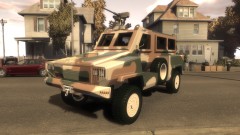 This looks awesome! :D
 -
 Do I spy Zebra-3? :D
 -
I've found that the Econoline is not ELS, though I have yet to find that Diplomat at all, let alone an ELS version. Any links?
- 8 comments
- 5 reviews
-
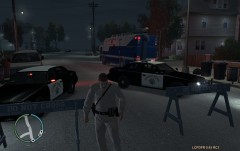 Love that uniform! :D


