


FCV96
Members
-
Joined
-
Last visited
Everything posted by FCV96
-
Looks pretty sweet! - Any chance that you could do a lightbar texture that had both the red and blue beacon on it?
- 4 comments
- 1 review
-
If this actually does make it to release, I think I will go nuts with joy. I've always loved the 70s/80s when it came to cars in general, let alone police cars. :D - I'm personally still waiting to see some sort of Plymouth Fury NYPD police car, whether it is the 1965-1968 Plymouth Fury [First photo, in green/black/white color scheme of NYPD] or the 1975-1978 version [second picture, in classic NYPD color scheme.] =========== This compilation list so far is fantastic; you've done us an excellent service by getting it put together.
-
Thank you all for the follow-ups; it would certainly be a dream to see this version of the LTD Crown Vic' immortalized in GTA IV as an ELS police car. :D. Seeing as the earlier COPS episodes had plenty of these along with box-Caprices and Diplomats/Gran Furys, it would make for a fantastic time.
-
Also, is there any chance to get a version that has both a red and blue beacon light on the MARS Skybolt lightbar?
- 15 comments
- 7 reviews
-
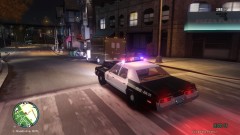 Thanks!; the delivery van can be found here, it is a 1985 Chevrolet Step Van - http://www.gta4-mods.com/vehicles/chevrolet-stepvan-1985-f16231
 -
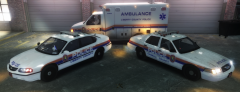 Can't wait; this is going to be fantastic. :D
 -
From the album: LCPDFR Escapades
Either this POST-OP worker is late on a delivery, or he's got something he shouldn't have. Here's hoping that backup shows up soon! ===== Specifically pictured here is the wonderful 1974 Dodge Monaco Police Car by Solo and posted on LCPDFR by Strike. It can be found here - My LAPD Texture for it is here - -
Just as the title says, I'm in a search for a 1988-1991 LTD Crown Victoria police car that is ELS enabled. If anyone has some spare time to model one, or if there is one already floating around, I'd be appreciative. The 88-91 redesign has always been one of my favorite sedans of yesteryear, and it has always looked fantastic. The best pictures I could find of the police car specifically are below, the last one being from the movie HEAT if I remember correctly. The large, aero-dynamic lightbar in the last photo will also be one of the best candidates IMO. From what I understand, the police car wasn't all that different from the civilian model, so any 88-91 will do as a reference. Thanks for your help! :D
-
If I'm not mistaken, you are referring to these hubcaps, yes? Those were used from 2003 to 2005. Perhaps you'll have better luck finding them with the other two years included.
-
Just as the title says, this is an LAPD-esque texture for Solo's Dodge Monaco, found at the link below. The LAPD logo was borrowed from Bxbugs123's CVPI skin package; I am not directly editing his own textures, however.
- 2 comments
- 3 reviews
-
-
I can't thank you and Solo enough; there aren't enough classic 70s American cars for GTA IV.
- 7 comments
- 3 reviews
-
This is awesome!; thanks for the upload as well as a thanks to Solo. The ELS-Enabled Police Car rocks! :D
- 15 comments
- 7 reviews
-
![[WIP] Nassau County Impala RMP's](//s3-gallery.int-cdn.lcpdfrusercontent.com/gallery/album_862/sml_gallery_8744_862_449224.png) Can't wait, especially for that CVPI though. :D
Can't wait, especially for that CVPI though. :D -
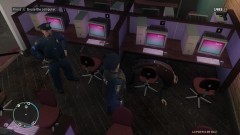
From the album: LCPDFR Escapades
Looks like this fellow played a bit too much GTA IV, and collapsed. It doesn't look like the paramedics are getting there anytime soon either... -
A fantastic complement to my fleet of LCPD/NYPD Crown Victorias in GTAIV. Thanks!
- 14 comments
- 11 reviews
-
-
Thanks; I've already got a CVPI Port Authority skin and was looking to match an Impala to it as well. It looks great. ^-^
- 5 comments
- 4 reviews
-
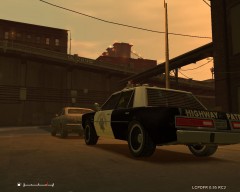 This Diplomat would be perfect if it was actually ELS-Enabled
 -
![[WIP] Las Vegas Metropolitan Police Department Crown Victoria](//s3-gallery.int-cdn.lcpdfrusercontent.com/gallery/album_226/sml_gallery_5382_226_188810.jpg) Is this based on the Driver San Francisco CVPI model?
Is this based on the Driver San Francisco CVPI model? -
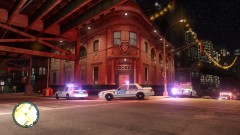
From the album: LCPDFR Escapades
The LCPD officers at the Broker station enjoy putting on a show for the populace once in awhile. -
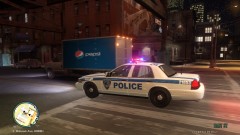
From the album: LCPDFR Escapades
The LCPD can't afford to stop for breaks in a city like Liberty City, and it is quite important to stay hydrated. Unfortunately, the driver of the Steed may not grasp this concept. -
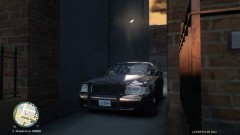
From the album: LCPDFR Escapades
Hiding in an alleyway is one of the best ways to stakeout for a bust! -
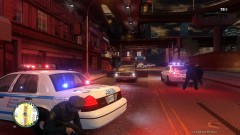 Thanks! - the fantastic look is mainly due to this ENB; www.lcpdfr.com/files/file/600-enb-no-conflict-with-lcpdfr-095/ It says it works with EFLC, but I'm running the standard GTA IV version 1.0.7.0 with no problems.
 -
I'm fairly certain all vehicle models from Driver: San Francisco are extremely low-poly and efficient.
- 14 comments
- 13 reviews


![[WIP] Nassau County Impala RMP's](http://s3-gallery.int-cdn.lcpdfrusercontent.com/gallery/album_862/sml_gallery_8744_862_449224.png)
![[WIP] Las Vegas Metropolitan Police Department Crown Victoria](http://s3-gallery.int-cdn.lcpdfrusercontent.com/gallery/album_226/sml_gallery_5382_226_188810.jpg)
