


FCV96
Members
-
Joined
-
Last visited
Everything posted by FCV96
-
Just saying, but the implication from the title of this thread is that you are actively searching for somewhere to obtain the files in question. It also doesn't make sense for you to poll on this; it is common knowledge to make backups, as well as the fact that everyone originally had these files. Also, you come off in a condescending, arrogant manner in the quoted post above.
-
These are looking better and better each day; I love how the 91' version has that skirted rear wheel well. Any chance of ELS-compatibility?
-
-
The lag is most likely caused by how your game is set up; multiple high-poly car mods, more mods and graphical enhancements than your video card can handle, etc.
-
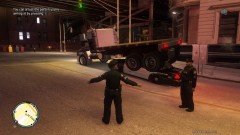
From the album: LCPDFR Escapades
How exactly do you explain this to the supervisor? O_o -
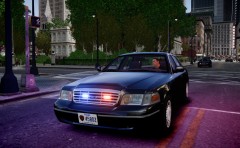 This is great!; any chance of an unmarked NYPD cruiser using the Driver San Francisco model? I love the lighting setup on that one in particular, and the hubcaps with the chrome grille look fantastic.
 -
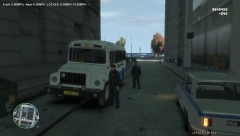 Might I inquire as to where that police car came from? It's pretty awesome if I do say so myself.
 -
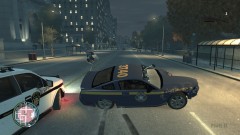 *Insert Crown Victoria fanboy comment here* xD
 -
Then you've done something wrong. I used NicolaiB's method; just disable the keys from inside of the trainer in-game and then select 'save settings to trainer .ini'
-
Perhaps if you edited the HORNS.ivaud file and replaced all siren sounds with silence; that would probably work the best.
-
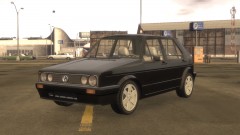 This Golf is one of the best; those dual circular headlights freaking rock! :D
 -
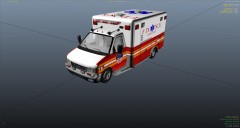 Nice! - I'll have to download that model sometime soon. Any download link?
 -
Can we get anyone to make ELS versions of the regular vehicles as police cars? [Thanks, Capt. Myers; looking forward to it.]
- 16 comments
- 4 reviews
-
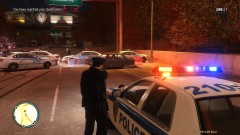
From the album: LCPDFR Escapades
Never run from the law, especially not the LCPD. -
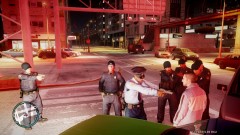 I see a Sig Sauer P226! :D
 -
That ELS-H would be fantastic. Though the SLR does use LEDs, they are on rotating assemblies as shown in the video. An ELS-H version would make me quite happy. :D
-
-
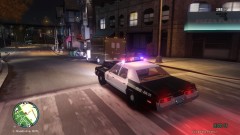 Couldn't agree with you more.
 -
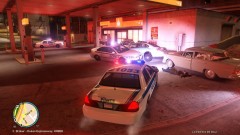 Thanks; it really has improved GTA IV for me. :D
 -
I don't really care for the split model, but that Vision SLR at the top is surely tempting. Just make sure it has the effect of rotating like the real ones do; And don't worry; I for one am very appreciative that it is ELS-enabled.
-
I'd personally love to see a Clayton County, GA skin. Preferably for the CVPI, but a Charger would be cool as well.
-
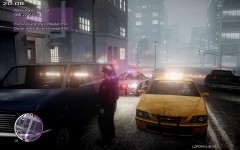 What graphic-enhancement is this? - it looks great!
 -
Just stumbled across this thread; I must say that this is a fantastic endeavor to take after the completion of 0.95. I wouldn't regret replacing ELS in a heartbeat based upon the information here though a quick question. In what functions will Illumination 2.0 be different from ELS, aside from not having to create textures to map lights on vehicles?
-
These lightbars always intrigued me; they look fantastic atop the Chargers and Crown Victorias designated for Highway Patrol. I'm surprised they aren't placed on mods more often.
-
Your models always look fantastic; I love it that someone is making police vehicles out of the default cars in the game and doing such a good job. Once again though, I must ask if there is -any- chance whatsoever to those of us, such as myself, that want an ELS-enabled version.
- 12 comments
- 7 reviews

