


FCV96
Members
-
Joined
-
Last visited
Everything posted by FCV96
-
-
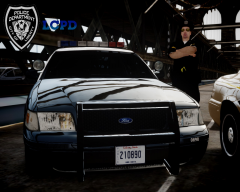 You're not the only huge fan of the Crown Victoria around here, I can assure you of that much! :D - Great screenshots by the way; they'd be fantastic promotional posters.
 -
Looks absolutely wonderful, Ceril - you've done the GTA IV modding scene and classic car aficionados such as myself something to cheer about.
-
Thanks, Ceril. I can't wait to see this model; it will be glorious no doubt.
-
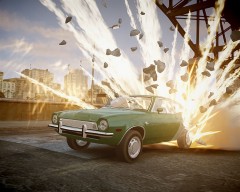 This is nothing short of awesome. :D
 -
That's absolutely beautiful, Ceril - everything you've shown so far has done nothing less than impress! ^^
-
Looking good so far! - Here's some reference photos, though you should probably ignore the logo on the wheel cover; it isn't all that important and a blank one looks better IMO.
-
 Yes; the model can be found here - http://gtapolicemods.com/downloads.php?do=file&id=941 And the textures are in the version with the ELS MARS Skybolt lightbar, found here - http://www.gta4-mods.com/vehicles/1983-chevrolet-impala-libertychicago-police-f11974
 -
Do you have a particular model in mind?
-
From the album: LCPDFR Escapades
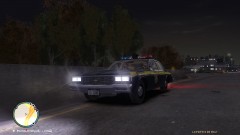
Seen here in a mid-1980s Chevrolet Impala, the Liberty State Police constantly patrol the Plumber's Skyway in Alderney for traffic infractions. -
I need at least an LCPD texture. Anyone else who wants to submit some textures to me, I'll include the three i like most with the .wtd, and the rest in a separate folder in the download. On a seperate note, KevinDV is going to send me both an ELS and Non-ELS version of the Aerodynic lightbar that CJ24 used on that caprice! That's incredible news!; glad we could get the best of both worlds. The template looks great too! If anyone has the capability to make textures that represent everything that classic automobiles have to offer, it's you, Strike. :D. - Perhaps you could base the LCPD/NYPD texture off of the old blue/white design?; In addition to that, all I really care for is the LAPD-version. Any other agency is a bonus.
-
-
Thanks for going through so much trouble to get this model out there, Ceril; we all appreciate your hard work. Same to you for your offers to help, Compeast! :D - Once the model itself is ironed out, maybe both an ELS-H [cj24's Aerodynic] and a non-ELS [Compeast's Aerodynic] version can be put out?; I personally love ELS and think it looks wonderful but can see why some would rather be without it.
-
Definitely one of the best replacements for pstockade/nstockade out there. :D
- 22 comments
- 12 reviews
-
From the album: LCPDFR Escapades
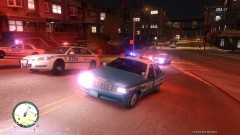
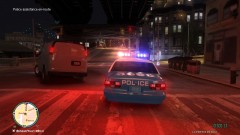
Quite the chase is in progress! -
From the album: LCPDFR Escapades
While making use of cj24's LAPD Caprice, I noted that the NYPD textures look perfectly fine, if not better, with that ELS-H Aerodynic lightbar. :D -
I will admit that the default lighting system does appeal to some for the older vehicles, though I think that ELS-H will be a worthy contender as well. I don't think that the standard lighting system looks as good as it could, not to mention it is limited to only red and blue [if that orange is going to be in there, then ELS-H will be great]. It comes down to personal preference, though I do prefer ELS; there aren't enough ELS Aerodynics [just cj24's caprice and Lt Caine's Crown Victoria come to mind] IMO. Note how good cj24's ELS-H Caprice looks with its Aerodynic; - - The lightbar looks fantastic in game and is modeled for the LAPD, so it does have those orange flashers in the back; a non-ELS car just can't stack up to it. Here are photos of said car from my game with ELS-H;
-
At this point, it just matters on whatever is easier to model for you. If you want to undertake the subtle changes of the 1990/1991, then be my guest [the steering wheel looks much nicer with that 1990/1991 airbag IMO]. However, being that it does require substantial effort - I'd rather have the car done and then altered in the future. Perhaps go with a 1989 for now and maybe update it with a 1990/1991 later?
-
Haha; that grill looks much nicer when its modeled in 3D. And good luck on those dog-dish wheel covers; thankfully they don't have much of an intricate design on them. :D --- Also, a few tidbits on this generation [1988-1991] LTD Crown Vic; the 1988-1989 models had amber turn signal lenses in the front, but the 1990-1991 models had clear turn signal lenses with amber bulbs. The 1990-1991 models also had a different steering wheel to accommodate the newly added driver's-side airbag;
-
Those wheels were used on the LTDs as well as the 1992-1997 Crown Victorias; I don't think anyone has ever modeled them before though. And a 3-D grille as Strike suggested would be awesome. It also seems that the [ELS-Enabled] Aerodynic would be the best choice for this vehicle; the LAPD setup would be the best IMO. Red/blue with that bit of orange on the back [show spoiler]; ----------------------------------------------------------------------------------------------- And Strike, if you're doing textures then I'd love to see LAPD and San Diego Sheriffs as well as the two in the spoiler tag! :D
-
That Intrepid is absolutely fantastic if I do say so myself, though I'd personally ditch the spoiler; I haven't seen a police package with one on.
-
-
Here's one, preferably for the Crown Victoria, though a Driver San Francisco Crown Victoria version would be appreciated as well. Clayton County, GA, Police [Pictures Inside Spoiler Tag]
-
First off, I believe it goes in the main directory rather than in the scripts folder. And I'm not entirely sure how you'd go about spawning it; perhaps send a PM to someone that seems to understand it in the mod's comments, or even the mod's author? -
-
If I'm not mistaken I believe you must spawn it in using Simple Native Trainer.


