


FCV96
Members
-
Joined
-
Last visited
Everything posted by FCV96
-
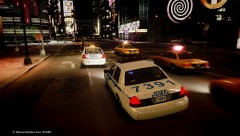 Nice shot!; which ENB is this?
 -
-
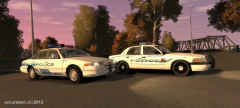 That looks incredibly nice, though I'd love to see a full ELS version of that 1992-1997 Crown Victoria.
 -
Thanks for the info. :D
-
Care to give a recommendation or link to one? I've been thinking about using a GoPro for a dashcam but if there is a better way I'd appreciate it.
-
No problem, and I speak for the citizens that you offer services to when I say thank you - respect for first responders comes at an utmost importance. :D
-
 Apologies; I just wasn't entirely sure of how to wrap it up and used the easiest cop-out I could find. I'll try to rectify that in the future.
 -
Trust me; if you need any scanner advice the guys at RadioReference can help you; http://forums.radioreference.com/ - I purchased a Uniden Bearcat BC346XT for Christmas based off of recommendations from users over there. Good luck, and happy scanning. :D Also, do make sure that the hobby is legal with a dedicated scanner in your area. Where I live [Queens, New York] it is illegal to use a scanner while operating a motor vehicle.
-
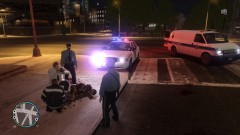
Question pertaining to updates of PoliceHelper; when you are including callouts, would it be possible to script a shooting that has already taken place? - you and other officers could canvas the area looking for the shooter. I was playing around with your excellent METT mod when the idea hit me, from this shot in particular.
-
From the album: LCPDFR Escapades
- -
-
-8gb Flash Drive -USB Card Reader -RS232 Serial to USB Adapter -Uniden Bearcat BC346XT Police Scanner All in all, I'm quite happy - most notably with that last item. :D
-
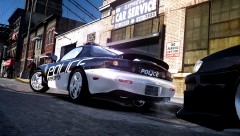 Fantastic; I would love to see an RX-7 in game in police livery. ELS would be better though, and perhaps a slicktop design too.
 -
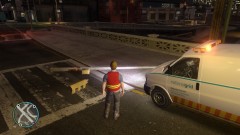
From the album: LCPDFR Escapades
I don't think the supervisor will take this incident lightly! [Get it? - 'light-ly'? :D] -
I'd love to see an older GE Powercall siren, preferably with the first tone as the wail and powercall tone in the priority slot; First tone starts at 0:50 Powercall starts at about 1:16 http://www.youtube.com/watch?v=uhZt-MDsp_8
-
Just tested the mod out; I really do love it! - Though I swapped out the female doctor with a paramedic. :D ---- EDIT: Got a good shot of what I think describes this mod rather well. A possible callout for future PoliceHelper upgrades as well; shootings where the shooting has already occurred. Perhaps you could canvas the area for the shooter?
-
No problem; and that's a very good wattage for general gaming - do wait for it to arrive just to play things safely. :D
-
Not many systems can run effectively with only 350 watts and act as a labor-intensive gaming machine at the same time. Asus' PSU wattage calculator will help you to see how much you need; http://support.asus.com/powersupply.aspx
-
The wattage is generally the number by which PSUs are marketed by; my PSU is 650 watts for example.
-
I would not risk it; if that power supply burns out or is overtaxed then it could damage all of your other, presumably expensive, components. Just wait; it'll be worth it. Also, what is the wattage on your new PSU?
-
Finally!; I've been waiting for some of these default police cars to have ELS.
- 19 comments
- 5 reviews
-
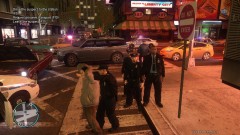 He was actually sentenced to death for crimes against humanity; that Prius really did him in. xD
 -
From the album: LCPDFR Escapades
The subject in question caused a large accident in an Algonquin intersection; the incident appeared to have stemmed from road-rage. -
I wasn't able to locate one with the proper orientation and I did realize that; thanks for finding the correct one! I would've never guessed that; thanks for the info. ^-^
-
Finding any photo of Atlanta's older cars is ridiculously hard - the logo just appears to be a wireframe globe with a leaf-looking item around it. I'll try my hand at recreating it in GIMP, though here is a globe that looks similar for anyone that wants to try it themselves. Just note it has to be white.


