




Dozel
Members
-
Joined
-
Last visited
Everything posted by Dozel
-
I think there is something wrong with your tag's Callout But seems it still loading successfully. Also take a look at your Plugins or Plugins/LSPDFR folder, if there is Newtonsoft.Json.dll, it doesnt belong there, put it in gtav main directory.
-
Let's try the most trivial thing. If you have some addon mods installed you have to install gameconfig, heapadjuster, packfile limit adjuster as well.
-
Attach RagePluginHook.log, it's text file in gtav main directory.
-
What was that?
-
Are you sure it's the correct log? Judging on this one seems like your game has crashed during loading screen.
-
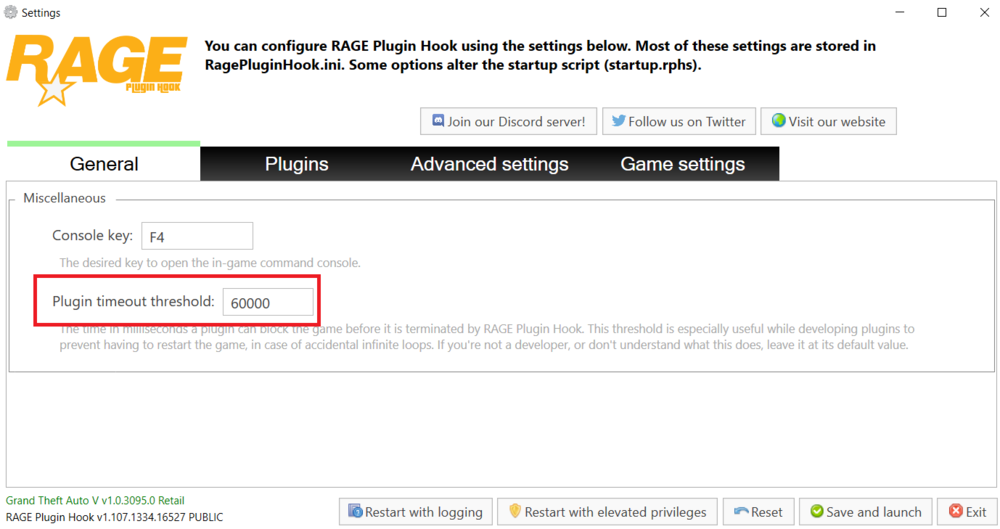
He asks you to attach file from gtav main directory, not from logs folder in there. And make sure in Rage Plugin Hook settings you have Plugin Timeout Threshold set to 60000
-
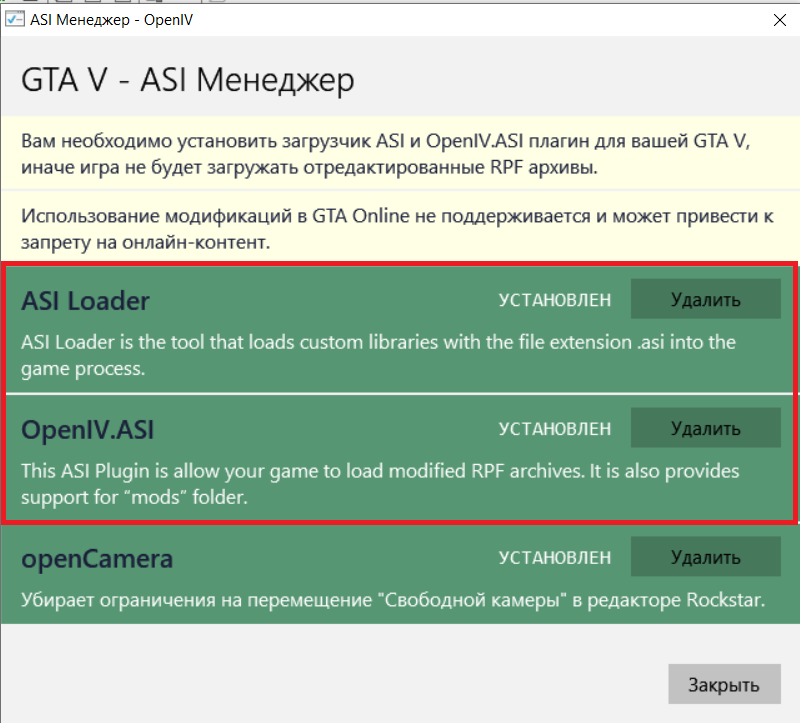
Yeah... You have to install ASI things from openIV. And now remember once and for all, ALWAYS install mods in MODS FOLDER. Verify game files and install ASI from OpenIV.
-
Please attach RagePluignHook.log, it's a text file in main GTA V directory.
-
If I were you, I'd try to temporary disable/remove all plugins except LSPDFR and give it a shot. If game will not crash after calling transport unit with base LSPDFR, start to installing plugins one at a time. Thoose commands (RPH console) can help, if you need to test plugins (only for those in the lspdfr folder: STP, UB, etc) without restarting game: -ReloadAllPlugins -ForceDuty -StartCallout
-
Delete Traffic Policer, it can cause game instability. As well your crash can be related to one of the Callouts: ChaosCallouts, TAGsCallouts, IGCallouts, UnitedCallouts. One of them can cause the issue. I'm not sure, but also DamageTrackingFramework (Deadly Weapons plugin I guess) can be a bit unstable.
-
So I have few thoughts, not sure if it helps, but you can try while waiting. 1. Disable License Plate Randomizer And RPH Delete Vehicles, it may cause issues with spawning transportation unit. 2. Make sure you didn't mess your Ultimate Backup. As a diagnostic measure, try reinstalling it cleanly (if you need, make a backup of the UB you have installed) 3. As well you could try to change your game path. GTA V - LSPDFR doesn't seems right because sometimes special characters like "-" can cause many issues.
-
I really didn't get the problem. If you calling State patrol you suppose to get Highway (State Trooper) unit. If you don't want so, just call Local patrol unit outside of highways. After all, even the title says STATE PATROL. What else do you expect to get?
-
I think if those dlc's not in your game (which is strange) you need to verify game files.
-
Same log with launching of the game, as far as I see it could crash because of WeaponControl (really don't know what plugin it is)
-
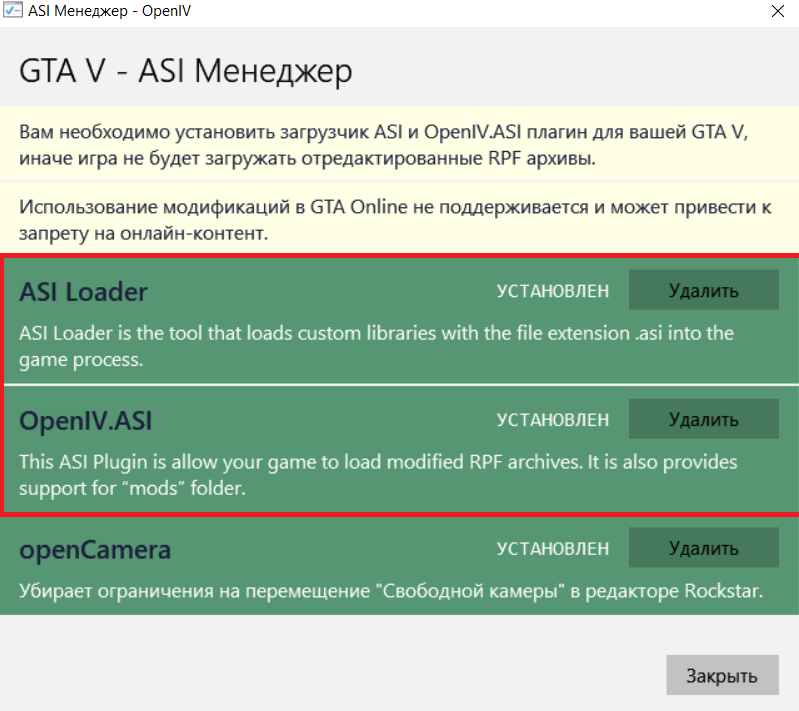
Personally me using .oiv version (same for S&P) And Menu And I have no problem. Also make sure your ASI things works fine
-
Good luck ✊
-
Well if you really using license version of the game (Steam, Epic, RGL) game should be updated automatically, especially if you were FULLY reinstalling it. If not, take a shot. Make a clean installation.
-
Take a shot, might help. Maybe I'm too old, but I recommend .oiv install into mods folder.
-
Ok so as far as I see they pretty similar. So I have 2 thought, nether your EUP uniform is not working (messed dlclist.xml, messed mods folder, etc) or you have old/too new version of EUP installed so it messed EUP Menu presets.
-
Ok, please paste text from this file and hide under spoiler.
-
So you have EUP 9.3.1 version and EUP Menu 2.3.0.0? Attach here presetoutfits.ini from plugins\EUP. Just want to take a look and compare with mine.
-
You have paid EUP version from patreon? If yes, that could be the problem of messed EUP Menu presets.
-
Make sure you have latest versions of thoose plugins.
-
It's seems like wrong log. There is no reloading of plugins. Only launching of the game.
-
First link for SP, second one for FiveM, you need to install only one of thoose versions. About your crash, this might help:



