




Murphy
Members
-
Joined
Everything posted by Murphy
-
I just started my game to test out ELS v8 with the GTA V Vapid Police (LCPD) I just finished, and my game also crashed... My Scripthook gave the same report.
-
-
-
As I have mentioned before on this forum, there's this script by Skorpo: http://www.gta4-mods.com/script/undercover-car-mod-v12-f26984 It does get cars to pull over; however, it's not necessarily the best script for the job I'm anxious to see someone create such a script without the extra functionality that Skorpo's has.
-
Funny stuff. Thanks for sharing! Why don't you make a patrolling topic to post all of your videos on?
-
If you're feeling antsy, Firearm2112, there's this: http://gtaxscripting.blogspot.com/2014/04/watch-dogs-script-by-michael-wojtanis.html
-
To me, it's perfect; however, I would also suggest buying a higher wattage PSU, as games will most likely become more demanding in the future. Have fun with the build! :)
-
Here's a link to the topic on Callouts+. The download link is also present on this page: '?do=embed' frameborder='0' data-embedContent>>
-
Oh, the memories. :P https://www.youtube.com/watch?v=6KO7KL2IVCE [This is not my video, btw]
-
Hmm... Try this out: Instead of attaching it to the console, try attaching it to the chassis_L0 model, since that component always renders in game. Check to make sure that the textures are included in the .wtd file, and not that they're embedded in the model (upon export from Zmodeler). Hope that helps. :)
-
Interesting.. So they're probably not extra components then. Did you make this model? If so, could you post a picture of the model's hierarchy and where those parts are within it?
-
Is this on a car model? If so, you could try adding +ext_requi or +ext_all in the vehicles.ide line for the car. :)
-
ineseri is right. Building your own computer is always the best choice; however, if you don't know how to or don't have the time, this is also an okay option.
-
It looks like the car can be affected by collisions, too!
-
Just found out about this. Good luck, TheMoneyMan!
-
Can't wait for this release! This will give me a reason to use ELS, as the door bug was the biggest reason why I haven't yet.
-
Interesting. I'll keep an eye out for you. Good luck!
-
Sure thing. :) I'll let you know if I can find something closer. dafont.com has a wide variety of fonts, so there may be a better one in there. There's just a lot of them, that's the problem. :P
-
Skorpo made a script for unmarked units. You may be able to contact him on the GTAForums and ask if he can make one for you: http://www.gta4-mods.com/script/undercover-car-mod-v12-f26984 The difference between what you want and this script is that this spawns a siren model and automatically plays the siren sounds from IV. I wish I could provide more information, but that's about all I know. I've contacted Skorpo before, and he's pretty fair about requests. :)
-
It's not exact, but this one looks close (to me): http://fontzone.net/font-details/square-721-blk-normal
-
For me, it all depends on what time of day I'm playing LCPDFR. I use the Simple Native Trainer to sync the time with my computer's time. It gives the game a little more of a "realistic" feel, at least for me.
-
There we go! :P I knew that this couldn't possibly be true.
-
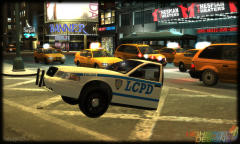 Lol, that's funny. :P
 -
I wanted to let you guys know that I'm in contact with JulioNIB, and a JB 700 script is now in-progress!
- 20 comments
- 2 reviews
-



