




Murphy
Members
-
Joined
Everything posted by Murphy
-
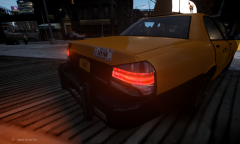 One of the features I've added are breakable bumpers!
 -
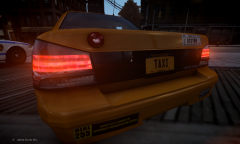 One of the features I've added are breakable bumpers!
 -
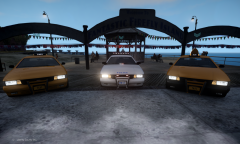
From the album: Murphy's GTA IV mods
Original models by Lt. Caine and Sam. Modified by Murphy. V Police Cruiser NYPD-style editing by Yard1 -
Collection of photos of mods created by Murphy
-
V Cruiser Variants
-
V Cruiser Taxi (Rear) Variant 1
-
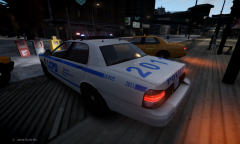 V Police Cruiser (v2)
-
V Cruiser Taxi (Rear) Variant 2
-
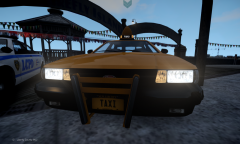 V Cruiser Taxi (Front)
-
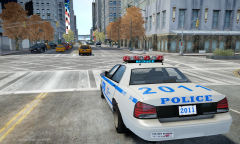 GTA V Vapid Police Cruiser (ELS)
-
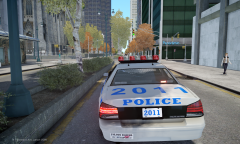 GTA V Vapid Police Cruiser (ELS)
-
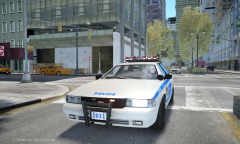 GTA V Vapid Police Cruiser (ELS)
-
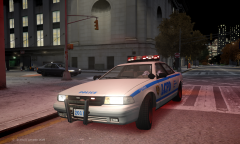 GTA V Vapid Police Cruiser (ELS)
-
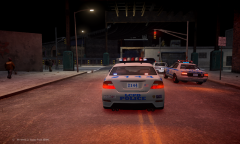 Police Chase (ELS v8)
-
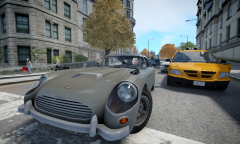 Dewbauchee JB 700
-
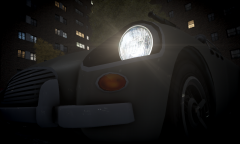 Dewbauchee JB 700
-
 Coming Soon...
-
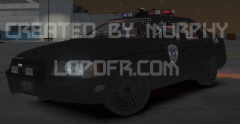 86' Taurus LX - OCP Cruiser
-
-
From the album: Murphy's GTA IV mods
[This variant has yellow bumpers] Original model by Lt. Caine and Sam. Modified by Murphy. Custom textures by Murphy. -
From the album: Murphy's GTA IV mods
Original model by Lt. Caine and Sam. Modified by Murphy. NYPD-style editing by Yard1 [To be released soon] -
From the album: Murphy's GTA IV mods
[This variant has black bumpers with a rear pushbar] Original model by Lt. Caine and Sam. Modified by Murphy. Custom textures by Murphy. -
From the album: Murphy's GTA IV mods
Original model by Lt. Caine and Sam. Modified by Murphy. Custom textures by Murphy. -
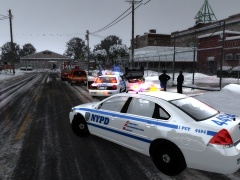 Is this the North Yankton map?
 -
Hmm... I wish I could assist more, but it isn't possible without a view of the entire hierarchy.
-
That looks good! I would also move misc_s below chassis_L2. Were you able to export it without errors yet?
-
Sorry, I should have specified. Moved the code3defender below chassis_L2
-
-
Hmm, that's quite interesting. Here are a few suggestions I have: hide the extra_1_L2 part and other L1/L2 components that are visible. This doesn't make a huge difference, but you typically only want to show the L0 parts in the hierarchy move the siren below chassis_L0, L1, and L2 in the hierarchy. You usually want the chassis to be the first rendered object in-game Check inside all other components and see if there is an extra_1 instance Other than these suggestions, I'm not really sure what else to say.
-
Hi Firefighter 5663, When Zmodeler complains about a duplicate instance in its hierarchy, it doesn't necessarily specify which instance it is. What I mean by this is that there could be duplicates of "extra_1", "extra_1_L0", "extra_1_L1", etc. In this case, the "extra_1" instance doesn't seem to be it, so it could be an L0 or L1 instance, as I explained. Hope this helps, - Murphy P.S. Did you receive the config I sent you? If so, how do you like it? [respond via pm]
-
Okay, thank you for the reply! :) It's nothing to worry about though. As I said, it's really amazing the way it is.
- 42 comments
- 12 reviews
-
I just thought of this. Would it be possible to change the script so you can configure what sound you want to use for each car? Not all cars have the same chime, so this would be a cool realism feature. It's not necessary though. It's amazing the way it is. :)
- 42 comments
- 12 reviews
-
-
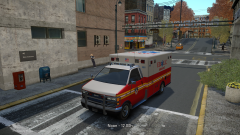 Very nice! Are you using my CryENB config here? I would be interested in seeing the changes you made. :P
 -
Classic example. It would be cool to have a script that destroys the engine of the target's pursuit vehicle after a pit maneuver.
-
I agree. It would be cool to have this, at least for the cars that don't have the sound. Unlike GTA V, IV didn't implement this in all cars.
-
In my experience with GTA IV, I have tested and experimented with many Timecycles, ENBs, and Icenhancers in order to find what was the best fit for me. Throughout this journey, I have had no difference in stability with any individual graphics mod. So, to answer your question: No, I do not think this is true. If you want to try out a good graphics mod, try CryENB v1, which has been uploaded on this site.
-
It would be nice to see a version with a Vice City style siren, but this is nice. :P
- 3 comments
- 2 reviews
-
Hey FSX-Fan2013, I don't believe you can achieve this through ELS without adding another script; however, the indicator script by Lil-rich has never caused any problems for me: '?do=embed' frameborder='0' data-embedContent>> You can also change the keys in the config files for ELS and the indicator script. This will prevent any conflicts with button presses.
-
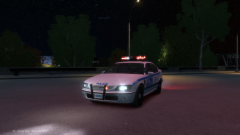 Great job, Yard1!

