




Murphy
Members
-
Joined
Everything posted by Murphy
-
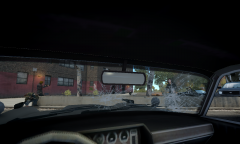
From the album: Murphy's WIP Gallery
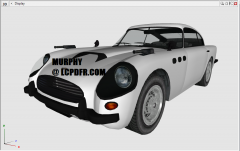
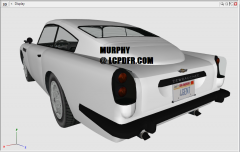
The JB700 is almost done! This screenshot reminds me vaguely of a James Bond film. Some new UV-mapping was done along with modeling of the LOD2 and some other minor components. Custom textures were also made for the license plates. Stay tuned for an update on the model's release! -
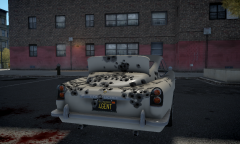
From the album: Murphy's WIP Gallery
I told you I would make it happen! ;) The bullet-proof shield slides up and down, as in the James Bond films. Some new UV-mapping was done along with modeling of the LOD2 and some other minor components. Custom textures were also made for the license plates. Stay tuned for an update on the model's release! -
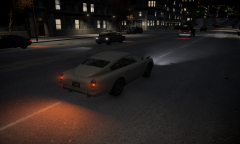
From the album: Murphy's WIP Gallery
The JB700 is almost done! Some new UV-mapping was done along with modeling of the LOD2 and some other minor components. Custom textures were also made for the license plates. Stay tuned for an update on the model's release! -
I use this mod on GTA IV 1.0.7.0 all the time with no problems at all. I do not have dsound.dll and only use xlive.dll. From my experience and from what I have read, you should either choose xlive.dll or dsound.dll, not both. Make sure that you have FirstPerson.asi and FirstPerson.ini in your root directory. As Rocking_Star101 also mentioned, make sure you have the latest ScriptHook installed.
-
Nice job, but the pushbar is a little too big in the front. Perhaps try shrinking it and pulling it closer to the car's body.
- 31 comments
- 4 reviews
-
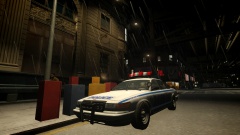 Nice picture, ineseri! What graphics mod are you using here?
 -
It appears that's not necessary. In OpenIV, you can see that the rotors and brake calipers are already textured. I think the problem is that textures are missing from the .wtd file. Actually, there was a slight typo in OPPOfficer's post. You need to import all textures for the vehicle into the proper .wtd for the car.
-
I agree with this. Even though certain features would be nice, it's for the better that things are kept the way they are.
-
I would have to say that the 1st gen Taurus is my favorite: In all seriousness though, my favorites include the Crown Vic, the 1987 Caprice, the 1992 Caprice, and the 1988 Dodge Diplomat:
-
 I tried looking through gameplay videos of GTA V and could not find anything to change these parts to black or to change their paint color. As far as what I saw, they seem to only be chrome. Would you happen to have any videos or screenshots that show these as changeable?
 -
Lol, that's cool. Glad that you were able to get it working. If you ever have any other questions, feel free to ask! I remember having a lot of issues with Zmodeler, and though I'm still not 100% perfect, I understand most of what any modeler would want to know for working with cars. One good tutorial I followed that helped me a lot (even though I had to do some figuring out myself) was this one: http://www.youtube.com/watch?v=2ez2yvfY21Q
-
Okay, that makes sense. :) I'll do some research on it to ensure I do it correctly.
-
It looks like the model is completely there, given the shown geometry in the views (other than 3D). Since it seems to have a transparent body, check to see if there is any livery image file that is being used for the car. If this texture is transparent, this could be why you can't see the car's body in Zmodeler (even though it's still there). Edit: This model could also appear like this because it uses paint3 for its liveries (which it most likely is UV mapped for). If I remember correctly, you can hide the individual texture that references the template/livery image within the material. This should enable you to see the body of the car in white. This same appearance occurs when you import some vanilla IV cars that use paint3, too.
-
I'm not exactly sure what you mean by that, DLer. :o In terms of the textures and mapping, I have not altered the UV mapping from GTA V on this model.
-
Please let me know of any thoughts or suggestions you might have as I work on this! :) NOTE: All suggestions will be considered, but I may not necessarily change the model or any of its textures based on them.
-
 Please let me know of any thoughts or suggestions you might have as I work on this! :) NOTE: All suggestions will be considered, but I may not necessarily change the model or any of its textures based on them.
 -
 Please let me know of any thoughts or suggestions you might have as I work on this! :) NOTE: All suggestions will be considered, but I may not necessarily change the model or any of its textures based on them.
 -
 Please let me know of any thoughts or suggestions you might have as I work on this! :) NOTE: All suggestions will be considered, but I may not necessarily change the model or any of its textures based on them.
 -
 Please let me know of any thoughts or suggestions you might have as I work on this! :) NOTE: All suggestions will be considered, but I may not necessarily change the model or any of its textures based on them.
 -
From the album: Murphy's WIP Gallery
Just a preview of what the car looks like when fully together. :) -
From the album: Murphy's WIP Gallery
Just a preview of what the car looks like when fully together. :) -
From the album: Murphy's WIP Gallery
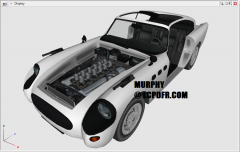
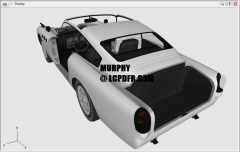
This image shows breakable parts removed, such as the doors, hood (bonnet), trunk (boot), and roof. The lights are not removed in this photo, even though they are breakable -
From the album: Murphy's WIP Gallery
This image shows breakable parts removed, such as the doors, hood (bonnet), trunk (boot), and roof. The lights are not removed in this photo, even though they are breakable -
From the album: Murphy's WIP Gallery
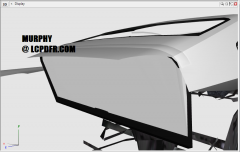
As I mentioned in previous updates, the bullet-proof shield from the James Bond movies was modeled on the JB700, but it was never made functional in GTA V. Unlike GTA V, it will (hopefully) be functional when I complete the car's conversion! -
 Orly? Boeing 747-700 Glider


