




Murphy
Members
-
Joined
Everything posted by Murphy
-
Interesting. Try re-exporting the file. Make sure that you aren't storing the textures in the model or putting an author's comment on export.
-
Did you Zmod lock your file? I did this with a mod I want to release soon. Unfortunately, the lock corrupts my file and causes this error or a game crash.
-
If the wheel is inside the cabin, this means that you haven't properly centered the dummy for the wheel model itself. In order to do this, you need to set the offset of the wheelmesh_lf model to it's parent, wheel_lf. Make sure that the wheel_lf dummy is placed outside the front left rotor on the car, so it appears properly.
-
I must learn the art of the rotating lights. It's not a fail though, just a simple error. ;)
-
Haha, I was going to post the same exact thing. Here's one where the audio doesn't get cut-off: https://www.youtube.com/watch?v=qkyskI13KOs
-
I'm sorry for the loss of your colleague. I hope that the criminals responsible are brought to justice.
-
-
I myself don't have the time to convert this pack; however, make sure you have permission from the original author(s) before asking for a conversion.
-
Thank you, Sam! I stopped playing Watch_Dogs for a little bit. This is just the reason to jump back in! :)
-
From what I saw in the video, it looks like you just want to delete the siren model from that group. You cannot use the Edit --> Delete option for that, because that only deletes full objects. If you're in polygon mode and you want to delete the polys that make up the siren, you need to use the Modify --> Delete tool in your toolbar (on the left of your screen). EDIT: Of course, if you want to do this, you need to make the selection, as you did with the Quadrilateral select tool, have Selection Mode on (meaning you click the "Selection mode" label on the bottom right of the screen. It should turn orange when you do), then use the Modify --> Delete tool.
-
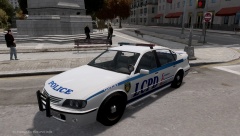 There seems to be something wrong with the headlight glass. You can't see the lenses or the indicators behind it.
 -
I do have it with the bones from GTA SA. I'm not sure how the model may act in IV, but the bones aren't perfect for it in SA. It causes the chest to slightly bend.
-
Well, thank you. I appreciate that. :) If this might get anyone interested: http://gtaforums.com/topic/481411-gta-iv-player-rigging-tutorial/
-
Perhaps as a side note. If you are viewing this topic and you know someone who knows how to work with ped models IV, please let me know.
-
I believe it is fixable, you just need to change which UV you're remapping. In San Andreas, that feature isn't included, so it's not an issue unless it's in IV. Indeed, I do understand that. Zmodeler was used to take the screenshots only. I just need someone who can help me out in 3DS to rig the model for IV.Hello, Being the Robocop fan that I am, I was wondering if anyone would know what siren this is that was used in Robocop 2: Warning, viewer discretion is advised. This clip has been set to start at the siren itself to prevent the viewer from seeing any unnecessary violence. If you wish to only listen for the siren, watch only until 3:21.Yeah. I also don't want the 2014 Robocop, because I really prefer the original. I've modeled the 86' Taurus and not the bike from the new film, so that's another reason. :P If you also notice on that model that you linked, the blood mapping is not good and smears all over.Thank you, LCPD_OFFICER. :) I mentioned that model in my initial post. It's what I use now, but it's not very accurate and has some polygon issues. The changes I've made bring the model closer to the film. I just need help rigging it for IV.Hello, I would like to request assistance with converting a pedestrian model I have to GTA IV. In the past, I've asked other ped/playerped modders to convert it, such as ac.amir, but none have wanted to do it. The model itself was extracted from the 2003 Robocop game, then was rigged on to replace an SA ped by me. I followed by changing out the texture mapping to make him look more film accurate, rather than like the game. At the very least, I would love to see this model get converted to a ped. A player replacement would be an added bonus, but by all means isn't necessary. You may also recognize this mesh from a Robocop ped that I've used in multiple of my videos. That model was also from the 2003 game, but was poorly converted and has some polygon issues. Thank you, - Murphy Screenshots:
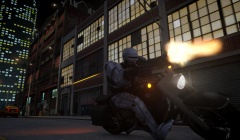 This photo was made using IV's in-game video editor.
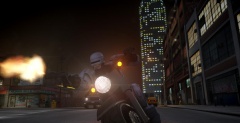 This photo was made using IV's in-game video editor.
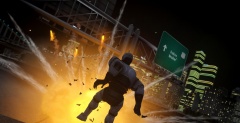 This photo was made using IV's in-game video editor.
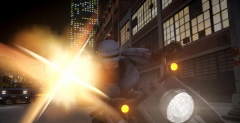 This photo was made using IV's in-game video editor.
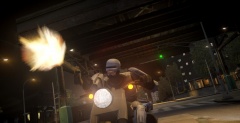 This photo was made using IV's in-game video editor.


