


Reddington
Members
-
Joined
Everything posted by Reddington
-
I'm not an expert with ELS or patterns, but I'm going to say no because the patterns are created specifically for that car and that light bar. I use his LSPD pack, tried the BCSO, the light bars are different, which I think would be a problem. However, you can go into the VCF and add the functionality you're wanting. <WRNL LightingFormat="leds" > <PresetPatterns> <Lstg3 Enabled="false" Pattern="25" /> </PresetPatterns> <ForcedPatterns> <MainHorn Enabled="false" Pattern="0" /> <SrnTone1 Enabled="false" Pattern="24" /> <SrnTone2 Enabled="false" Pattern="36" /> <SrnTone3 Enabled="false" Pattern="16" /> <SrnTone4 Enabled="false" Pattern="0" /> <PanicMde Enabled="false" Pattern="16" /> <OutOfVeh Enabled="false" Pattern="0" /> </ForcedPatterns> <ScanPatternCustomPool Enabled="false" Sequential="true" > <Pattern>0</Pattern> <Pattern>0</Pattern> <Pattern>0</Pattern> </ScanPatternCustomPool> </WRNL> Notice how under ForcedPatterns most of them have one forced. In your case, if there isn't any forced pattern defined, you need to a) Go in game and choose a pattern for each, PRML lights, WRNL lights and SECL lights that you want and edit the portion of the VCF accordingly.
-
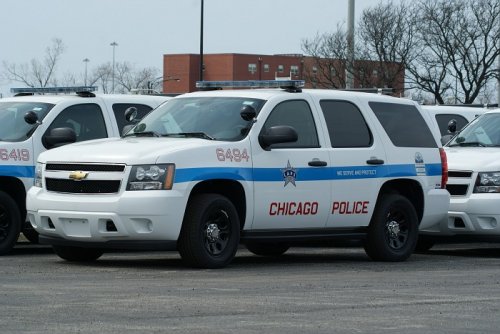 IF he is doing a Chicago pack and releases it, download it right away so that he can't pull the same thing he has with the LAPD pack.
- 43 comments
- 10 reviews
-
-

- 1
-
-
Try pressing CTRL+ whatever the key is you changed the pause menu to.
-
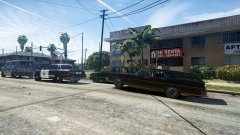
From the album: Red's LSPDFR chaos
-
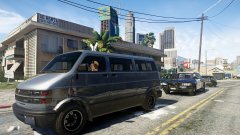
From the album: Red's LSPDFR chaos
-
Good luck!
-
Double check everything. Double check the ELS VCF still exists for the car, check that ScriptHookV is still installed, and check ELS is properly installed.
-
That's the first time I heard of that happening. Did you change anything?
-
You might need a new gameconfig. Try the one in my signature, but note that I'm not positive if it's on the latest GTA V version. It should be. Your topic has been moved to GTA V Support, this is not LSPDFR related. Please post in the correct location in the future.
-
What problems have you been having? Your topic has been moved to GTA V Support, this is not LSPDFR related. Please post in the correct location in the future.
-
 Lets put it like this, if you don't, I'm putting you on permanent modqueue. Kidding.
 -
ELS utilizes the extras for the lights, however some models will still have a ram bar, ALPR system or what not that will still be an extra. If you're sure the vehicle you're using has an extra of some type, flip through the extras in the trainer and enable all of them to find which one is the one you want.
-
In all seriousness, I need this texture!! I love the look of it.
-
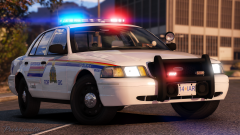 "Mount me" should be the official slogan.
 -
If you go onto their profile, you should see a "see activity" button. From there you can find their content, including files.
-
When in the ELS vehicle and you press "J", what happens?
-
1) Do you have ScriptHookV? 2) Did you install the ELS VCF file into the pack_default folder?
-
This topic has been moved to the appropriate forum. Please post in the correct location in the future.
-
I think you misread what the mod is. Back on the beat just adds more patrolling police units, and there's zero customization to it. Unless your POLICE fleet is sheriff cars, you're just going to see the police, police2, police3 slots. As nice as the mod is, I think it adds a tad bit too many units patrolling, so you have to weigh your preference. Over abundance of patrol units, or none?
-
As of now, there are only two firefighting mods: Rescue Mod V which includes fire, EMS, and Coast Guard and the firefighting mod (mode sapeurs-pompiers) I use the firefighting portion of RMV and it's not perfect, but it gets the job done. Never used the second firefighting mod, so can't comment.
-
I'd remove those scripts and see how the game acts.
-
This topic has been moved to the appropriate forum. Please post in the correct location in the future.
-
Just drag and drop the police radio files in the plugins-->LSPDFR folder.
-
There's no rush. :) Did you replace over any vanilla game files, or add any new scripts/mods recently?
-
The uninstall and reinstall thing is always the last trick and usually works. If you still can't get it, I'm sorry to say but you're still doing something incorrectly. Go over my steps one by one and slowly.

