Reddington
Members
-
Joined
Everything posted by Reddington
-
@Cyan ADD A MINI SNOWMAN FLAG TO CHRISTMAS ISLAND!
-
 Ha, knowing Rockstar, they won't do anything at all that might help the modding community.
 -
You might have some type of popup blocker enabled. Double check the browser you're using.
-
-
Since this seems to be a website specific question, going to go ahead and move this. :) This topic has been moved to the appropriate forum. Please post in the correct location in the future.
-
Both of you please try this: In OpenIV, go to ASI Manager and uninstall ASI Loader and OpenIV.ASI and then click install again to reinstall them. Next, restart your PC, and try loading into the game again and see if that works. If it still not working, please post the ASI log and ELS log files. PoliceBoot, if that doesn't fix it for you, please create your own topic and I'll try and help you out there. :)
-

From the album: Red's LSPDFR chaos
-

From the album: Red's LSPDFR chaos
-
Christmas Island or bust.
-
After clicking "download file", on the next page you'll see " If your download does not start, click here" Double click the "click here".
-
 You're welcome! If you still need help, feel free to make a new topic in that section and I'll help you with it. :)
 -
-
Thanks for the kind words. :) I always enjoy helping those who need it.
You can easily make it an add-on vehicle yourself. Check my sticky topic in GTA V support on how to do this. I second this!
 Ohh, good thing I have it. ;)You're grossly underestimating how many videos are uploaded per day. You're also underestimating the task of moderation. Have you ever been a staff member for a site like Youtube or a big site? LCPDFR is the second most active forum I've ever moderated for. The first one was almost 10 years ago and had far too many new posts daily. It is not easy in the slightest to moderate a very active site, even if you do have help. Youtube is the most popular video sharing site, even if you hire on a lot of people, you're still not going to get the result that you want. Can you imagine how many people they'd have to hire, and how many people they'd have to pay just to say "yes" or "no" to whether a video is child friendly or not? No one in their right mind wants to do that. From a business perspective, that is a waste of money. Again, this is not Youtube's fault. Youtube is indeed a site meant for everyone, but it's not meant for some 6 year old unattended. The very problem we're debating about could be solved if parents monitored their children's online presence. Do you think a parent is going to look at a weird video title with their kid and think 'yeah, lets click that!'? Stop blaming Youtube for failure parenting. If you have a little child, don't let them use the internet unattended. That is bad parenting and stupid.I wouldn't say they "must be reported." Furthermore, a lot of things in life traumatize children, you don't see warnings about literally everything. Falling can traumatize a child, so where's the PSA's about falling? Yes, lets blame Youtube for an impossible task of "if; video targetschildren deny upload". You can't have a system that reads a video and says "Yeah, targets children." You also can't add in keywords such as "children" because then Youtube employees have to look at literally thousands of newly uploaded videos that have that tag. Again, this can easily be solved if parents stop being lazy and throwing their child in front of the computer and going "entertain yourself while mommy goes and drinks." This technology era is amazing in most aspects, but one of those aspects it's negative for is parenting. It's so easy now for parents to barely pay attention to their child and just give them a computer.
 Awesome! I look forward to it.
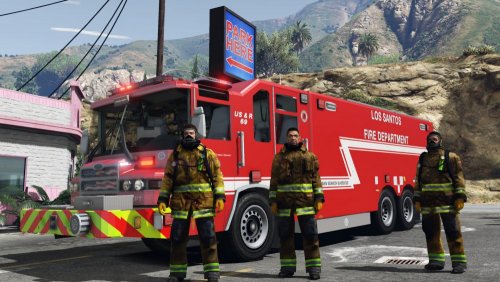
Is it ELS? Also, I'm guessing there's no TA, right? It's just the red/blue?
That light bar looks really good!The videos are ...well lets put it like this, the thumbnail for the second video is quite disturbing and is pure clickbait. However, this isn't really news. Your source is a subreddit, which frankly, Reddit's community is a joke. There are some very disturbing and weird Youtube videos, but this seems like all smoke and no fire. Furthermore, while going to a certain video can spark suggested videos which include these weird ones, most of the time you have to originally click on some weird video to start seeing the others or be searching for the weird videos. I use Youtube every single day, all day as my primary TV source, and not once when watching a Mario Kart vid, Space Engineers, LSPDFR, etc have I been recommended to some weird ass video. Finally, regarding the last picture, that is 100% an attack against Youtube. Being safe is, oh, I don't know, MONITORING YOUR CHILDREN ONLINE and ACTUALLY SITTING DOWN WITH THEM AND NOT LEAVING A CHILD UNATTENDED ON THE INTERNET. Few things here. a) Assuming the parent is computer illiterate, do you really think they know how to find said history? b) Depending on how tech savvy the child is, they could easily go and erase browser and Youtube history. c) "Accidentally" implies a window popped up with autoplay on, or a virus/maleware hijacked the url you were trying to go to and sent you to a bad site. Whether they understand the video's title or not, they consciously clicked on it.
Awesome! I look forward to it.
Is it ELS? Also, I'm guessing there's no TA, right? It's just the red/blue?
That light bar looks really good!The videos are ...well lets put it like this, the thumbnail for the second video is quite disturbing and is pure clickbait. However, this isn't really news. Your source is a subreddit, which frankly, Reddit's community is a joke. There are some very disturbing and weird Youtube videos, but this seems like all smoke and no fire. Furthermore, while going to a certain video can spark suggested videos which include these weird ones, most of the time you have to originally click on some weird video to start seeing the others or be searching for the weird videos. I use Youtube every single day, all day as my primary TV source, and not once when watching a Mario Kart vid, Space Engineers, LSPDFR, etc have I been recommended to some weird ass video. Finally, regarding the last picture, that is 100% an attack against Youtube. Being safe is, oh, I don't know, MONITORING YOUR CHILDREN ONLINE and ACTUALLY SITTING DOWN WITH THEM AND NOT LEAVING A CHILD UNATTENDED ON THE INTERNET. Few things here. a) Assuming the parent is computer illiterate, do you really think they know how to find said history? b) Depending on how tech savvy the child is, they could easily go and erase browser and Youtube history. c) "Accidentally" implies a window popped up with autoplay on, or a virus/maleware hijacked the url you were trying to go to and sent you to a bad site. Whether they understand the video's title or not, they consciously clicked on it. That light bar looks sexy. The whole truck does, but still...dat light bar.I skimmed the article originally, but reading it again, while you're onto something, see here: AKA it's important to say "we don't want this used in a video game because we think it'll reflect our image." So it's 50/50. It's half they want to protect their copyright from folks making money, and half "We want to distance ourselves from GTA." Still, if you're not making any money off of their design, they have no legality in C&D simply because you're using it.