


Reddington
Members
-
Joined
Everything posted by Reddington
-
So when you press J, what happens? Does it beep? Remember, you need to be inside the ELS enabled car.
-
Did you change your GTA V keybindings? It has been a long, long time since I've used non-ELS vehicles, but I recall E being the key to turn on lights and siren.
-
0 was never the key to activate ELS...so I'm a bit confused, lol. J three times turns on the light to light stage 3. Then hit either G or 1-5 for the sirens.
-
-
Okay, please go in game and try using your ELS car.
-
Yes, it is up to date. http://www.dev-c.com/gtav/scripthookv/
-
Dragonsword, We're going to start from scratch here since we previously tried this and got nowhere. 1) Make sure you have the ELS folder in your GTA V directory. 2) Make sure you have ELS.asi and ELS.INI in the main GTA V directory. 3) Make sure you have ScriptHookV in the main GTA V directory. All ELS enabled vehicles come with a VCF XML. This file allows the ELS lights to work. The ELS VCF should be in your ELS-->pack default folder. Do be aware, if you have multiple ELS vehicles, the ELS VCF needs to be named the exact same as the vehicle. For example, police2 vehicle should have a POLICE2 XML. Finally, if you turn on the lights and only the headlights/tail lights flash, try this: In OpenIV, go to ASI Manager and uninstall ASI Loader and OpenIV.ASI and then click install again to reinstall them. Next, restart your PC, and try loading into the game again and see if that works.
-
In terms of textures, it doesn't matter if the vehicle is ELS or not, the textures will act the same. Check TheHurk's ELS CHP pack and see if he included templates in the download.
-
Dragonsword, please don't hijack other people's threads. The text document isn't necessarily needed. Since you said you've done this before, a few things: 1) Did you place the ELS VCF inside the pack_default folder within the ELS folder? 2) Go into the ELS INI and look for "MaxActiveVehs", change this to 50.
-
Just replace over the slots that you want. The handling line only needs to be touched via the vehicles.meta, the handlingid. With that, change it to whatever suits the vehicle. So if it's an Explorer, change the handlingid to gresley.
-
Since there's no ELS log, ELS isn't even being loaded. Did you install ScriptHookV? http://www.dev-c.com/gtav/scripthookv/
-
Is this for a FiveM server, or will the peds be available to the public?
-
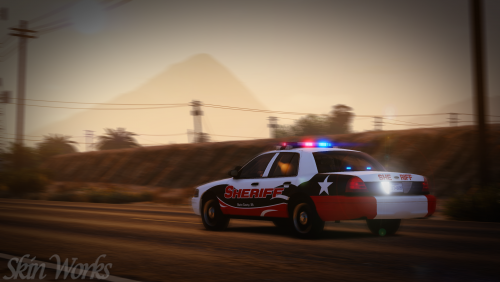 I'm starting to hate you. WHICH TEXTURE DO I USE? THERE'S SO MANY TO CHOOSE FROM! I really, really love this one, good mixture of red/black/white.
- 5 comments
- 8 reviews
-
-

- 3
-
-
Try setting your PostFX to low, save and unpause the game. Then pause and set it to high, see if that fixes it.
-
To be fair, the recent comments aren't that recent. It could very well be a model issue.
-
-
 If you could please try to add at least three more vehicles, that'd be perfect! (if not, no biggie. I just like replacing LGUARD, PRANGER and policeold1 and 2 for LSPD)
 -
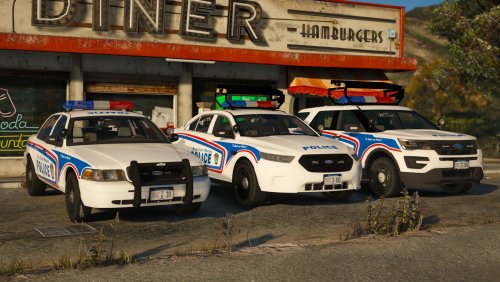 This is an issue on a decent amount of vehicles, though I'm not sure if there is a fix for it, as It might be a model issue. The only two things I advise doing are a) Constantly cleaning the car when it happens. or b) Delete the dirt texture in the .ytd.
- 55 comments
- 17 reviews
-
@Griswald How many vehicles will be in this pack?
-
This topic has been closed by LCPDFR.com staff because it is a website, clan, or group ad. Our site isn't an advertising service - please do not use it as one. If you want to share your website, group, or clan, please keep that limited to your profile and signature. If you feel that this topic has been closed in error, please report this post.
-
I'm surprised this scrub actually released something. The cars are gorgeous, as are the lights, but you MUST use the carcols for best result. My favorite thing about this pack are the textures, they look so good! I am not using the arrowboard cars, as I use RSE regularly, so I can't offer an opinion on their functionality. Regardless, love this pack! (Note, my screenshot is from a beta version, not up to date)
- 55 comments
- 17 reviews
-
-
- 2
-
-
Ahh, okay. Makes sense.
-
Out of all those, RDE seems like it might be the cause. Though, I don't use RDE or ScenariOh and have no idea what the latter is.
-
That almost sounds like you have another mod causing that. I've sat down in Davis watching traffic and have never seen the AI cross the street and get into fights.
-
No, if you're downloading from LSPDFR, you need to use our download system. Are you having problems downloading files? or what's going on?

