


Reddington
Members
-
Joined
Everything posted by Reddington
-
Temporarily remove all of your LSPDFR plugins/callouts and then see what happens. The out of memory error is pretty self explanatory, but it doesn't say if it's a specific plugin or not.
-
Cyan is currently working to fix something, which is most likely resulting in this problem. Please give it some time and things will be back to normal once Cyan is done touching fixing the issue.
-
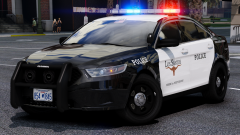 Tahoes are love, Tahoes are life. GET OVER IT!
 -
Again, this is conflicts with ELS/SM. I just use ELS and my siren only turns on when pressing the siren toggle. You're going to need to rearrange some of your SM keybinds if this happening.
-
Tahoe as well, or neigh? Either way, I'm looking forward to this! I'm in need of a new LSPD fleet.
-
Both sirens are playing because that is the keybinds both mods use. If you're using ELS, there is honestly no reason to use Siren Mastery as well unless you really want the fire/EMS to have their own unique sirens. You can change keybindings with ELS, but I'm not sure about SM. One thing to do, go into the ELS VCF for the car, and disable ELS from using a siren.
-
I don't recall ever seeing a mod that does this, but you're more than welcome to check the "maps" section of GTA 5 mods to see. https://www.gta5-mods.com/maps
-
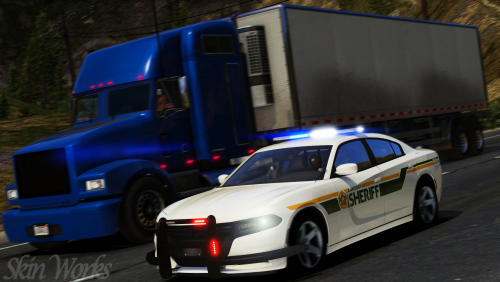 That's one thing I'll give to the CVPIs. Like 99% of all CVPI skins work on all CVPI, there's very few that have a different template. Thanks for all the work you do!
- 15 comments
- 8 reviews
-
-

- 1
-
-
I couldn't tell you, unfortunately. I just noticed that neither of your 2016 skins worked for his. He does include templates.
- 15 comments
- 8 reviews
-
-
- 1
-
-
@harrison90 Can you please add Jedahdiah's newest Explorer to your pack? Your Taurus texture fits his, but not the Explorer.
- 15 comments
- 8 reviews
-
In accordance with our community guidelines,you are not allowed to redistribute mods that aren't yours. If you feel this topic has been closed in error, please report this post.
-
I believe it depends on the area, but both can be correct. There used to be a pretty famous police live streamer who said he did it because his department can scan to see if the vehicle had previously been stopped in the event of a dangerous situation in which the officer didn't get to radio in the vehicle tags/make/model.
-
You can try manually adding GTA/Rage to your AVs allowed programs. I ust AVG, never had an issue.
-
Just so you're aware, Captain14's pack is not ELS enabled. They are ELS styled, and were made long before ELS came out. If you still want to use this pack, go into the ELS VCF for the cars and disable all the extras from being used.
-
Hi there. Try this: Go to the RagePluginHook Settings ---> Game settings ---> Command line switches check "Force Windowed mode" and "Force DirectX11" then save and launch. You can change back to full screen once in game.
-
From the album: Red's LSPDFR chaos
-
Your topic has been moved to GTA V Support, this is not LSPDFR related. Please post in the correct location in the future.
-
I've moved this to the correct place for you. :) I second this request, although I don't think it'll be possible in the exact way you're wanting. If a mod like this does come out, I imagine you'll have to press a button when you're behind the car to do it. This topic has been moved to the appropriate forum. Please post in the correct location in the future.
-
This would be better posted in the Computer+ topic so the mod author can see it. :)
-
Glad we got that sorted. :) Good 'ol anti-viruses.
-
Ahahaha! Glad it works now.
-
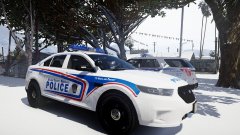 Gotta protect it from the snow. :P
 -
I think I deleted the ones you wanted, honestly not sure as I was a little confused by what you were asking. If you go into the full editor of your post, you'll see the attachments to the post and should be able to delete them there.
-
The only time I've heard about files deleting themselves from your folder is if your anti virus is doing it.
-
Give this a read and see if it's your issue -

