


Reddington
Members
-
Joined
Everything posted by Reddington
-
Moderator notice: Please do not bump topics that have gone 30 days without a post. Since you did provide an answer that no one else did, and the fact that the OP is still active, I am going to leave your post, but lock this thread. In the future, it's best to send them a PM if the thread is old. If you feel this topic has been closed in error, please report this post.
-
You're welcome, good luck!
-
You're welcome, good luck when you try again. :)
-
Unfortunately, I'm not sure about that. I'm on an older version and the snow in Simple Trainer works for me You can search the mods section here and on GTA 5 mods, but other than that, the one I linked is your best bet.
-
Unfortunately, your log says nothing about the crash. Have you previously been able to load in and play modded, or was this your first attempt?
-
What trainer are you using? Most trainers should allow snow no matter what.
-
Use this. It's a really good snow mod. https://www.gta5-mods.com/scripts/christmas-in-singleplayer-snow-mod
-
Your topic has been moved to GTA V Support, this is not LSPDFR related. Please post in the correct location in the future.
-
It's most likely a problem with the model itself. Check the download page for the car and/or the readme to see if the author mentions it.
-
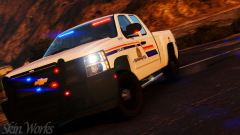 Oh I'm kidding, no way I'd have you do every single one. I honestly haven't used all of them, lol. Just the three I mentioned. I swear you're trying to make people swap out skins regularly. :P (kidding again, I love that you have so many good textures)
 -
It's not ELS, as ELS does not work on FiveM. My best guess is that the F350 they have is TheHurk's non ELS truck..
-
Here's the problem, you have released so many amazing packs that I'd like you to add this to all of them. LOL However, my top three would be your Phoenix based, Toronto based, and the black/blue.
-
You're most welcome! Same to you, eat lots of turkey. :P
-
That's what angers me the most. They won't win against a single individual, and in court they wouldn't stand a chance, so they fall back and cry "C&D" to the website they are on because they know most folks won't go to court and fight it because of the money they'd lose doing it. I wish more people weren't the type to sit back and take it, if I was a website owner and got a C&D over something that I knew for a fact was legal, I'd tell 'em what they can do with that C&D.
-
The only reason they throw a fit is because it's their department's name. I imagine they also get upset because some of what we do in GTA as cops (bad cops, anyway) has happened in that department, and they want to either bury it or distance themselves entirely. That is the only legitimate reason to be against it. Any of the bullshit claims of "we own the logo and don't want it used" is a scapegoat reason. If someone is running around in a CPD vehicle and killing civilians left and right, I would understand the CPD being a bit upset by that, but common sense needs to be a thing. No one is going to look at the CPD in GTA and think 'This is really happening!'
-
Do you have ScriptHookV? http://www.dev-c.com/gtav/scripthookv/
-
Please post your ELS log which is located in the main GTA V directory. If you don't see it, let me know, please.
-
 FTFY. :P
 -
This should fix your ELS issue. In OpenIV, go to ASI Manager and uninstall ASI Loader and OpenIV.ASI and then click install again to reinstall them. Next, restart your PC, and try loading into the game again and see if that works.
-
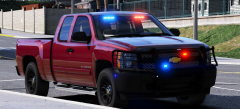 If all of those comments were a joke, then I do apologize for the misunderstanding. The way it looked to me was that everyone was ragging on him for no reason. Bare in mind, I have no idea who is friends with who, so mistakes are bound to be made. I'll unhide yours since it was meant to be a joke. :)
 -
From the album: Red's LSPDFR chaos
-
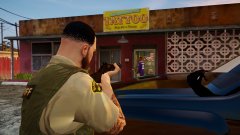
From the album: Red's LSPDFR chaos
-
In the upper right of the screen, click your name, then "account settings." Admittingly, I don't recall if there's any stipulations for changing your name. This topic has been moved to the appropriate forum. Please post in the correct location in the future.
-
He's never going to release it. It's for me only!
-
Sorry, we do not allow any FiveM based requests. This topic has been closed by LCPDFR.com staff because it is a website, clan, or group ad. Our site isn't an advertising service - please do not use it as one. If you want to share your website, group, or clan, please keep that limited to your profile and signature. If you feel that this topic has been closed in error, please report this post.


