


Reddington
Members
-
Joined
Everything posted by Reddington
-
You're most likely installing them wrong. Use the very latest (highest number) patchday that has a vehicles.rpf for placing the vehicles. This topic has been moved to the appropriate forum. Please post in the correct location in the future.
-
.thumb.jpg.43e3d26750a2a296db1870a2d77618f4.jpg) I went ahead and did it since I hate siren files with no in game audio. Feel free to use in the description.
I went ahead and did it since I hate siren files with no in game audio. Feel free to use in the description.- 18 comments
- 2 reviews
-
-

- 1
-
-
If you feel this topic has been closed in error, please report this post.
-
That means the vehicles.rpf is corrupt. You will need to go to where the vehicles.rpf is located, click "edit mode", right click the vehicles.rpf and delete it. Then remake it. To remake it, go into the vanilla update folder to the same location. Click "edit mode" at the top and you should see a red box which says to create this section in the mods folder.
-
Please refrain from creating these kinds of topics. It's unfortunate when someone takes down their mods and presumably leaves, but it is their business as to why unless they state otherwise on their profile or make a topic. Furthermore, it is against our guidelines to redistribute mods that aren't yours, and I'm pretty sure Bejoljo wouldn't condone it either. If you feel this topic has been closed in error, please report this post.
-
This topic has been moved to the appropriate forum. Please post in the correct location in the future.
-
Your topic has been moved to GTA V Support, this is not LSPDFR related. Please post in the correct location in the future.
-
This indicates file corruption. Since you said it happens with any vehicle, chances are your entire vehicles archive is corrupt. In OpenIV, navigate to your patchday which had the vehicles installed, assuming they were modded. See if it lets you access the vehicles archive. I doubt it will.
-
You don't even need to use the share button, actually. Just grab the URL from the address bar, or hover your mouse over the video, right click--->copy URL.
-
This topic has been moved to the appropriate forum. Please post in the correct location in the future.
-
The author removed it, there's no currently known reason why.
-
This has been happening for ages, but in the modern world, it definitely is easier for people to do this crap.
-
If you feel this topic has been closed in error, please report this post.
-
This topic has been moved to the appropriate forum. Please post in the correct location in the future.This topic has been moved to the appropriate forum. Please post in the correct location in the future.Check the vehicles.meta for the model and make sure it has FLAG_HAS_LIVERYThis topic has been moved to the appropriate forum. Please post in the correct location in the future.I agree, it's a shame that his mods are gone, but please don't create topics asking about where they went or why they are deleted, as no one can answer you. If the author of said mods wants to give an explanation, he can on his profile or socials. The plugins/mods belong to the authors, we will never claim them or say a mod can't be removed. If you feel this topic has been closed in error, please report this post.Probably undergoing an update.This topic has been moved to the appropriate forum. Please post in the correct location in the future.
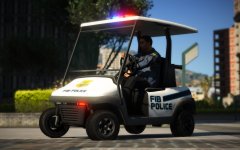 "Pull the vehicle over! Don't make me shift this baby into fourth gear!"Your topic has been moved to GTA V Support, this is not LSPDFR related. Please post in the correct location in the future.You might be getting slightly confused by the fact that ELS lets you enable dual tones with d pad. "B" has always been the tone change for ELS.Your topic has been moved to GTA V Support, this is not LSPDFR related. Please post in the correct location in the future.

.thumb.jpg.43e3d26750a2a296db1870a2d77618f4.jpg)
