


Reddington
Members
-
Joined
Everything posted by Reddington
-
As with every game update, ScriptHookV also needs updated. Keep an eye on SHV's site. http://www.dev-c.com/gtav/scripthookv/ In the meantime, you can use the alternate method posted by Willpv. Check his pinned thread in this section.
-
If you feel this topic has been closed in error, please report this post.
-
As with every game update, ScriptHookV also needs updated. Keep an eye on SHV's site. http://www.dev-c.com/gtav/scripthookv/
-
If you feel this topic has been closed in error, please report this post.
-
As per every title update SHV needs to be updated. Keep an eye on the SHV site - http://www.dev-c.com/gtav/scripthookv/
-
Your topic has been moved to GTA V Support, this is not LSPDFR related. Please post in the correct location in the future.
-
Your topic has been moved to GTA V Support, this is not LSPDFR related. Please post in the correct location in the future.
-
Your topic has been moved to GTA V Support, this is not LSPDFR related. Please post in the correct location in the future. As with every game update, ScriptHookV also needs updated. Keep an eye on SHV's site. http://www.dev-c.com/gtav/scripthookv/ In the meantime, you can use the alternate method posted by Willpv. Check his pinned thread in this section.
-
Your topic has been moved to GTA V Support, this is not LSPDFR related. Please post in the correct location in the future.
-
Your topic has been moved to GTA V Support, this is not LSPDFR related. Please post in the correct location in the future.
-
Your topic has been moved to GTA V Support, this is not LSPDFR related. Please post in the correct location in the future.
-
Your topic has been moved to GTA V Support, this is not LSPDFR related. Please post in the correct location in the future.
-
In addition to what Scottie asked, check out my topic. It's a guide on which handlingids work best for x vehicle.
-
Your topic has been moved to GTA V Support, this is not LSPDFR related. Please post in the correct location in the future.
-
Just so you're aware, LSPDFR is not dependent on ScriptHookV. The users unable to play can't do so because they have plugins/scripts which require SHV, and those are preventing play.
-
This topic has been moved to the appropriate forum. Please post in the correct location in the future.
-
ELS should have no bearing on whether or not Rage starts, as ELS is completely separate script. Can you launch GTA via the GTA5.exe? and once in game, does ELS work?
-
Keep your petty drama off our site. If you love each other enough that you have to talk to one another, do it on Discord. Any further of this will result in warnings.
-
 Is this just a retexture, or are these actual peds? Love the SRT.
 -
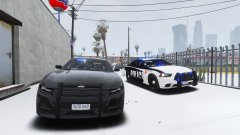
From the album: Red's LSPDFR chaos
-
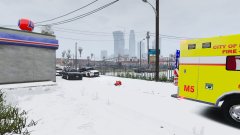
From the album: Red's LSPDFR chaos
-
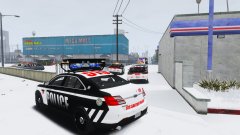
From the album: Red's LSPDFR chaos
-
 Oh, lol. I don't spend enough time at any of the stations. 😛
 -
This topic has been moved to the appropriate forum. Please post in the correct location in the future.
-
Link to the female ped, please?

