


Reddington
Members
-
Joined
Everything posted by Reddington
-
Your topic has been moved to GTA V Support, this is not LSPDFR related. Please post in the correct location in the future.
-
Your topic has been moved to GTA V Support, this is not LSPDFR related. Please post in the correct location in the future.
-
Your topic has been moved to GTA V Support, this is not LSPDFR related. Please post in the correct location in the future.
-
Your topic has been moved to GTA V Support, this is not LSPDFR related. Please post in the correct location in the future.
-
Your topic has been moved to GTA V Support, this is not LSPDFR related. Please post in the correct location in the future.
-
You can fix this in the carvariations. The 3 digit numbers represent colors that the vehicle will spawn as.
-
Your topic has been moved to GTA V Support, this is not LSPDFR related. Please post in the correct location in the future.
-
Your topic has been moved to GTA V Support, this is not LSPDFR related. Please post in the correct location in the future.
-
Your topic has been moved to GTA V Support, this is not LSPDFR related. Please post in the correct location in the future.
-
Your topic has been moved to GTA V Support, this is not LSPDFR related. Please post in the correct location in the future.
-
Your topic has been moved to GTA V Support, this is not LSPDFR related. Please post in the correct location in the future.
-
Your topic has been moved to GTA V Support, this is not LSPDFR related. Please post in the correct location in the future.
-
Your topic has been moved to GTA V Support, this is not LSPDFR related. Please post in the correct location in the future.
-
Your topic has been moved to GTA V Support, this is not LSPDFR related. Please post in the correct location in the future.
-
Your topic has been moved to GTA V Support, this is not LSPDFR related. Please post in the correct location in the future.
-
Your topic has been moved to GTA V Support, this is not LSPDFR related. Please post in the correct location in the future.
-
Your topic has been moved to GTA V Support, this is not LSPDFR related. Please post in the correct location in the future.
-
This topic has been moved to the appropriate forum. Please post in the correct location in the future.
-
 I truly, truly do not mean for this to sound as douchey as it does, but how is people uploading ripped/stolen models on other websites our/LCPDFRs problem? What exactly can we do to prevent it, stop letting members upload unlocked models? Hinder our good community because of the bad ones? People have been stealing things from content creators for years across various platforms. It is a problem, but it's not just a GTA problem. I understand the frustration, but vehicle devs need to realize how absurd it is to even consider punishing someone on this website for what they do on other websites. If we started doing this, literally all of our member would start getting PMs and warnings. I know how rowdy people get in their Discord servers and in private, I know how people let loose with their friends and say shit they shouldn't. Even the idea of punishing people for what they do on other sites and/or in private is outrageous. This is an impossible scenario that has nothing to do with staff of any website. We can't control humans, we can't make them stop stealing, we can only control what is on the site we moderate. If you guys want to be mad at someone, be mad at those who steal. Be mad at whose who force us to even have rules against stealing to begin with. I also want to point out, going to another website, or going to your own Discord is not going to prevent the problem. Unless you restrict access to your models to only your best best friends, eventually your models will get leaked for people to fuck with. Randoms can join your Discord, wait out the time needed to have access to downloads, and well-la! They can download and do what they want.
 -
This topic has been moved to the appropriate forum. Please post in the correct location in the future.
-
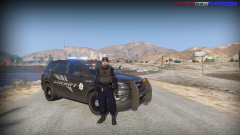 I'm also curious about the ped.
 -
If it's a picture of a model by Medic, it'll be released. He releases almost everything he shows off, which is kinda rare for modders nowadays. (I say "almost" because I'm sure there's been a time or two where something happened and it wasn't released).
-
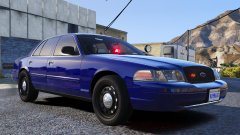
From the album: Red's LSPDFR chaos
-
From the album: Red's LSPDFR chaos
-
 Been a while since I've used this pack, but I think it does in the Valor light bar, just needs activated with K.
- 75 comments
- 19 reviews


