


Reddington
Members
-
Joined
Everything posted by Reddington
-
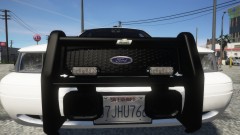
From the album: Red's LSPDFR chaos
-
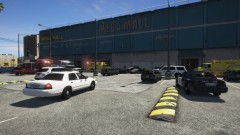
From the album: Red's LSPDFR chaos
-
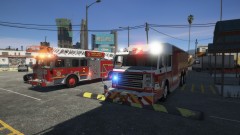
From the album: Red's LSPDFR chaos
-
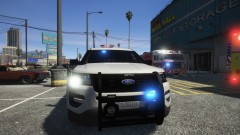
From the album: Red's LSPDFR chaos
-
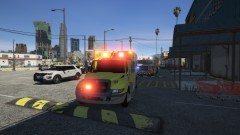
From the album: Red's LSPDFR chaos
-
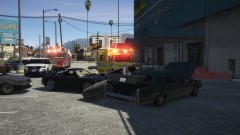
From the album: Red's LSPDFR chaos
-
This topic has been moved to the appropriate forum. Please post in the correct location in the future.
-
-
Currently there is not, but you can report it and ask staff to. Do note, we generally don't remove posts/comments on demand, just if there is a legitimate reason to. The reason your replies automatically merge if you put two replies in succession is to prevent spam and double posting. If you want to quote/reply to multiple people, there is a + sign in the bottom left of posts, just click that on each post you want to multi quote, then go down to the reply box.
-
This is normal. The position of the 'choose files' dialogue opens in the same spot you put it last. For example, say you put the window in the far right of your screen. That is where it will open to. This is how it works on your desktop as well. Open a file explorer window, and move it somewhere. Close the window, then open again. It opens in the same spot you closed it. All you need to do is grab the window and move it to where you want it.
-
This topic has been moved to the appropriate forum. Please post in the correct location in the future.
-
Installing sirens should be the exact same. I don't recall seeing anything about 0.4 changing sirens. This topic has been moved to the appropriate forum. Please post in the correct location in the future.
-
This topic has been moved to the appropriate forum. Please post in the correct location in the future.
-
You're welcome, and it's no biggie at all!
-
I'm sorry to say, but I think you're doing something wrong. The forum does accept .xmls to be uploaded. Here's part of your problem <Item> <modelName>police2</modelName> <txdName>fbi2</txdName> <handlingId>gresley</handlingId> <gameName>FBI2</gameName> <vehicleMakeName /> <expressionDictName>null</expressionDictName> <expressionName>null</expressionName> <animConvRoofDictName>null</animConvRoofDictName> <animConvRoofName>null</animConvRoofName> <animConvRoofWindowsAffected /> Rename txdname and gamename back to police2.
-
Yep, drag the meta onto your desktop, then drag it into this editor where it says "drag files here to attach or choose files". It should let you.
-
@Raspy07 Please attach the actual meta document. Reading it in thread is difficult, a lot easier to do in programs better suited for it. 🙂 Have you edited anything else at all?
-

From the album: Red's LSPDFR chaos
-
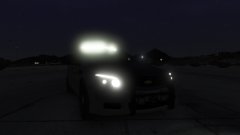
From the album: Red's LSPDFR chaos
-
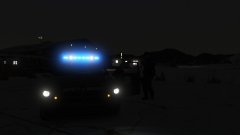
From the album: Red's LSPDFR chaos
-
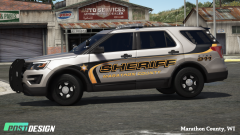 Same here, absolutely love it. Any chance of lore friendly, Post Design?
 -
Taken from their FB page - https://www.facebook.com/TucsonPoliceDepartment/ I love that they did this and commend them for having a great sense of humor.
-
This topic has been moved to the appropriate forum. Please post in the correct location in the future.
-
Your topic has been moved to LSPDFR 0.4 Support. Please post in the correct location in the future.
-
This topic has been moved to the appropriate forum. Please post in the correct location in the future.


