



allofthelights
Members
-
Joined
-
Last visited
-
-
 Is there a map for better visual representation of all the zones and what they include?
- 954 comments
- 24 reviews
-
-
-
-
-
Turns out LML was crashing my game for some reason. Removed it and now it woks!
-
My game after updating scripthookv won't load after selecting story mode. I have the most recent gameconfig and I have also re named my mods folder and that doesn't work either. I'm not sure whats causing this. I tried loading with RPH and in the log it crashes when it says loading world population. Not sure if that means anything specific.
-
-
oh yes! Thank you for linking that. Just what I was looking for!
-
-
so there's no way to force it to spawn without them?
-
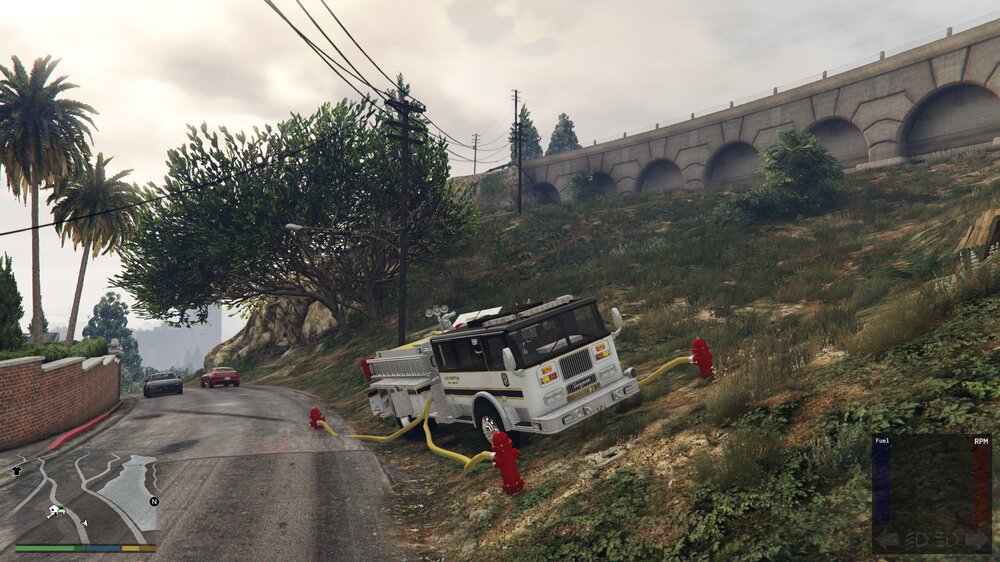
Is there anyway to disable the extras spawning like doors open and hoses or hydrants spawning in?
-
Still crashing. Really not sure whats causing this. I'm assuming the files may be bad so I will go ahead and scrap them.
-
I do but not through LML. Let me try that first.
-
I have a few vehicles I have tried installing manually with LML however in game they always crash. I have double and triple checked the .meta files to make sure everything is right and it seems so. I'll attach my latest RPH crash log and mod manager log. Any help would be greatly appreciated! RagePluginHook.log ModManager.log
-
-
-
-
having the same issue. posted as well to see if someone knows whats up. Have you changed anything in your game files from the last time you played?
-
EDIT 2- I fixed the issue by simply restarting! seemed as though when I updated my graphics driver i had some screen related issues and wasnt showing up. I haven't booted up gta5 in a while and now it will no longer load. The game doesn't even open, just sits for about 5 seconds and then rockstar game launcher says quitting. All i have done so far is update a few mods like scripthookv and a few others for base game modding. Any ideas? Is there a log somewhere for this I can find? EDIT I removed the vfss.dll from lml and it will load but now im getting the issue where it never shows up on my screen, task manager says its running but gta5 is being labeled as TODO:<file description> in task manager?
-
-
ok thanks for the info! ill avoid doing that again!
-
 not able to get the menu showing up. nativeui in my scripts folder. everything is installed correctly at least from my eyes. have scripthookv and v.net.
- 69 comments
- 6 reviews
-
-

- 1
-
-
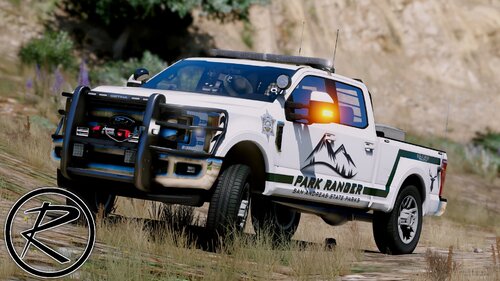 crashing game. took it out and game is fine. my guess is the high poly count? i have a pretty beef computer so not sure what is causing it to crash
- 52 comments
- 13 reviews
-
no i cannot connect to the website at all. it just says connection taking too long and connection refused.


