Reddington
Members
-
Joined
Everything posted by Reddington
-
Thank you, I missed that post.
-
Since we are no longer providing support for 0.3, it was removed from the download to prevent support requests for old versions. I do agree, however, that it'd be nice for 0.3 to be available to download still. I know management has seen a previous thread asking about this, though.
-
I'm currently using this fuel mod and it works really well. https://www.gta5-mods.com/scripts/advanced-fuel-mod I've also used LeFix's, and both are nice. https://www.gta5-mods.com/scripts/lefix-simple-fuel However I have noticed Advanced Fuel Mod has completely random fuel percentages each time you get in the car, and there seems to be a few less gas stations. So if you wanted my opinion, Lefix's mod. This topic has been moved to the appropriate forum. Please post in the correct location in the future.
-
-
Controller 100% Since you'll spend most of your time driving, it makes the most sense to have smoother, fine tuned driving. Playing on keyboard is more convenient for quickly hitting keybinds and what not, but I absolutely HATE that driving makes you look like a drunk mofo. Aside from that, if you've ever seen fivem roleplay videos, it is VERY easy to tell who uses keyboard because of said driving. I've found a nice medium for using both KB and controller. Mostly all my keybinds are within reach of one hand, such as on the bottom of the keyboard. For example, CTRL S opens a menu, CTRL A opens another menu, etc. At the same time though, mouse is 10000% better for aiming your weapon, so both have their positives and negatives.
-
The only one I found was a SanAndreas program. There is this topic, but based on the reply, he removed it. (checked his profile as well, it's gone) https://forums.gta5-mods.com/topic/11262/tool-wip-timecycle-editor I'm assuming timecycle1 is the one I need, but I don't know for sure if the values I'm looking for say "night" in them or not.
-
I have mixed and matched graphics mods and am happy with the result - all except for night, which is dark. I'd like to make nights brighter manually and avoid any other graphics files. I was mislead originally and thought it was the visualsettings, but now I know it's the timecycle. Only problem being, I don't know which timecycle, nor do I know the value names. Anyone ever dived into this and can help me out?
-
^ With that said, I'm going to close this. 🙂 If you feel this topic has been closed in error, please report this post.
-
I've moved this to 0.4 support, but just for future reference, we no longer provide support for 0.3. Your topic has been moved to LSPDFR 0.4 Support. Please post in the correct location in the future.
-
Is this for 0.3 or 0.4?
-
Is this for 0.4 or 0.3?
-
Your topic has been moved to LSPDFR 0.4 Support. Please post in the correct location in the future.
-
They can, but you'd be better off posting this request on the fivem community. Almost all of our users play single player and wouldn't be able to help you install into your server.
-
If you're brand new to all of this, I recommend looking up tutorial videos and following along with them. What you're wanting to do isn't hard, but it's certainly something you need to know what you're doing just to make sure you don't mess with anything you're not supposed to. This topic has been moved to the appropriate forum. Please post in the correct location in the future.
-
This topic has been moved to the appropriate forum. Please post in the correct location in the future.
-
Your topic has been moved to LSPDFR 0.4 Support. Please post in the correct location in the future.
-
Your topic has been moved to LSPDFR 0.4 Support. Please post in the correct location in the future.
-
This topic has been moved to the appropriate forum. Please post in the correct location in the future.
-
In the future, please search the forum for other similar topics, and make sure you're posting in the right section as to not cause unnecessary clutter. https://www.lcpdfr.com/forums/topic/89674-a-list-of-what-works-and-what-doesnt-with-lspdfr-04-feel-free-to-add/ If you feel this topic has been closed in error, please report this post.
-
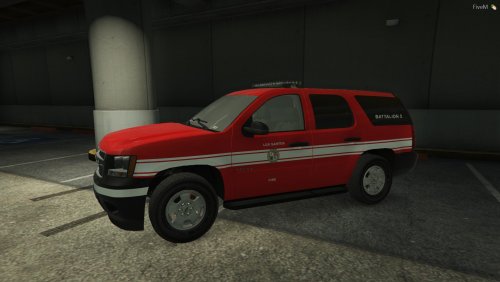 I figured it out, the issue is your VCF. When it's in my game, it CTDs. I tried looking it over and I don't immediately see anything that'd cause issues.
- 5 comments
- 1 review
-
I'd like to add, support is not being offered at this moment in time while the team organize certain things. Keep an eye on the 0.4 support section for when it is opened. If you feel this topic has been closed in error, please report this post.
-
Support is not being provided at this time, hence the support section being closed to posts. Please read Sam's post in the 0.4 support section and keep an eye out for when we do open support. If you feel this topic has been closed in error, please report this post.
-
ELS, but I will note LSPDFR and Rage are the only required plugins, all of the others are optional.
-
Installing 0.4 is basically the same as 0.3, drag and drop. Please read Sam's pinned topic in the LSPDFR 0.4 support section, he provides a wiki that has helpful info.
-
0.4 is the only version available at this point in time.