




ToastinYou
Members
-
Joined
-
Last visited
Everything posted by ToastinYou
-
You just updated that all in 3 minutes? You're still getting a crash? Send the RAGEPluginHook.log again, the one in your directory.
-
I heard you have to double click GTAVLauncher.exe then double click RAGEPluginHook.exe
-
Not me. Mess around with your Game Graphics Settings, I had this issue and just fixed it by changing a bit of my settings. The problem was that my settings were too low that they were having a hard time with the pixelation or whatever, so I needed to improve some of my settings to high, turn on tessalation and occulation or whatever, etc. Turn off VSync!
-
YetAnotherPartnerMod isn't updated, remove it. Get Passive Radar instead of Speed Radar (if you have Speed Radar).. I believe it's causing a little problem. Remove Wilderness Callouts as it's outdated. Update Assorted Callouts if you haven't already. Update RPH.. you're on version 0.38, latest is 0.39 Update ScriptHookV.. http://www.dev-c.com/gtav/scripthookv/ Update Traffic Policer and British Policing Script if you haven't already.
-
There should be a RagePluginHook.log in your main directory. Click the search at the top right of windows explorer when you're in the directory, I'm positive you'll find it. It has the latest logged information in it as text.
-
-
In the directory there is RAGEPluginHook.txt or something like that. Post the text inside it.
-
Oh.. thought it said null; woops.
-
Post your RAGEPluginHook log please.
-
Reinstall RPH.
-
You have to update ScriptHookV is you are on the latest version of GTA V http://www.dev-c.com/gtav/scripthookv/
-
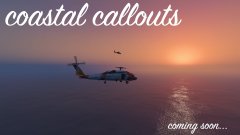 What about a Plane Hijacking callout? ;)
 -
1) Is this Steam or Retail version? 2) Do you have the latest ScriptHookV? 3) Screenshot your GTA V directory and post it here.
-
When starting RPH and you see its loading screen, click the Tool/Settings button or Hold Shift until the settings for RPH open. Change plugin timeout threshold to 10000.
-
1) Where did you put PoliceRadio.dll and PoliceRadio.ini? 2) Post your RAGEPluginHook log.
-
Remove Wilderness Callouts as it isn't updated for the latest RPH. Update Traffic Policer, Assorted Callouts, and British Policing Script.
-
Got it to work! Thank you :)
-
In the same directory as.. ? It's in the Callouts class. One second I may have it.. Thanks for your help btw
-
So, I'm trying to use the Vector3Extension API but when I try to assign it to spawn within a min and a max it says that Common does not exist in its current context (near the bottom of the code). How do I fix this? Thank you! using System; using System.Collections.Generic; using System.Linq; using System.Text; using System.Threading.Tasks; using Rage; using Rage.Native; using LSPD_First_Response.Mod.API; using LSPD_First_Response.Mod.Callouts; using LSPD_First_Response.Engine.Scripting.Entities; namespace ToastyCallouts.Callouts { public static class Vector3Extension { public static Vector3 Around(this Vector3 start, float radius) { // Random direction. Vector3 direction = Vector3Extension.RandomXY(); Vector3 around = start + (direction * radius); return around; } public static float DistanceTo(this Vector3 start, Vector3 end) { return (end - start).Length(); } public static Vector3 RandomXY() { Random random = new Random(Environment.TickCount); Vector3 vector3 = new Vector3(); vector3.X = (float)(random.NextDouble() - 0.5); vector3.Y = (float)(random.NextDouble() - 0.5); vector3.Z = 0.0f; vector3.Normalize(); return vector3; } } [CalloutInfo("GrandTheftAuto", CalloutProbability.VeryHigh)] public class GrandTheftAuto : Callout { public EVehicleBlockingTrafficState state; public LHandle Pursuit; public Vector3 SpawnPoint; public Blip myBlip; public Ped mySuspect; public Vehicle myVehicle; static Vector3 NewSpawn; static Vector3 GetRandomSpawnPoint(int pMin, int pMax, Vector3 target) { return World.GetNextPositionOnStreet(target.Around(Common.gRandom.Next(pMin, pMax))); }
-
Ped.IsDead = true;
-
0.39 you nublet
-
Hover over AddSpeedZone and see what it tells you as I have no idea. Trial and error? :)
-
prop_ld_barrier_01 It may be that^ You can look on https://gist.github.com/leonardosnt/53faac01a38fc94505e9 and just click CTRL+F to search for "barrier".
-
LSPDFR/LCPDFR is a mod only for the PC versions of GTA V and GTA IV.
-
On lcpdfr.com Also, on RAGE.. New update for RAGE to support the new version will about out within 2 hours 40 minutes.



