




ToastinYou
Members
-
Joined
-
Last visited
Everything posted by ToastinYou
-
 Yes, a very old version. I recommend updating to 2.0 which is being released as I am writing this. (REPLACE THE WHOLE .INI THEN SET YOUR KEYBIND @Stealth22)
- 342 comments
- 49 reviews
-
-

- 2
-
-
That will hopefully be implemented in a later update, according to @FtDLulz.
- 342 comments
- 49 reviews
-
-
- 1
-
-
Just reinstalled the game and it still crashes when social club is loading.. Anyone please suggest something?
-
-
Now my game is crashing on the startup. I have tried removing some plugins and my update folder from my mods folder but none of that seems to work. I even switched to my raw multiplayer folder thats a backup and that still didn't work. So it's either with steam, my settings, or social club? It just opens social club then states "Grand Theft Auto V has stopped working" then asks me to debug or close the program. Launcher.log: [2016-02-05 07:02:42.476] [DISPLAY] Using DPI 96 [2016-02-05 07:02:42.545] [DISPLAY] File version 10000:23d0001 (for C:\Program Files (x86)\Steam\steamapps\common\Grand Theft Auto V\GTA5.exe) [2016-02-05 07:02:42.643] [DISPLAY] File version 10000:1f90002 (for C:\Program Files (x86)\Steam\steamapps\common\Grand Theft Auto V\GTAVLauncher.exe) [2016-02-05 07:02:42.645] [DISPLAY] Version: |1.0.573.1|0.0.0.0|1.0.505.2|FSP [2016-02-05 07:02:43.148] [DISPLAY] OS version: Major: 6, Minor: 2, Build: 9200, Platform: 2 [2016-02-05 07:02:43.295] [DISPLAY] Social Club initializing... [2016-02-05 07:02:43.767] [WARNING] User's screen appears locked. [2016-02-05 07:02:44.794] [DISPLAY] Attempting to create device... [2016-02-05 07:02:44.794] [DISPLAY] Attempting to initialise DX9 COM object... [2016-02-05 07:02:45.010] [DISPLAY] Window size: 690 x 496 [2016-02-05 07:02:45.057] [DISPLAY] Successfully created DX Device! [2016-02-05 07:02:45.994] [DISPLAY] Geo: US SocialClub.log: [00000000] Thu Feb 04 15:08:40 2016 [00000000] Rockstar Games Social Club SDK: RELEASE [00000000] Offline Only Mode: false [00000000] Launcher Mode: false [00000003] Running title: gta5 [00000003] Platform: Steam [00000003] Steam user: toastinyou [00000003] Language: English [00000003] Environment: Production [00000005] [00000005] Network initialized [00000005] RAGE initialized [00000005] [00000012] Social Club Directory: C:\Program Files\Rockstar Games\Social Club\ [00000012] Root Data Directory: C:\Users\toast\Documents\Rockstar Games\ [00000012] File System Initialized [00000037] Version Info: 1.1.7.2 [00000037] [00000038] JSON Interface initialized [00000104] Metadata initialized [00000123] Achievement Manager initialized [00000123] Player Manager initialized [00000123] Gamer Pic Manager initialized [00000123] Profile Manager initialized [00000124] Presence Manager initialized [00000124] Commerce Manager initialized [00000124] Task Manager initialized [00000125] Telemetry Manager initialized [00000125] Network interface initialized [00000155] Steam API initialized for steam user: toastinyou [00000155] Steam Manager initialized [00000157] Subprocess path: C:\Program Files\Rockstar Games\Social Club\subprocess.exe [00000160] Rgsc initialized [00007285] Auto sign in profile detected. [00010277] Saved profile for ToastinYouPlays [00013256] Signed in online to profile: ToastinYouPlays [00013257] Finished loading Social Club UI Thanks for any and all help.
-
-
When loading rho click the tool bolt at the bottom left, click on plugins when the settings popup, and either choose which plugins to load or click load all plugins then save and launch.
- 342 comments
- 49 reviews
-
-
- 2
-
-
 If EUP is crashing and you're game is crashing when you go on duty BE SURE TO DOWNGRADE TO WILDERNESS CALLOUTS v0.5.0. I had this issue and all because I forgot how to read posts ;)
- 302 comments
- 66 reviews
-
-
- 2
-
-
What's your item find decay at? Right below item find chance. You will find something every time because of you having the item find chance at 1/1 so if you have the item decay at 1 then you'll find a multitude of items at once. I recommend setting the item decay to 10.
- 342 comments
- 49 reviews
-
 Does this add wheel lock? If so I'll be using this instead of MoreControlV!
- 108 comments
- 24 reviews
-
-
- 2
-
-
-
-
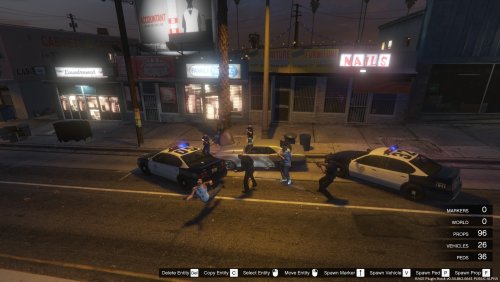 It's just an edited map with more cops and cameras everywhere. Should be under Misc.
 -
-
-
-
-
 Could you add a README in the next update please so we don't have to go back to the website to find out how to install? Otherwise great mod :)
- 149 comments
- 29 reviews
-
-
- 2
-
-
-
-
 PoliceRadio works with 0.34 now as long as you update it. I don't know about PoliceToolbox as I have never used it though.
- 422 comments
- 73 reviews
-
Wow that looks super nice. Check your messages in a minute.
-
-
 You installed it incorrectly most likely. Leave it as a .zip folder, open OIV, click Tools, click Package Installer, and select the zip folder then click Install. Did you install it correctly? How did you install it?
- 2,342 comments
- 236 reviews
-
I have v7.0 of EUP and there is no OIV package installer file or anything included, so I'm wondering what I do with Assembly.xml?? EDIT: Nevermind I figured it out, thanks! All I had to do was leave the file zipped.
- 2,342 comments
- 236 reviews
-
-
- 2
-





