




ToastinYou
Members
-
Joined
-
Last visited
Everything posted by ToastinYou
-
 It may be because of my Add-On MoreItem's v1.5/v1.6. If you do have it, I recommend you replace your old VehicleSearch.ini (located in GTA V > Plugins) with the new v1.6a of MoreItem's. Versions 1.5 and 1.6 caused a keybinding error, and I found that v1.5 was the cause but am working on what exactly caused it. Sorry for any troubles :)
- 342 comments
- 49 reviews
-
I've uploaded 2 in the last 24 hrs
-
I've waited 8 hours before trying again but I'm still getting the "There was a problem processing the uploaded file. 6" error. Will this be fixed soon? I need to update my mod but can't because of it </3
-
-
 Homocide doesn't clean up properly. Leaves blinking circle and red dot left if the suspect is shot down.
- 174 comments
- 46 reviews
-
How do you install it? (Locations)??
-
 When I accept a bribe on 0.3 / 0.34 the suspect starts to flee and the red blip in still there and it becomes a persuit againm
- 69 comments
- 16 reviews
-
-

- 1
-
-
 If you do add in a black box, please make sure it is either optional or at least 50% transparent?
- 200 comments
- 22 reviews
-
 Line like this below should be separate. Supposing you don't know, with VehicleSearch (based on the odds of finding items) you can find multiples at one time. The longer they are, they might not fit and may be cut off - such as this one. ~r~8 ak47s 19 handguns and 4 shotguns,
 -
Check out the .ini file. Something in there's should say something like speed or something and it's set to 1. Simply set it to 0 for imperial.
- 200 comments
- 22 reviews
-
-
- 1
-
-
If someone was dedicated to something they would put time into it rather than ripping stupid text from someone else's post. It just doesn't make sense I me why not take the two minutes to write something of his own up? Not a big deal it just doesn't make sense. :)
-
I love how you put so much time into this, I haven't downloaded it yet but by the post I can tell you put your whole heart into this. By pretty much exactly copying part of my add-on moreitems post, if you're going to copy someone's post at least change the wording? I don't care there isn't much I can do about this but it's quite disrespectful for someone that spent tons of time working on their own thing and to have a piece of it copied and pasted. "What do I need? - Have the latest version of Rage installed (HERE). - Have the latest version of Vehicle Search mod by FtDLulz (HERE). - Follow the README document found in MoreItem's to install properly. Credits All credits go to FtDLulz for making the Vehicle Search mod."
-
 I'm sure Stealth already is, but he is a very busy man - give him a bit of time. :)
- 422 comments
- 73 reviews
-
You might NEED LSPDFR 0.3 and RPH 0.34 for it to work. Works fine for me on 0.3 and 0.34
- 422 comments
- 73 reviews
-
Could you please include a README in the next update? I hate having to go back to the page just to see how to install it, because I'm lazyyy. Also, what positioning do you recommend for 1920x1080 resolution so it is at the bottom right?
- 200 comments
- 22 reviews
-
I would love to use this on my game, but I record videos and it seems like it would be disturbing the screen. I love the idea but I think it should be moved and/or smaller, sort of like PLD.
- 200 comments
- 22 reviews
-
As stated above, and from my sarcasm, it was a joke stated by the dev's in the livestream.
-
And yet they guaranteed no bugs.. I suggest a recall of the latest version of LSPDFR!
-
-
This sounds awesome!
-
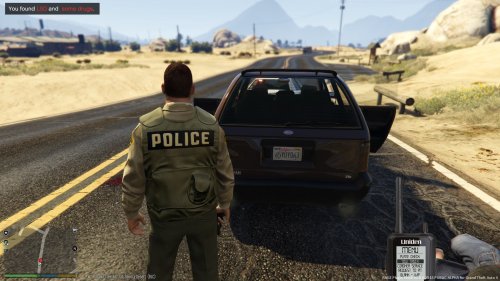 Because this add-on is not supported anymore and is pretty much dead. I'd recommend my up-to-date and more realistic add-on, found here.


