
ToastinYou
Members
-
Joined
-
Last visited
Everything posted by ToastinYou
-
-
Also I would recommend not tagging every developer off the top of your head.. I'm sure people like Albo and PNW get enough notifications.
-
I'm honestly not sure. Somehow you're going to have to get the current fire, give the firefighters an extinguisher, and then assign their task to aim and 'shoot' the fire.
-
Is your plugin RPH or RPH and LSPDFR?
-
How did you call the firefighters?
-
-
-
-
 I love this mod. Prefer this and your Ped Search 100 times over the new "Search Warrant" (no offence to @Darkmyre just personal preference) and I really really hope you will get back to updating Vehicle and Ped Search as I would love to see an update out to this. Come on @FtDLulz <3
- 342 comments
- 49 reviews
-
-
-
 Open ELS.ini and turn this setting from true to false. ElsTrafCtrlOn = false ELS.ini under [ CONTROL ]: TogKeysLock = 145
- 2,661 comments
- 234 reviews
-
-

- 2
-
-
PRE-RELEASE ALPHA v0.0.1.0 UPDATE: - Today (Saturday) and yesterday (Friday) I spent time working on a new, unnamed, callout. This callout is pretty much done, and adds a whole lot of uniqueness and immersion. - I also optimized some of the code to make it more fluent and to increase performance and stability. - Some other things here and there, but the main thing was the unnamed callout. Again, I appreciate the support from everyone and I thank you so much for it. Please note that your suggestions are not being ignored, I have read everyone's suggestions and plan to, if possible with my abilities, add as many of them in as I can. If you'd like to stay updated with Toasty Callouts Revamped and get exclusive content of Toasty Callouts be sure to follow me on Twitter and join our NEW official Discord server!
-
I got him! Too bad you don't know the backstory
-
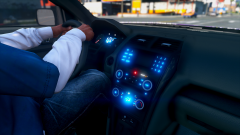 I think I've gone blind from the brightness.
 -
I personally like the simplistic "Yellowstone Park" Park Ranger's vehicles skins. Here are some images and ones with similar skins:
-
The hell does this even mean? What code did you post, where is it from? Are you crashing, if so when and what error message(s) are you getting? What mods have you installed? Have you edited the in-game files using OpenIV? Give some more detail to get help.
-
If this is a custom vehicle, check the author's notes and information regarding the vehicle. If he/she doesn't mention the ability to change it to another model, ask them in the comments section of their file.
-
You may have the wrong "EXTRA" labelled. Not entirely sure on this, but either way - I'd use Simple Trainer / Trainer V to select the components of your vehicle, then save the vehicle. That way you can instantly spawn in your fully customized saved vehicles with ease.
-
I haven't been able to work on Toasty Callouts as much as I'd like to for the past two days because my internet has been down. Hopefully it will be back up tomorrow (Friday) and I continue fluent work on Toasty Callouts. I apologize but the issue is out of my hands.
-
-
PRE-RELEASE ALPHA v0.0.1.0 UPDATE: - I have been actively working on a few callouts, but primarily focused on wrapping up one titled "Medical Emergency". - This callout has 4 different outcome variations and has had extensive testing done on it to filter out the bugs, glitches, and errors. - An updated Settings file, "Toasty Callouts.ini", allows you to configure your officer's name, the end callout key, and the enabling or disabling of particular callouts. - The callout titled "Pursuit in Progress" has been worked on but needs to be tweaked and should have some unique and random features upon release. Again, I appreciate the support from everyone and I thank you so much for it. Please note that your suggestions are not being ignored, I have read everyone's suggestions and plan to, if possible with my abilities, add as many of them in as I can. If you'd like to stay updated with Toasty Callouts Revamped and get exclusive content of Toasty Callouts be sure to follow me on Twitter.
-
mySuspect1.Tasks.DriveToPosition(Vector3 position, float speed, VehicleDrivingFlags flags);
-
If anyone has any callout ideas, post them here! I am looking to implement new, unique callouts - so let me know.
-
A REVAMPED version of Toasty Callouts will be returning shortly! Thank you everyone for your patience and I appreciate the support <3 #BringBackToastyCallouts