




PNWParksFan
Insiders
-
Joined
-
Last visited
Everything posted by PNWParksFan
-
You can add this yourself actually! Read the documentation section about custom menu entries. You could create a "federal agents" entry using for example the FBISEC ped and the FBI and FBI2 vehicles.
-
Would it be possible to use whichever sirensettings has the most lights, and then hide the blue coronas but not hide the red coronas?
-
My custom backup mod does let you change the default weapon and the probability and options for additional weapons. However, when the LSPDFR API detects a fight, it'll sometimes take over the peds and change their weapons, even giving them weapons they didn't originally have. Unfortunately there's no way I know of to modify that behavior, it's hard coded into LSPDFR.
-
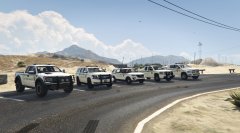
From the album: PNWParksFan WIP and screenshots
Added skins for the Ram 3500, the 2015 Tahoe, and the 2016 FPIU. Get it now! -
I would strongly recommend that you turn on showing file extensions in Windows, as it's very helpful to know what a file is actually named. http://windows.microsoft.com/en-us/windows/show-hide-file-name-extensions#show-hide-file-name-extensions=windows-7
-
 I'm not super familiar with modeling, but all I'm asking for is the ability to "turn off" some of the lights. If I understand correctly, what you're saying is that due to the limit on siren slots you can only make a few of them extras? I'm not suggesting to add any more lights, just to make it possible to turn some of them off.
- 269 comments
- 67 reviews
-
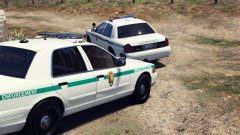 You're missing a dot in the U.S!
 -
Could you make more of the lights extras? e.g. the rambar, the middle seat window lights, the lights inside the headlight assembly, and the dash light? I like how well designed all the lights are and want to use some of them in different combos, but it's too many lights to be realistic with all of them on. With the extras listed in the file description you can't turn all of them off.
- 269 comments
- 67 reviews
-
There is a hospital bed prop, and some other medical related props.
-
Do you think it'll be possible to get an LED light bar on there?
-
Seems from other vehicles that do this like the cars by carper, with no coronas it looks really bad from a distance... the lights are too dim. I hope you'll keep a version with coronas available.
-
Use of various natives can make this slightly better, e.g. only getting points on paved roads. But the problem I always seem to have with the various get node natives is that they'll only return points with the same Z coordinate value as the location you put in.
-
I have some code for this back home but am traveling at the moment. For weapons the process is different from objects. For objects, first spawn the object, then use .AttachTo. The difficult part is getting the right bone ID. You have to use a native for it, and pass in one of the ped bone ID enum values. There's example code our there on the web, but if you havent figured it out by the time I get home I'll post some code for you.
-
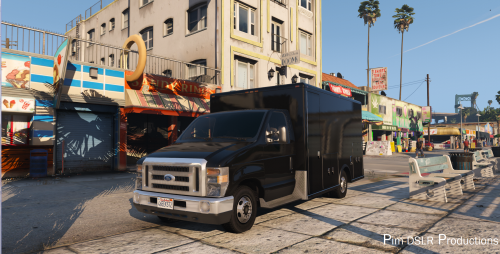 Nice! Hoping @GlitchGamer can use the box from this with his RAM 3500 cab to make a sweet ambulance.
- 19 comments
- 4 reviews
-
-

- 1
-
-
 Custom cars work fine. More likely it's an issue with your XML file. If you upload it someone can probably help you figure out the issue.
- 378 comments
- 23 reviews
-
To elaborate on this, only the model author can fix an issue like this. If the model doesn't have LODs configured right, then it'll disappear at some distances or look weird at a certain distance. If you're having LOD issues, take some screenshots and post a comment on the file download so the author can see it.
-

From the album: PNWParksFan WIP and screenshots
Enjoying the new Jayhawk model by SkylineGTRFreak: https://www.gta5-mods.com/vehicles/mh-60t-jayhawk-us-coast-guard -

From the album: PNWParksFan WIP and screenshots
-
-
Always just put replacement cars in the most recent patchday folder to ensure they overwrite the original files correctly.
-
-
That's exactly what I'm talking about. No, because there's no way to follow the reverse relationship. Right now most texture authors link to the models their textures work with, but if you start from the model and want to know, "what textures can I download for this vehicle", there's no way to figure it out. Yes. I'm not sure what platform LCPDFR.com uses, but in pretty much any web framework there's a way to do this. You create a database table which would look something like "texture ID, model ID, screenshot URL". When you create a texture, you create however many entries necessary to link all the models that texture supports. Then, to show the textures for a given model, you would do something like: SELECT texture_ID, screenshot_URL FROM TextureModelRelationshipTable WHERE model_id = $thismodel Then you could get the details of that texture from knowing its ID, e.g. SELECT * FROM FileDownloads WHERE texture_ID = $thetextureIDfromabove Of course the actual code would be different depending on how the LCPDFR database is set up, and you could combine that all together with a JOIN to directly get a table of texture details linked to a particular model.
-
I'd like to suggest a new feature for the downloads section. When uploading to the textures category, you should be able to select one or more models which those textures can be used with. For each related model you could specify a screenshot for that particular vehicle. From a model's download page everyone could then see a list of textures for that model, each with a link to that texture download and with the screenshot next to it. This would make it much easier for people to find textures for models, instead of having to search manually and hope you didn't miss some because the author didn't name the download what you expected.
-
It would be nice if the play scanner function took a bool for whether to play it after the current audio is done. And if it had a wait until finished method. @LMS any chance this could be implemented in the next API update?
-
Is there a way to tell when the scanner audiois done playing, like how you can wait until a task is finished? If not, that should be added to the API.

