
Cj24
Members
-
Joined
-
Last visited
Everything posted by Cj24
-
From the album: Cj24's pics
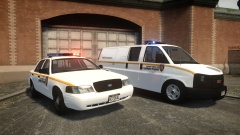
Now released: https://www.lcpdfr.com/files/file/6853-2006-ford-crown-victoria-police-interceptor-liberty-city-department-of-corrections-els8/ https://www.lcpdfr.com/files/file/6857-2004-gmc-savana-liberty-city-department-of-corrections-els8/ -
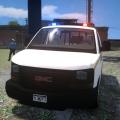 A simple prisoner transport van with a Whelen Edge. A CVPI with the same setup can be found here: https://www.lcpdfr.com/files/file/6853-2006-ford-crown-victoria-police-interceptor-liberty-city-department-of-corrections-els8/ Installation Use SparkIV or OpenIV to import the pstockade.wft and the pstockade.wtd into GTAIV\pc\models\cdimages\vehicles.img. Copy the provided “lcdoc.ini” into the GTAIV\ELS folder and replace the “file” line value associated with the model in the “_SLOTCONTROL.ini” with lcdoc and ensure the “status” value is on. Files included pstockade.wtdpstockade.wftReadmeTemplatesELS ConfigPicturesTerms of use You may replace or edit texture and redistribute modified variants of this modification as long as correct credits and a link to the original download are provided. You may not circumvent any protecting measures to edit models or use any of the work included in this archive for your own financial gain.
- 9 comments
- 6 reviews
-
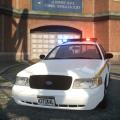 First part of my DoC pack, a Savana following the same setup can be found here: https://www.lcpdfr.com/files/file/6857-2004-gmc-savana-liberty-city-department-of-corrections/ Installation Use SparkIV or OpenIV to import the police.wft and the police.wtd into GTAIV\pc\models\cdimages\vehicles.img. Copy the provided “lcdoc.ini” into the GTAIV\ELS folder and replace the “file” line value associated with the model in the “_SLOTCONTROL.ini” with lcdoc and ensure the “status” value is on. Files included police.wtdpolice.wftReadmeTemplatesELS ConfigPicturesTerms of use You may replace or edit texture and redistribute modified variants of this modification as long as correct credits and a link to the original download are provided. You may not circumvent any protecting measures to edit models or use any of the work included in this archive for your own financial gain.
- 5 comments
- 8 reviews
-
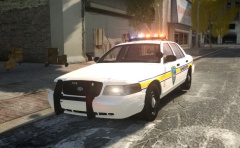
From the album: Cj24's pics
Now released: https://www.lcpdfr.com/files/file/6850-2006-ford-crown-victoria-police-interceptor-liberty-city-police-sheriff-department-els8/ -
Simple answer: You can't. You need to use different extras for doors and the lightbar.
-
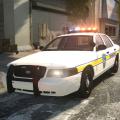 A simple FL-based CVPI with Vision lightbar, featuring DROT support and four different skins made by Crizby. This is my first of three planned christmas releases. Installation Use SparkIV or OpenIV to import the police.wft and the police.wtd into GTAIV\pc\models\cdimages\vehicles.img. Copy the provided “vision.ini” into the GTAIV\ELS folder and replace the “file” line value associated with the model in the “_SLOTCONTROL.ini” with vision and ensure the “status” value is on. Files included police.wtdpolice.wftReadmeTemplatesELS ConfigPicturesTerms of use You may replace or edit texture and redistribute modified variants of this modification as long as correct credits and a link to the original download are provided. You may not circumvent any protecting measures to edit models or use any of the work included in this archive for your own financial gain.
- 8 comments
- 8 reviews
-
-

- 1
-
-
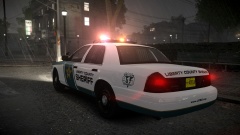
From the album: Cj24's pics
-
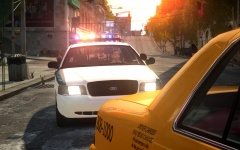
From the album: Cj24's pics
-
-
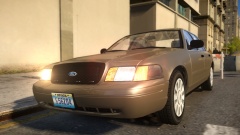
From the album: Cj24's pics
Improved the materials a bit, looks better with ENBs with custom shaders. -
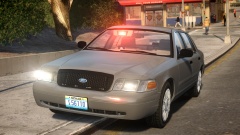
From the album: Cj24's pics
-
-
I had exactly the same problem this morning, until I remembered the DLCs have their own files. I noticed your pink HUD and imagined it would be the same reason. Headlight flash is part of ELS 8's vehicle config, the area flash is enabled by default but not that bright during day. Check its documentation, it's all explained there.
-
As you're using TBoGT, you need to edit the file in TBoGTcommondata.
-
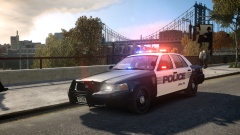 It was Mild ENB mixed with Schakusa's enbeffect. I'm still using it for playing as I don't like CryENB's large amount of effects. For screenshots it's awesome, though.
 -
-
-
-
From the album: Cj24's pics
CryENB seems to look better the longer you use it. Tweaked the reflections now a bit, they're less strong. -
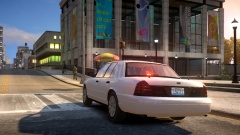
From the album: Cj24's pics
-
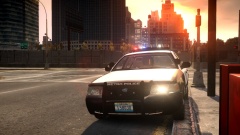
From the album: Cj24's pics
CryENB is definitly awesome for screenshots. My new desktop background. Looks like I need to take another screenshot for my second monitor. -
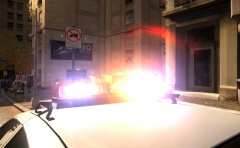 I use 250 currently. Lowered the saturation a bit, looks a lot better. Not sure if I'll keep it, though.
 -
From the album: Cj24's pics
Finally managed to try the latest CryENB. Very neat effects, though I don't really like the bright colors at day time. -
It's working fine for many people. Any specific cars that are having issues? Anybody else who can confirm not being able to use this pack? http://www.gtainside.com/download.php?do=comments&cat=371&id=51860 The pack works absolutely fine with ELS 8, it just needs a sightly different config. I uploaded one that should work (not tested), simply use J for Code 3 and K for secondaries. It's not optimized for ELS 8's functions, but still should work the way it was originally intended. Edit: Tested it myself now and corrected the pattern. It definitly does work now.
-
I understand, I just wanted to make sure everybody understands it's only a very small amount of people that support these protests. I personally don't know anybody who does, and as a matter of fact, our government is against it.