


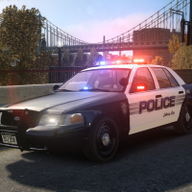


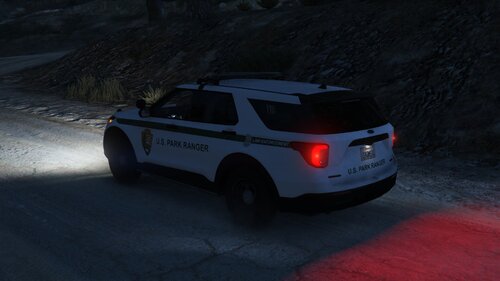
First part of my DoC pack, a Savana following the same setup can be found here: https://www.lcpdfr.com/files/file/6857-2004-gmc-savana-liberty-city-department-of-corrections/
Installation
Use SparkIV or OpenIV to import the police.wft and the police.wtd into GTAIV\pc\models\cdimages\vehicles.img.
Copy the provided “lcdoc.ini” into the GTAIV\ELS folder and replace the “file” line value associated with the model in the “_SLOTCONTROL.ini” with lcdoc and ensure the “status” value is on.
Files included
- police.wtd
- police.wft
- Readme
- Templates
- ELS Config
- Pictures
Terms of use
You may replace or edit texture and redistribute modified variants of this modification as long as correct credits and a link to the original download are provided.
You may not circumvent any protecting measures to edit models or use any of the work included in this archive for your own financial gain.






.thumb.png.601e0948b0e617ff71bf98da00273c2a.png)
![[LSPDFR] sCallout - New Callouts, Advanced AI & Interaction System (EN/PL)](http://s3-screenshots.int-cdn.lcpdfrusercontent.com/resize/500/-/monthly_2026_05/4e930439-3362-4980-8acd-cddd1c01602e.thumb.jpg.87fbd6bbbd416ed3ef00517e26d9ea74.jpg)

.thumb.png.5cf5796ed5e052d230fd2a5e47833118.png)
Recommended Comments
Create an account or sign in to comment