
Cj24
Members
-
Joined
-
Last visited
-
Currently
Viewing Topic: Carvariation Entry Replacement (And Other Questions)
Everything posted by Cj24
-
As far as I know, no. I can't find the topic on the ZModeler website anymore, I think Oleg confirmed there's no way.
-
It's too high poly for ZModeler to handle. I think import supports maximum of 64k polygons per mesh, otherwise it will look like this truck.
-
To be honest, I can't really say that this is as promising as some of you think so far, you're mostly showing unequipped models you can just download somewhere. It seems like you aren't really caring about details, looking at the CVPIs. Your partitions are wrong and none of the agencies you plan to do has dashcams. Not trying to get you to lose hope, but it will be very hard to reach the quality of some of the already released LAPD and CHP vehicles. Actually, just finding a car nobody else has already created is a challenge. There are tons of LA area mods.
-
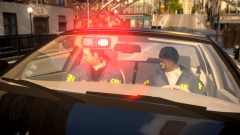
From the album: Cj24's pics
-
Quite weird, since they always removed everything I reported in the past. Nowadays you don't even have to email them, as they've added a report button as well.
-
That's a usual problem with this CVPI. There're many materials with bad setups (gta_default shaders) and many duplicate materials. You'll need to fix that if you want to be sure you get no errors.
-
I'm talking about the added components, you really should attach them to one part. And yes, they have to. All glass parts should be at bottom of the hierachy, that way there won't be problems. On exporting, ZMod sorts the materials using the hierachy. So if all glass parts are loaded after all other materials, there should be no problems. You probably have to take a look at the LODs as well, maybe there's glass as well. If you understand how the glass works, it's actually even possible to use it to hide certain things, which is useful for example for multicolored lights.
-
Your hierachy is terrible, you should attach your equipment to prevent errors. It's also the reason why other parts don't show up either, you need to make sure your interior lights are exported above any parts with glass materials. I haven't worked with that model for quite some time, but I suppose either chassis or bodyshell parts have some glass. Apart from that, gta_default shaders shouldn't be used for vehicles.
-
IMO 3 stars are absolutely justified, there isn't much change from the default texture. Apart from that, the blue is way too bright, ESU has far darker colors and the patches seem to be too large. You also didn't change any specular or normal maps. I'm personally not going to rate this file, but I definitely wouldn't give more than 3/5 either.
- 6 comments
- 2 reviews
-
Made a short video of the lightstages of the cars from the pack, front view only though: I removed the dashlight because it was still partly visible if you replaced it with a transparent textures. If many people would like to have a dashlight as well, I could release an additional model with dashlight.
-
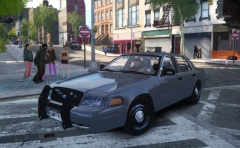
From the album: Cj24's pics
Gang Unit patroling in Northwood. -
-
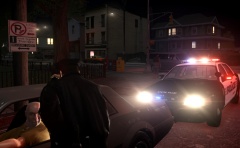
From the album: Cj24's pics
Pulling over a car flagged by ALPR. -
You're right, that's no TIR3, it's LINZ6, they're smaller than the LIN6. I was just looking at the size. Most Dominators and Traffic Advisors are pretty much completely the same, just different colors. You can find the same traffic advisor model (even with red and blue lights) on the Whelen website as well. I'm pretty sure CHP does not buy some FS traffic advisors and completely rebuilds them with Whelen LEDs. All recent cars use Whelen instead of FS lights, I'm very sure these Slicktops don't have Signalmasters.
- 19 comments
- 7 reviews
-
-
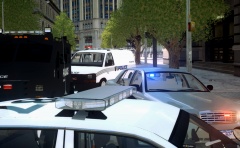
From the album: Cj24's pics
Continued to work on my pack. No new patrol cars, a few special vehicles though. The slicktop I've shown before is also part of it. -
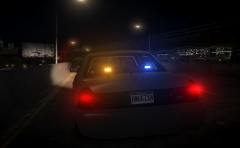
From the album: Cj24's pics
-
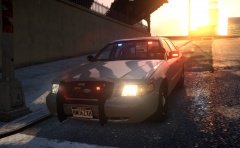
From the album: Cj24's pics
-
The wheel does not support L2s, as I mentioned before you need to add them for example to the chassis_L2. It's also not a good idea to add L2s for every single part, as they should be very low poly. It's a lot easier to use only one single mesh. You could for example just take the chassis_L2 of some default car or other unlocked CVPIs.
-
Look at this thread, it explains LODs: http://forum.zmodeler2.com/viewtopic.php?f=11&t=5577. The chassis_L2 is a low poly version of the whole model, including the wheels, just take a look at a default model. If you don't have a proper L2 model, the game loads the L1 without wheels. That looks bad and can cause performance problems.
-
You need a chassis_L2.
-
From the album: Cj24's pics
-
Simply impossible, since all models are different. You need different templates. Everybody has his own preference when it comes to models. Some care about poly count, some about quality. You're hardly able to combine both.
-
Removing LODs as a measure against GADs sounds like a bad idea if 99% of all modders can't do it properly either. L1s are NOT copies of L0s, that ruins the whole purpose of LODs. Read this thread, it explains why you need LODs: http://forum.zmodeler2.com/viewtopic.php?f=11&t=5577 Issues with bouncing models are often caused by incorrect wft or chassis dummies. It also happens if you export a model using a different name as your .wft dummy has, a very common mistake for beginners. Incorrect or missing LODs won't cause it. It's also possible that the unlocked model is buggy itself, fixing it would probably take more time then.
-