



SuperStumpje
Friends of LSPDFR
-
Joined
Everything posted by SuperStumpje
-
That's not supposed to happen lol. I think when that happens it doesn't despawn the previous bus and when you get closer it spawns the new one next to it. @Alfa1561 Just try it and see what happens :)
-
There is no need to drive to any station, it should load when getting in.
-
I'm surprised this wasn't mentioned on stream, but yes, LSPDFR spawns a prison bus at the Paleto Sheriffs office and a 2nd one at the airport police station (next to the control tower if I remember correctly). You can get into them and transport the suspects you took to a station yourself to the prison.
-
0.3 will most likely break quite a lot of, if not all callout plugins, so uninstalling them and waiting for the author to update them is highly recommended.
-
There should be a pretty good one over in @Yard1's files, together with skins for some other cars so they all match up.
-
That's PoliceHelper. The invisible Faggio's (with cops on them) are the reason cars stop for the barriers. not sure why you'd hear it though, I'm pretty sure they should spawn with the engine off and despawn when you despawn the barriers.
-
You can spawn every vehicle in the game with the console, and probably with every trainer too. The buffalo is called FBI or something like that in the files.
-
I'm pretty sure they only updated update.rpf and GTA5.exe, but they changed what stuff loads from which file so some things, like weapon mods, don't work anymore and I don't think anyone has found out yet where to install those mods to make them work again.
-
Either spawn it through the RAGE console as described above, or use a trainer.
-
From the album: SuperStumpje's album of stuff
The LSPD wishes you a merry Christmas! -
Rockstar changed some stuff so it's probably being loaded from a different folder. I just haven't discovered which one yet.
-
Well, if you ask for release dates on here, it's the only answer you'll ever get.
-
When it's done. Not sooner, not later.
-
As stated by Cyan in the post above yours, the API system is no longer active:
-
Currently, none of those things is possible.
-
Correct, the holidays stuff is already there. I didn't really dig into it very much, but from what I could see it's a new car and a bunch of outfits for your Online mute character.
-
It is impossible to install mods on any other platform than PC.
-
Looks nice! Not going to comment on that last pic....
-
I'm assuming you're talking about the highway patrol ped, as this is posted in the LSPDFR discussion section. If so, you need a trainer that has an option to put on hats (simple native trainer is a good one, don't currently have a link though). Basically, you put on the helmet that way, and when getting on a motorcycle it should not spawn an actual helmet, but instead keep the helmet you put on as a hat. Hope this makes sense, I'm not the greatest at explaining :)
-
I'm almost certain no such mod exists, probably mainly because the vast majority of character models actually doesn't have any warm clothing in the first place as San Andreas doesn't get snow, or any temperature low enough to wear something warm.
-
Try copy/pasting it into your browsers adress bar. Links don't always work as they are supposed to for some reason.
-
Not entirely sure, but I think it's this: http://www.lcpdfr.com/files/file/8303-traffic-policer-519-drugalyzer-new-ambient-events-~traffic-offences~-anpr-callouts-road-management-parking-tickets-new-traffic-stop-assist-mimickmemore/That's another mod. Don't remember what it's called though.
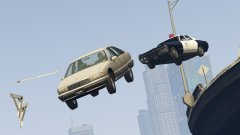 I would imagine that plate being the reason he got pulled over, and then for whatever reason he took off and flew off a bridge.


