



SuperStumpje
Friends of LSPDFR
-
Joined
Everything posted by SuperStumpje
-
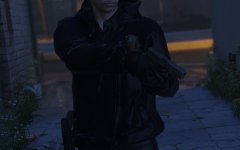 Probably because there was no alternative. Now there is one in the shape of an empty holster model (and CopHolster to switch back an forth between the 2 automatically) , and people complain about it.
 -
He mentioned he's playing EFLC, so there's no RPH log as there is no RPH. We do need more info though, stuff like what you're doing when it crashes, what mods you have installed, and any log files from the installation folder.
-
That's actually quite nice! The police motorcycle unit of The Hague does a sort of similar-ish thing, they don't vlog stuff, but they are showing police escorts from their perspective: https://www.youtube.com/channel/UC02HKtbrq0ypHvJkovqDr8g (it is all in Dutch though, so that might be a bit less interesting for most people. then again, it's nice footage to watch, and most things they say are inaudible on the camera anyway so you don't miss much apart from the explanation of what is going on in the video description)
-
The alternate one doesn't have ads in the installer, the regular one does. The manual download just means you have to install it manually, as the name suggests.
-
I don't think so, no.
-
Tap the horn button, same as on keyboard. Unless you mean the LSPDFR feature of only turning off the siren and not lights, in which case there is no button on the controller and you just have to press J on your keyboard.
-
Turns out there was no terrorism involved, someone saw some people act weird in the bathrooms, thought she also saw some wires and then called the cops, who in light of recent events came out in force. Full story here (in dutch): https://www.politie.nl/mijn-buurt/nieuws/2016/maart/24/04-gebeurtenissen-politieactie-zaandam-woensdag.html?geoquery=zaandam&distance=5.0
-
Pretty sure the GTA V thing isn't ELS, but probably something he changed to the siren sounds.
-
Well, considering they solved it without help of specialized units, I'd say they did pretty good. And in case something big does happen, it'll probably happen in one of the 4 large cities, which should all have decent SWAT coverage. I know there's a team for the Rotterdam/The Hague area, there's a team near Utrecht (seen them drive on the highway before, they had quite a few cars) and I'm assuming there's one near Amsterdam too. And even if there wasn't one there, there are special military police units with APC's somewhere at Schiphol Airport, in case shit hits the fan. Main issue is the intelligence agency (AIVD) which needs to get its shit together and properly monitor suspicious/radicalized people/groups/whatever.
-
I guess that would've taken too long, or maybe they were busy or it got resolved before they arrived. Who knows?
-
http://nos.nl/artikel/2094699-verdacht-pakketje-bij-mcdonald-s-loos-alarm.html
-
It's quite easy to understand why they didn't shoot them if you see the amount of paperwork, investigations and possible court cases involved lol. Might be a good solution for all those shootings in America too, thinking of it. I do wonder why someone thought it would be a good idea to plant fake bombs, or whatever they did exactly. I'm guessing they've either got some mental issues, or are incredibly stupid.
-
It's apparently a false alarm as far as the suspicious package goes, guessing the bomb vest thing isn't true either, most likely people are just very much on edge after yesterday. Interestingly enough, national media haven't mentioned much of it either as far as I can tell, just some reports of warning shots fired during the arrest and nothing found in the restaurant. Not sure why you'd want to commit a terrorist attack there in the first place though, it's not really a high profile location.
-
Scratch that, Belgian media spoke too soon. EDIT: BBC mentions it too, just above "First victim named" http://www.bbc.com/news/world-europe-35879141
-
If there's one thing I learned from there, it's that most people there generally don't give a shit about anything that doesn't directly involve them. Sadly, this is one of those cases. Well, it'll sort of affect them now. There are cops with (heavy) body armor and MP5's patrolling the bigger stations, including the central station of the city I live in. They stand out quite a lot, though it seems most people don't feel uncomfortable due to it, which is a good thing. Maybe we somehow go to the same school.... Now there's food for thought :D
-
That's not Belgian, that's Hungarian. At least, I think it's Hungarian, based on wikipedia. It's definitely not Belgian though. On-topic: Found out about it shortly before heading off to school for an exam test thingy. Everyone managed to concentrate, but it did spark quite a discussion afterwards, also due to everyone instantly getting scared of anything suspicious.
-
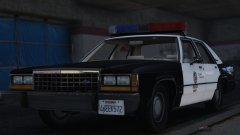 And if you find it on an AI car, it's almost always marked as stolen...
 -
-
Still keeping you to those 20 police versions you said you'd make :)
-
Account linking has been disabled quite a while ago.
-
The ones 'not showing up' are loaded through LSPDFR itself, so they don't show up in RPH or any logs, unless something is wrong. They should however load fine.
-
Currently it's not possible to change the garage vehicle lineup. You can spawn them through the RPH console though, by typing 'Spawn [vehicle name]' without the ' '. I don't remember what the added vehicles were called, but I'm sure you can find out by checking the RDE DLC file with OpenIV.
-
I've heard of that body armor thing before, but I don't know why it's spawning Sheriff units.
-
There currently isn't a way as far as I know, though I would assume it'll get added in later on.
-
It turns the livestreams into videos when they're over. They were live earlier.


