


Sgt.Kanyo
Members
-
Joined
-
Last visited
Everything posted by Sgt.Kanyo
-
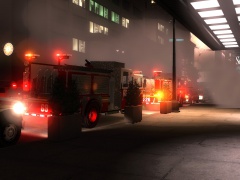
From the album: NYPD
-
-
Yeah sure, although I think it'll be pretty much like the F-350. I'll make it when I get some free time.
-
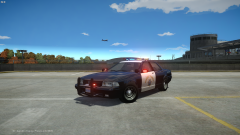 Looks pretty nice, indeed this should have been in GTA V
 -
Well what I did was just delete the random radio chats, because if I wanna listen to something like that I just use the real deal and find myself and LAPD / NYPD radio scanner, and listen to that from radioreference.com But I was talking about every single voice chat, not just the random ones.
-
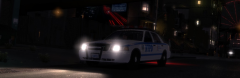 Nice pic, but it needs the parking lights of the crown vic, then it'd be perfect :D
 -
I'd really appreciate if you guys could remove those stupid gun holding animations, as they constantly interfere with my shooting, and it also looks bad in my opinion. Whenever I try to shoot a suspect while aiming down my sights, my character's hands twitches randomly, usually right after the first shot, resulting in me missing my shot. If you don't want to remove this, then do make it optional to use it. I personally wouldn't use them if they worked properly either. The other annoying things are the voice commands and the radio. The radio is just way too loud and it has these cracking noises making my ear bleed. Once again an option to disable that would be nice. About the voice commands, I don't like how I have to mute my player so he doesn't use the megaphone speech to pull a suspect over. Police agencies usually just use their sirens on manual or the airhorn to pull people over for a traffic stop. Also if I'm using for example NYPD cars and my character says LCPD, that can mess things up. Once again I'd like to be able to disable this.
-
How about this? http://gtapolicemods.com/downloads.php?do=file&id=660
-
![[WIP] 2013 Ford F450 - FDNY ambulance (lights preview)](//s3-gallery.int-cdn.lcpdfrusercontent.com/gallery/album_547/sml_gallery_2101_547_711568.png) The taillights are between the blue ones. Check at 0:46 till 0:50
The taillights are between the blue ones. Check at 0:46 till 0:50 -
![[WIP] 2013 Ford F450 - FDNY ambulance (lights preview)](//s3-gallery.int-cdn.lcpdfrusercontent.com/gallery/album_547/sml_gallery_2101_547_1122145.png) I like the setup but the area over the headlights should light all the way up, not just the bulb. Here's a pic of that: '> Also don't forget the lower bulbs in the side mirrors as part of the headlights as well.
I like the setup but the area over the headlights should light all the way up, not just the bulb. Here's a pic of that: '> Also don't forget the lower bulbs in the side mirrors as part of the headlights as well. -
Nice but you forgot the lights in the rear lightbar. Here check this pic out: '' target='_blank'>> These are both tail lights and brake lights.
-
![[WIP] 2013 Ford F450 - FDNY ambulance](//s3-gallery.int-cdn.lcpdfrusercontent.com/gallery/album_547/sml_gallery_2101_547_1193167.png) Yeah while the front is different, the box at the back and the emergency lights on them are the same. Also notice how the rear lights are implemented into the rear lightbar as well. The red steady burning light is a taillight. As for the new headlights, here are some pictures: http://imcdb.org/vehicle_583094-Ford-F-450-Super-Duty-2011.html http://imcdb.org/vehicle_490624-Ford-F-Series-Super-Duty-2011.html Also I'd use the indicator dummies to create the parking lights instead of the actual indicators, so we could recreate an effect like this: '>
Yeah while the front is different, the box at the back and the emergency lights on them are the same. Also notice how the rear lights are implemented into the rear lightbar as well. The red steady burning light is a taillight. As for the new headlights, here are some pictures: http://imcdb.org/vehicle_583094-Ford-F-450-Super-Duty-2011.html http://imcdb.org/vehicle_490624-Ford-F-Series-Super-Duty-2011.html Also I'd use the indicator dummies to create the parking lights instead of the actual indicators, so we could recreate an effect like this: '> -
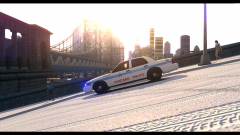 Nice shot! I love the tactical nuke at the back as well :D
 -
Your wheels seem to be too much pushed inside the chassis, you should move them a bit out. Also what material are you using on the side lights and the amber top lights? Also you can see how the lights work, including normal lights and also emergency lights:
-
![[WIP] 2013 Ford F450 - FDNY ambulance](//s3-gallery.int-cdn.lcpdfrusercontent.com/gallery/album_547/sml_gallery_2101_547_241166.png) Use mesh material on the chrome parts with white texture as specular map, that's how you get a nice chrome effect
Use mesh material on the chrome parts with white texture as specular map, that's how you get a nice chrome effect -
Have you tried the Caprice handling I released? I'm not sure, but I think they have the same position in zmod. If you notice anything weird (like car rolls over etc.) let me know.
-
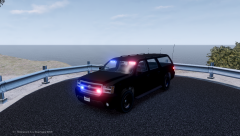 That looks nice, I just wish we could get this effect without using ELS
 -
Sure I can do 1 for the ladder truck, if you mean this: '?do=embed' frameborder='0' data-embedContent>> Also about the Rescue 1 truck which one is that? Can you link it here? EDIT: Alright here's the handling for the ladder truck, but that model is a piece of crap. I bet I spent more time on the handling then the author on converting the truck, because it's one of the worst I've seen. I won't even release this handling offically since it's crap anyway. I couldn't fix the insanely low rear end, because I raised the end up too much the truck turned into bouncy bob apparently, jumping around like an excited teenage girl. Nevertheless here's the handling: 31200 0.5 90 0.0 0.0 -0.3 0.0 6 0.07 5.0 100 0.1 0.50 0.2 40.0 0.8 1.0 10 0.09 0.48 2.2 0.5 0.5 0.2 -0.15 0.01 0.42 1.5 0.5 2.0 2.5 0.0 40000 240048 300000 2 EDIT2: Okay I think I've found the rescue 1 you mentioned, it was gtapolicetrucker's right? I've released the handling for it on the 1st page under "2011 Ferrara Ultra Rescue"
-
Have you tried using the one that was optimized for my crown vic? The handling for Lt.Caine's crown vic was meant to be a handling for the schaefft crown vic, while the other 1 is meant for the DSF crown vic.
-
![Baltimore Police Mega Pack [WIP]](//s3-gallery.int-cdn.lcpdfrusercontent.com/gallery/album_1963/sml_gallery_37637_1963_7696.png) Isn't that a Whelen Edge on the first impala?
Isn't that a Whelen Edge on the first impala? -
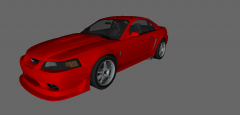 It's using the SVT Cobra R front spoiler: '> So it's just like how it's supposed to be.
 -
-
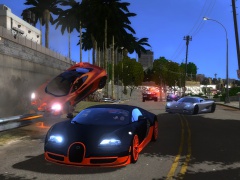 It's alderney, but I'm using palm trees.
 -
From the album: Random
-
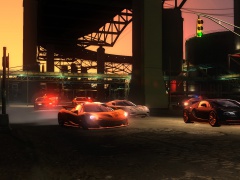
From the album: Random



![[WIP] 2013 Ford F450 - FDNY ambulance (lights preview)](http://s3-gallery.int-cdn.lcpdfrusercontent.com/gallery/album_547/sml_gallery_2101_547_711568.png)
![[WIP] 2013 Ford F450 - FDNY ambulance (lights preview)](http://s3-gallery.int-cdn.lcpdfrusercontent.com/gallery/album_547/sml_gallery_2101_547_1122145.png)
![[WIP] 2013 Ford F450 - FDNY ambulance](http://s3-gallery.int-cdn.lcpdfrusercontent.com/gallery/album_547/sml_gallery_2101_547_1193167.png)
![[WIP] 2013 Ford F450 - FDNY ambulance](http://s3-gallery.int-cdn.lcpdfrusercontent.com/gallery/album_547/sml_gallery_2101_547_241166.png)
![Baltimore Police Mega Pack [WIP]](http://s3-gallery.int-cdn.lcpdfrusercontent.com/gallery/album_1963/sml_gallery_37637_1963_7696.png)
