


Sgt.Kanyo
Members
-
Joined
-
Last visited
Everything posted by Sgt.Kanyo
-
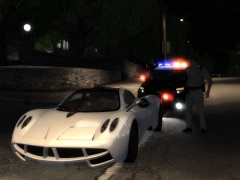 I don't know really, because I still have to model the door sills and there some other bugs which I can't think of right now. I wouldn't say soon, because I don't really have time right now to finish it, but I'll try my best.
 -
I think you missed a thread. I don't have any problems with enviroment lights. Also another thing I noticed is in drct mode I can't seem to force the pattern. I'd like C-04 but the car always spawns with C-00. I tried writing "4", "04", "C04", "C-04" and "C4" but nothing seems to work. And is there any way to make the patterns change with the siren tone in MP as well, because it only changes in SP.
-
Thanks for your reply Cj, I'll try that. And what about the stuff, do you have that as well?
-
The only reason we had the door bug in older ELSs is because we use the extra system (aka car components). Just try it out yourself, if an extra part of the car is added, the car immediately gets repaired. When a car gets repaired, all of it's doors will be in a closed position, even the wheels will go back to their normal position. In ELS v8 LMS managed to fix this, but not by adding a new advancedhook, since I've already tried using the advancedhook and all the files it came with, but by changing the .asi. What I'd really like to have or at least know is how he's managed to do that, and by modifying ELS v5's asi file I could get it working there as well.
-
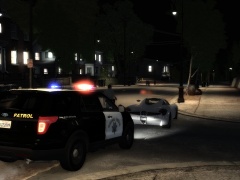
From the album: CHP
-
From the album: CHP
-
Okay so I've encountered quite a few bugs with v8, and I want to know if everyone else has it as well. 1 of the most irritating bugs is that extra8 doesn't seem to be controlled properly. It doesn't even show up in the els control panel. Here's a gif of my problem: http://gifmaker.me/PlayGIFAnimation....put_QbOEV9.gif This is how it should look: '> and this is the .ini I'm using: // VEHICLE CONFIGURATION FILE (ELS V8.0) // DESCRIPTION: Default configuration // AUTHOR: N/A // NOTES: N/A [ MISC ] Slicktop = off LstgActivationType = jump EnableArrowBoard = off AllowTakedowns = on UseCoronaTakedowns = on [ CRUISE ] DisableAtLstg3 = off UseExtra1 = on UseExtra2 = off UseExtra3 = off UseExtra4 = on [ SOUNDS ] HRN_Type = ahrn HRN_SrnToneForMan2 = yelp SRN_DefaultMode = stby SRN_ResetSrnTone = off SRN_AllowToneYelp = on SRN_AllowToneAlt1 = on SRN_AllowToneAlt2 = on [ CORONAS ] Headlights = off, 0 Taillights = off, 0 IndicatorsF = off, 0 IndicatorsB = off, 0 Reverselights = off, 0 [ WRNL ] Type = leds UseScnNotTkd = off ForcePatForLstg = off PatId_Lstg3 = 0 [ PRML ] Type = leds ForcePatForLstg = on PatId_Lstg2 = 3 PatId_Lstg3 = 3 Lstg2ActiveExtras = off ExpressModeRandPat = off ForcePatForSrnTones = on PatId_Yelp = 10 PatId_Alt1 = 10 PatId_Alt2 = 10 [ SECL ] Type = leds DisableAtLstg3 = on ForcePatForLstg = on PatId_Lstg1 = 6 PatId_Lstg2 = 6 PatId_Lstg3 = 6 [ ENV_LIGHT_COLORS ] Extra_1 = red Extra_2 = red Extra_3 = blue Extra_4 = blue Extra_5 = white Extra_6 = white Extra_7 = blue Extra_8 = amber Extra_9 = red [ ENV_LIGHT_ACTIVE ] Extra_1 = on Extra_2 = on Extra_3 = on Extra_4 = on Extra_5 = on Extra_6 = on Extra_7 = on Extra_8 = on Extra_9 = on [ ENV_LIGHT_POS ] Extra_1 = -3.5, 0.0, 3.0 Extra_2 = -0.5, 0.0, 3.0 Extra_3 = 0.5, 0.0, 3.0 Extra_4 = 3.5, 0.0, 3.0 Extra_5 = -0.5, 3.25, 0.2 Extra_6 = 0.5, 3.25, 0.2 Extra_7 = -0.8, -1.2, 1.3 Extra_8 = 0.0, -1.2, 1.3 Extra_9 = 0.8, -1.2, 1.3 Other bugs are, even though as you can see in the .ini the light pattern for both primary lights and secondary lights are forced, the game uses E-00 for secondaries, and even though for the primary lights, the pattern seems to be the correct one, however after I change to a different siren mode (including a different pattern) and then switch back to the wail siren mode, the pattern is reset to E-00 once again. Anyone has a fix for the following problems?
-
Yeah, I was hoping to modify the .asi file. That way it should be possible.
-
Okay so as we can see in the new ELS v8 the door bug (aka fixing bug) has been fixed which is nice. However it doesn't let you (well not me) create the exact same patterns as we had before. So since I'm using ELS v5, is it possible to get rid of this door bug in the older ELS versions?
-
Well I've made an LAFD ambulance, not sure if you need that, but yeah. You can find it here: '?do=embed' frameborder='0' data-embedContent>>
-
There's no traffic stop mode on this CVPI. Also I haven't even seen this old slicktop having traffic stop mode. It's true that on the 2008+ slicktop CVPIs from the front lights only the reds are flashing (on drive mode) / are on steady burn (all on steady burn in park mode), however this old slicktop doesn't feature that system. What you have on this car is either the code 3 lights demonstrated with the gifs, or you have the warning lights, which lights ONLY the rear up. The front is fully off at that light stage. It's just like LAPD's warning lights (nothing at front), 2 amber square lights wig-wagging left and right. Here's a video about the 2008+ slicktop at 1:00 you can see the traffic stop mode. Also note how the lights in the video are weirdly flashing, but that's just the camera not being able to pick up the led lights properly. (so it's on full steady burn)
- 25 comments
- 6 reviews
-
I won't make one, however I did make some gifs, so I'll just post them here: Code 3 lights: http://gifmaker.me/PlayFrameAnimation.php?folder=2014050520g3epcO9vU3Ink3EOSxR30n http://gifmaker.me/PlayFrameAnimation.php?folder=2014050520spAqQ7Czgg5hW9qHD4unP1 Warn lights: http://gifmaker.me/PlayFrameAnimation.php?folder=201405052049mE1gQ3RWnN9TUsKVBwwk
- 25 comments
- 6 reviews
-
Great, some retarded imbecil giving a bad name to gamers. Inb4 soccer moms try to ban video games.
-
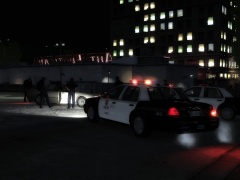
From the album: LAPD
-
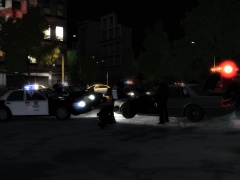
From the album: LAPD
-
-
-
-
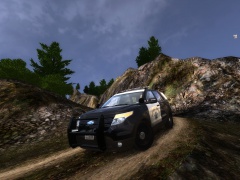 This is a 2011 Ford Police Interceptor Utility: '> Notice how the wheels are different and the front bumper is different as well. This is the model that's in NFS Most Wanted 2012. What CHP has is the 2012 Ford Police Interceptor Utility. They started using them in 2013 september, and I've only seen the version they have on the picture I linked to you. Also here is the new LAPD PIU with the same wheels that CHP has, but with the front indicators you mentioned: '' target='_blank'>>
 -
They don't all have that. Take a look at this pic: '' target='_blank'>> Besides I've even seen PIU with all grey front indicators The only thing that's not like the 2012 model about it yet, is the front bumper's very bottom part. On the 2012 it looks like they cut out that part. Like here: '> and this is how it looks on my model so far: http://www.everymantri.com/.a/6a00d83451b18a69e20147e095dee1970b-pi
-
From the album: CHP
So I decided it's finally time to show my Ford Police Interceptor Utility. It's my very first fully converted car, which I was planning to release unlocked as the first Ford PIU, but someone was faster. Release date is unknown yet, because I still have to make door sills and fix other bugs. -
For extra_5, extra_6 and extra_9 you should have extra5, extra6 and extra9 dummy linked to them, and then link the *_L0, *_L1 meshes. Also make sure you are using lightsemissive texture on all the lights, and also make sure the lights are highest in the hierarchy list, especially above windows, since if they are not, they won't show up behind them. (a good way to test this is, shoot out the windows and check if you can see the lights after that) If those don't work, you need to go into faces mode, select the window's polygons and apply a brand new material to it (you can just make a copy of your vehglass material you were using, it can even has the same name).
-
-
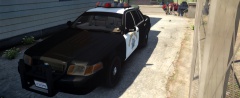 I always loved blacked out windows on police cars. Looks good.
 -
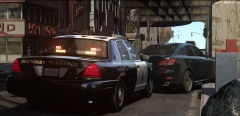 Really nice pictures BErad, it goes well with that ENB :D




