



EvilJackCarver
Members
-
Joined
-
Last visited
Everything posted by EvilJackCarver
-
Do you have any mods (specifically car mods) running that may affect texture memory? I think you're in the pre-stage of a Taxi Bug.
-
The onyl answer I have is more a suggestion. Run a commandline for windowed mode, and if/when you do crash, alt-tab, press META+R, then type "cmd". On the command line instance that generates, type the following: taskkill -t -f -im launchgtaiv.exe I typically keep a command line instance open at all times. If you run GTA4 as administrator, you'll need to run the command line instance as an administrator.
-
Police1 2003 Ford Crown Victoria Police Interceptor Lightbar: Code 3 MX7000 Manufacturer: S_a_m_e_e_r dba. Freedom Modifications ELS: DROT Compatible Download link: '?do=embed' frameborder='0' data-embedContent>>Police2 2013 Ford Taurus Police Interceptor Lightbar: Federal Signal Valor Manufacturer: CJ24 ELS: Compatible Download link: http://www.gtainside.com/en/download.php?do=comments&cat=371&start=&id=54536 Police31986 Chevrolet Caprice Brougham Lightbar: FS AeroDynic Manufacturer: Kinksta100 ELS: DROT Compatible Download link: '?do=embed' frameborder='0' data-embedContent>> Police4Vapid Stanier Police Interceptor Lightbar: Rockstar LED Manufacturer: ThatOneFirefighter ELS: Compatible Download link: '?do=embed' frameborder='0' data-embedContent>> NStockade Lightbar: Unknown Manufacturer: tkdwnsehtk ELS: Incompatible, compatible model available Download link: '?do=embed' frameborder='0' data-embedContent>> PolPatriot2008 Chevrolet Tahoe Lightbar: FS Legend Manufacturer: IronicRainbow ELS: Compatible Download link: Unreleased NOOSE2008 Dodge Charger Lightbar: FS Legend Manufacturer: BXBugz123 dba. Highspeed Modifications ELS: Compatible Download link: http://gtapolicemods.com/downloads.php?do=file&id=1291 PStockade BRUTE Stockade Lightbar: Unknown Manufacturer: Rockstar Games ELS: Incompatible Download link: Stock vehicle Edit: ThisIsWhyWeCan'tHaveNiceThings.jpg (in reference to the BBCode parser prioritizing awkward syntax/WYSIWYG editor over BBCode)
-
Sounds like it's a keybind issue. Have you given >the flowchart a run through yet?
-
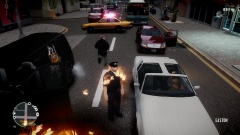 Damnit, Bill! (Context: I was conducting an arrest and this happened (my partner was the one to throw the Molotov. Bill's the nickname I give to the officer that's my partner.)
 -
Yes, it's an intended function... of vanilla GTA4. DRot uses siren dummies to rotate around a steady-burn extra. Vanilla GTA4 for POLICE/POLICE2 use siren dummies to give the illusion that the rotators are reflecting the coronas. Because it's using vanilla GTA4 behaviour, it is technically functioning as Rockstar intended.
-
I've got 3 directories for GTA5 so I don't really uninstall, I delete the directory and copy it again from SteamApps. Uninstalls, however, equals 1 on my old PC due to only having 250GB HDD space. Though my backups folder is a sight to behold haha. Total 694 megs in 936 files and 54 folders. I'll let it speak for itself:
-
My main nitpick with that (and most other Edge 9000 models) is that the ambers are mapped 7/8 rather than 7/9.
-
Requiescat in pace...
-
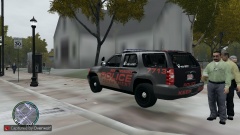 Sorry, mate. She (and I, by extension) are taken.
 -
My gal.
-
Unfortunately I have not received permission to release them, and she hasn't publically released them either.
-
From the album: Gaz's General GTA4 Shenanigans
More texture loss stuff. That guy holding the coffee looks like he's seen some serious shit. IronicRainbow's (edit: Not publically released [yet]) Tahoe, custom skin per a running gag with a group of guys I chat with. The texture loss is more than likely due to the fact that I kept all 4 of the skins she came with inside the WTD when adding the skins I usually use, it's nothing to do with the model or how it's packaged. -
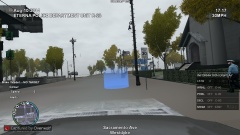
From the album: Gaz's General GTA4 Shenanigans
Texture loss does make it more challenging to drive, though! -
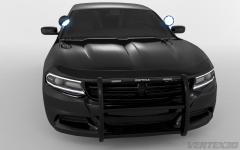 Car: 1/5 Render: 5/5 It's a beautifully done render... I just wish the new Charger wasn't like a Taurus and a Dart had freaky sex.
 -
The nose is as bad as the new Tahoe. Edit: Actually, I think it might be worse. The new Tahoe's nose is awful, but this is a whole different level of bad. At least it isn't a Fusion.
-
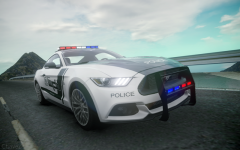 I still can't get over how much that grille looks like it got yoinked off a DB5 and had a Ford logo slapped on.
 -
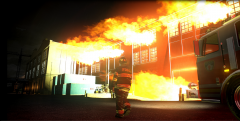 Got a link to the model of the fire engine at timecode 05:01? Edit: Found her.
 -
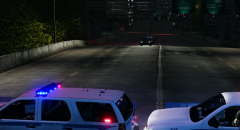
From the album: Gaz's General GTA4 Shenanigans
Tahoes by IronicRainbow, not yet released. -
>Check with the good Sergeant over in the Vehicle Mods section. Thread's pinned. I'm assuming you know what to do with the handling string, yes?
-
My first username I don't care to recall. Most of our first usernames are that embarassing. Back when I was 14 and just registering for GameFAQs in November 2006, I was really into Far Cry: Instincts. The protagonist in it was Jack Carver, and considering the hell he went through in that game, I put "Evil-" in the prefix as an irony. My next username was for Wikipedia. I had no idea what to put in, so I just stuck with "NewWikiProfile001". Tried a similar thing with YouTube (back when it wasn't shit) and it didn't like that, so I took out the site name and made it "NewProfile001". That was my username on more sites than I care to recall until I decided on one forum to jump over to my GameFAQs username after my account was over two years old. I mean, seriously. A two-year-old account isn't really new. The only real other account name I use is Zedgearia as an alternate account for account security when logging into public computers.
-
GTA's odd like that. My old GPU would struggle to hit 10 frames per second yet it'd say I had about 750 megs of onboard memory left. If it starts bugging out, turn down your traffic density, texture quality, stuff like that.
-
Method A: Right-click or press your MENU key in an empty section of the folder, and click NEW > Text Document, then rename. Method A Method B: Open up your text editor (I prefer Notepad++, but Notepad works) and paste in the parameters. Save it to your desktop as "commandline.txt" then move it to your root GTA4 directory.
-
In your root GTA4 directory (by root directory, I mean the one containing gtaiv.exe or eflc.exe) create a new text file named commandline.txt and paste those parameters in.
-
Throw in your command line file: -width 1920 -height 1080


