



EvilJackCarver
Members
-
Joined
-
Last visited
Everything posted by EvilJackCarver
-
A lot of them can be answered by reading the relevant documentation, I know for a fact that my keybindings are not vanilla so I can't tell you if it's alt-T or just T. (The manual says just T.) To arrest someone, aim at them and press E.
-
The Taser is an addon with LCPDFR. If you install a version 1.0, you should not need to manually install it, and you can use it with T. If you have hotkey conflicts, go into the respective INI files of the conflicting mods and reset the keys to something that does not conflict (for example, having the ELS menu come up on ctrl-Z instead of ctrl-M.)
-
The only thing the ELS' common folder does is adjust the brightness of the lights to be visible so it doesn't look like this: When you press J, do you hear a click and a beep? Which vehicle did you download?
-
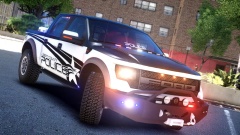 Those tyres are so new they still have bits of the label on them.
 -
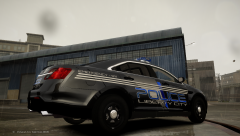 What typeface is that?
 -
>Have at it :J
-
http://www.gtapolicemods.com/downloads.php?do=file&id=196
-
You're looking for this section: https://www.lcpdfr.com/forum/20-support-requests/ Go into your LCPDFR.INI and find the line AdditionalCopCarModels=Add the vehicles you want to be able to pull over others with to that.
-
2, but I'm not as active as I used to be back around June.
-
Go to your .../common/data/visualsettings.dat and crank up the car.defaultlight.emissive.on value.
-
Sounds like you're either using the wrong template for the vehicle, or the vehicle was improperly templated.
-
You can also show it in command line. systeminfo outputs this (note the highlighted section)
-
 Haven't you heard? The Donuts is all the rage these days! Hard to believe they're a garage band.
 -
I'd say get 7, a friend of mine tells me 8 is more bloated than 7 (though he refuses to answer how)
-
Does anyone know the alternatives to the Spotlight Mod which was removed at the request of its author? Edit: (This is in Discussion because I plan to update it with links as I recall them/someone posts them; please don't move) >GTAPolicingTools 1.1 by Sniper296 has a spotlight mod (along with other useful tools) >Spotlight & Flashlight 2.1 by jitsuin666
-
I'm quite partial to the Touchmaster's wail, but I love a good Powercall tone. Currently running a 295SL100 in GTA4, makes the best out of both preferences.
-
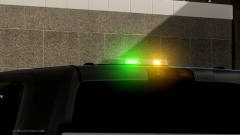 Must be the incident commander.
 -
You forgot Macintosh. I prefer Linux but half the shit I absolutely need to have running these days are Linux incompatible (and WINE's useless for some)
-
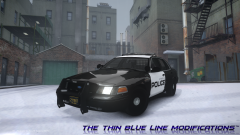 AW YE
AW YE -
What's the lighting pattern, conventional or multi-coloured LED?
-
I'm mostly a FedSig guy, but Code 3 makes some damn good lightbars. MX2700, 21TR... I don't like Whelen Libertys[sic], they're like cockroaches - where there's one there's a thousand more. I've yet to find a properly-mapped (in terms of extra 7/extra 9) Whelen Edge, or I'd be all over that like a cop on a doughnut.
-
<a data-ipb="nomediaparse" data-cke-saved-href="http://en.wikipedia.org/wiki/Hofstadter" href="http://en.wikipedia.org/wiki/Hofstadter" s_law"=""> Hello I have talked to a lcpdfr coder he said he thinks it will be out around that time A. Please don't try to bluff me. It's extremely rude. B. When you quote, please make sure your reply is outside the quotebox. Edit: C. If you want to take this further, my inbox is open.
-
s/Mozzila/Mozilla/g I use Firefox 26. I'll be damned if I let an ad giant see my browsing habits. Brother installed Opera on my computer a few years back and I never got used to it, I'm not a fan of Macintosh so I've never used nor had a reason to install Safari. Don't get me started on Internet Explorer.
-
Never give out an ETA, as even if you're not a member of staff people will still expect that ETA. I've seen it before, it happens all the time. If you don't believe me, look at the TF2 sub-Reddit.
-
There's already one done, almost to your specifications - the only thing is the TA doesn't block the light from the primaries. [>link]


