




EvilJackCarver
Members
-
Joined
-
Last visited
Everything posted by EvilJackCarver
-
The lightbar emissives and the dashboard emissives are linked. It is impossible to change one without changing the other, without texture editing; texture-editing the dashboard emissives is unwise at best, and complex at worst.
-
To cherry-pick your post a little, it's impossible to increase brightness of emergency lighting without increasing the brightness of dashboard backlighting - the two are linked together on the same variable. Headlights and taillights are separate from that. It's been a while since I touched mine, so I've long since forgotten what file and what value you'd need to change to adjust your emergency lighting's emissive brightness, but perhaps someone can chime in with that answer.
-
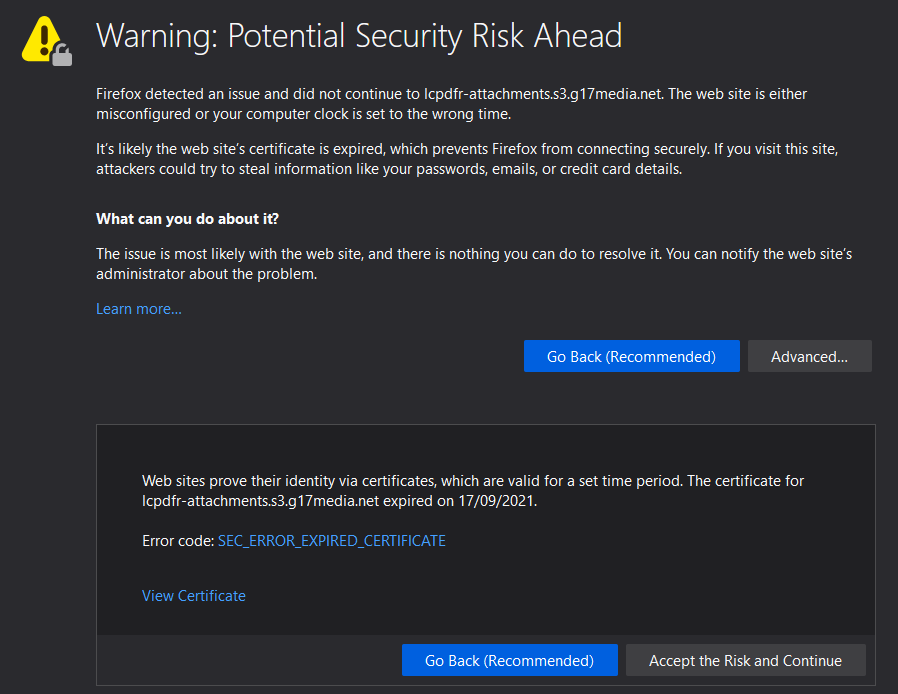
Hey, just wanted to give you folks a heads-up, the SSL cert for s3.g17media.net went out. Got the warning while I was going to look at a(n) RPH log.
-
It's possible that might be the issue. Turn it off, and see what happens - if the crashing stops, that might be your problem.
-
It looks like it's crashing when trying to pre-load an apartment model.
-
It looks like the crash on this one came from Urban Callouts: I strongly believe that Callout Manager is an internal LSPDFR plugin, but I'm not 100% certain.
-
Tap the weapon wheel button while on foot. By default, it's tab on the keyboard, or left shoulder button for controllers.
-
It depends on how long it takes for the ScripthookV team to get an update made. If they haven't given an estimate, then there's no telling how long it'd take - could be within the hour, could be after the heat death of the universe.
-
LSPDFR+ and Albo's common DLL are the most likely cause. I believe Albo discontinued development of them in 0.4.3?
-
It's possible your account may be too new or not have enough posts to allow you to change it. I don't know the specific criteria required, but maybe one of the staff can chime in and say what you'll need.
-
At the top-right dropdown, you should see a menu option labelled "Account Settings", which will take you to https://www.lcpdfr.com/settings/ Under "Display Name", there should be a "change" button on the right-hand side. According to the help text, you're permitted 2 name changes in a 60-day period.
-
You've still got Traffic Policer and Assorted Callouts in your loaded plugins.
-
-
Anything longer than 20 characters should work. („Keep the Meme Alive” is 19, you'd need one more [such as an exclamation point or a period] if you wanted to use it.)
-
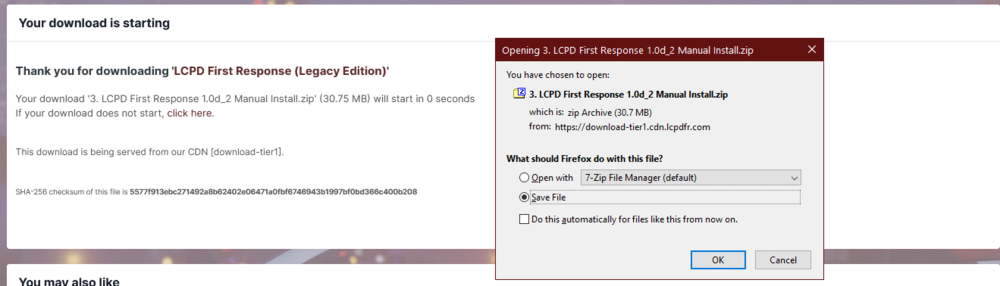
Seems to be working alright on my end. Firefox 76, even with an advert blocker. UAS: Mozilla/5.0 (Windows NT 10.0; Win64; x64; rv:76.0) Gecko/20100101 Firefox/76.0
-
-
I don't know if Cyan's already fixed it or not (they [she?] probably did, since it's been eighteen hours), but it's functioning fine on my end at the moment.
-
I owe you a beer!
-
Hey, I ran LCPDFR Red all the way up until the IPS upgrade that I mentioned earlier got rid of it. I played the hell out of LCPDFR 1.0c/1.1 back then (back when I had the time to, at least). Mildly disappointed to see the theme's gone, but hey - there's always next year, I suppose.
-
Flick it to the other theme and see for yourself!
-
Thanks, Cyan, it's bringing back some serious nostalgia. Think we'll be able to keep it year-round like we did LCPDFR Red before the IPS upgrade in mid-2015?
-
Yes, this is correct. LSPDFR is currently only supported up to build 2060. There is no ETA for an update.
-
Currently, LSPDFR is only supported up to game build 2060. Please wait for an update. There is no ETA for an update at this time.
-
LSPDFR will not work on the latest version. For more information, see the red box at the top of the forum homepage.
-
Disabling automatic updates for Steam only disables automatic downloading and updating, not the update checks. If the publisher pushes an update for the game, Steam will lock it out until it's updated. There is (sadly) no way to completely disable updating of games, short of bonkers workarounds that will backfire in a couple of weeks anyway when the DRM locks it out.


