




Sam
Community Founder
-
Joined
-
Last visited
Everything posted by Sam
-
Only three days until its this time again!
-
I really enjoyed it. Raw the night after was pretty epic as well, at least for the first half of it - the 3 hours is too long. I see they're in Austin Texas next for Raw next Monday, then London on the 13th. I'll be there, got floor seats.
-
-
-
Honestly, don't get so mad. This means it probably isn't coming out during the middle of busy school/exam periods for a lot of people now (including me).
-
This is one of the best places to start: https://www.lcpdfr.com/page/tutorials/index.action/_/player-ped-modification-tutorials/combining-ped-meshes-how-to-mix-and-match-clothes-for-a-ped-r4 Editing ped models is somewhat different from editing vehicles. In some ways it's simpler, but in many it is more complicated. Once you get familiar with how you can combine the default ped models here, you can then look at taking them into 3dsmax for editing (you can only use 3dsmax for editing GTA IV ped models). Most of the information about that is over on http://www.gtaforums.com in their tutorials section. Note that the main ways of importing and exporting ped models are by using the GIMS or openFormats I/O scripts. Both of these are on GTAForums too.
-
I don't think there's any such thing as a ragdoll object. As far as I know there are only dynamic objects which react to simple forces (e.g. being pushed or shot or caught in an explosion) and animated objects which are animated with predefined animations, like the various US/other flags in the game. This may be a deliberate typo to match it up with the way it is spelled in the game's audio files? Not sure, but I remember a few of the zones being spelled incorrectly.
-
Take a look at 's files.
-
-
-
This has been changed. There should be a download button at the very top now as well.
-
After a lot of work, I'm also happy to announce a revamped downloads portal. Including new fields, a revamped layout for actual download pages and the ability to link mods together - we hope that the new downloads section is a big improvement for everyone. We'll have more to say about the changes in the coming days. For now, go and take a look yourselves. We've put a bigger emphasis on giving people that upload files the ability to better control the look and feel of their file's page, allowing them to easily add in an eye catching banner and to highlight the special features of their mods. Furthermore, you can now link to other mods from your file's page by using the "Optimized For" field. For texture artists, I'm sure this will be very useful for linking to the models the textures are designed for. For vehicle modelers - its a fantastic way to group together a pack of related models. Before: '> and after (below)
-
I agree, I think this insanity has run its course.
-
I dunno, seems somewhat irregular what's happening here. He obviously instantly recognises the passenger He seems to only be really dealing with the passenger (approaching from that side and more concerned with him) There's some conflicting verbal commands issued The gun is seemingly retrieved, and the guy's hands are clearly empty I suspect that if something like this happened in the UK or in similar countries, the outcome would be termination and possible criminal charges. He's obviously not the smartest guy in the world by showing the gun and making a scene, but in terms of him actually pointing a weapon at the officer or anything like that, you can't see it from the video. Just because he could have perhaps saved himself doesn't mean the shooting is justified, an officer should be able to control uncooperative suspects without using lethal force. I think he simply panicked because of knowing who the passenger was and that he had shot at police before - that probably isn't a valid justification for employing lethal force though. It'll be interesting to see how this goes, and you'd think it'd be a good opportunity for Christie ahead of 2016 to show some leadership and setup a proper investigation.
-
-
Are you guys having food without inviting me? :( Happy Birthday!
-
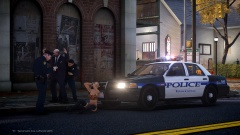 Really cool picture.
 -
Should all be in the user documentation PDF.
-
I'll look into it.
-
We knew it was coming, right?
-
Thread sponsored by the squid.... I would wish you happy birthday, but it feels like we should be wishing, well not wishing but praying for your survival.
-
Looked that way at first, perhaps not now though, reports that four hostages died in Paris and possibly one suspect still on the run?
-
From having relatives in Paris and visiting many times, the police are definitely routinely armed. This is just a horrible tragedy though, and as a way of showing our solidarity, I thought it would be fitting to add some blue to our logo for the day - a small change, but a symbolic one nonetheless.
-
You can use the QAM to call for all types of backup during a pursuit, or you can use the keys as normal. CTRL + N for a helicopter by default. ALT + B for a patrol unit by default. ALT + N for a NOOSE unit by default.
-
Absolutely, that'd be awesome.


