Leaderboard
-

-

-

UnknownBastion
Community TeamPoints11,212Posts -
error404vibes
MembersPoints456Posts




Popular Content
Showing content with the highest reputation since 04/17/2026 in Posts
-
Spring 2026 Site Update - New Features, Improvements & More
Raikivagli and 25 others reacted to Cyan for a post in a topic
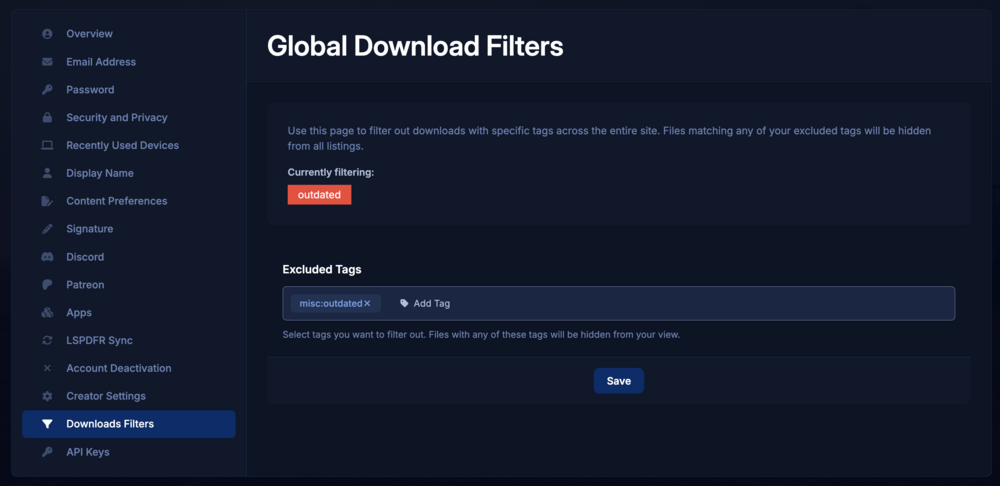
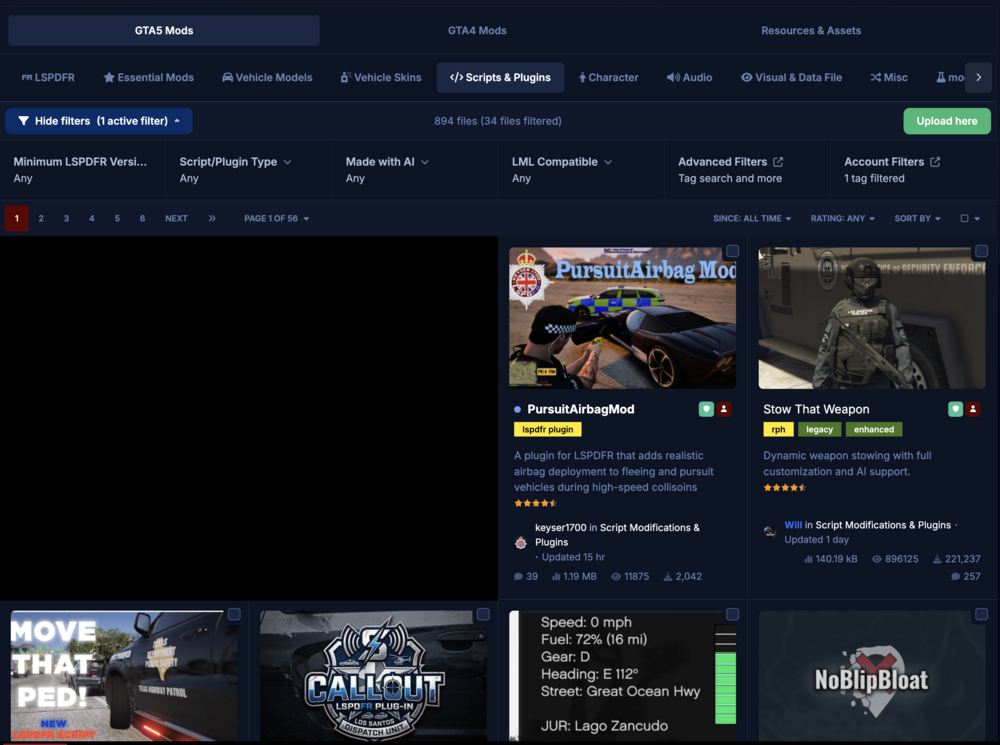
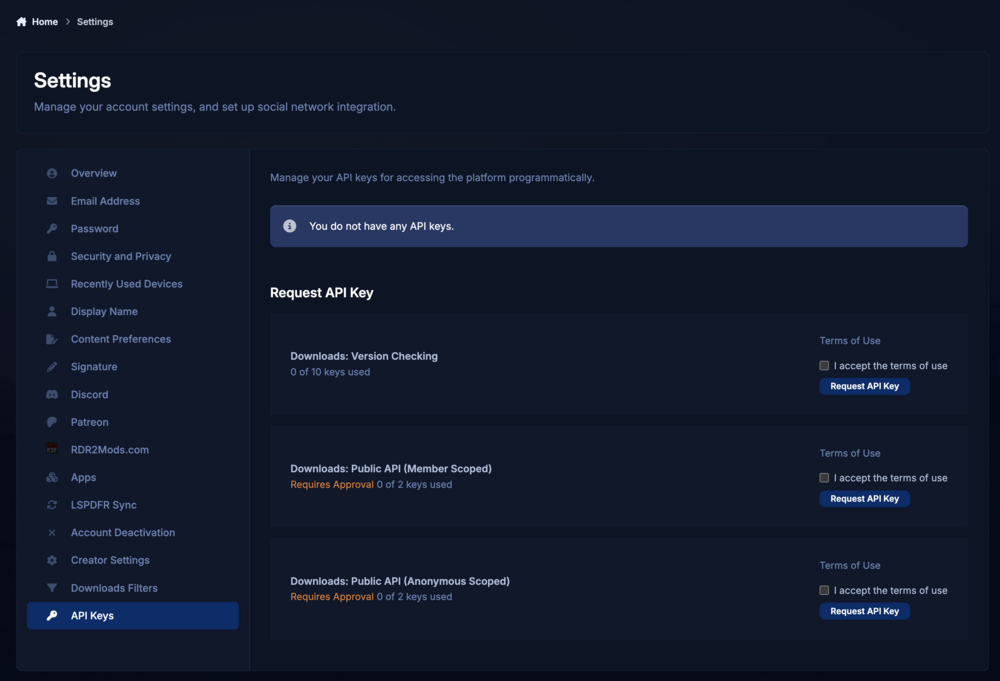
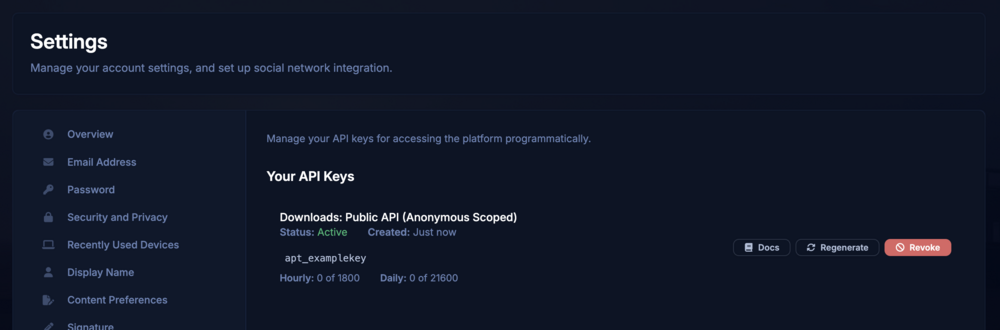
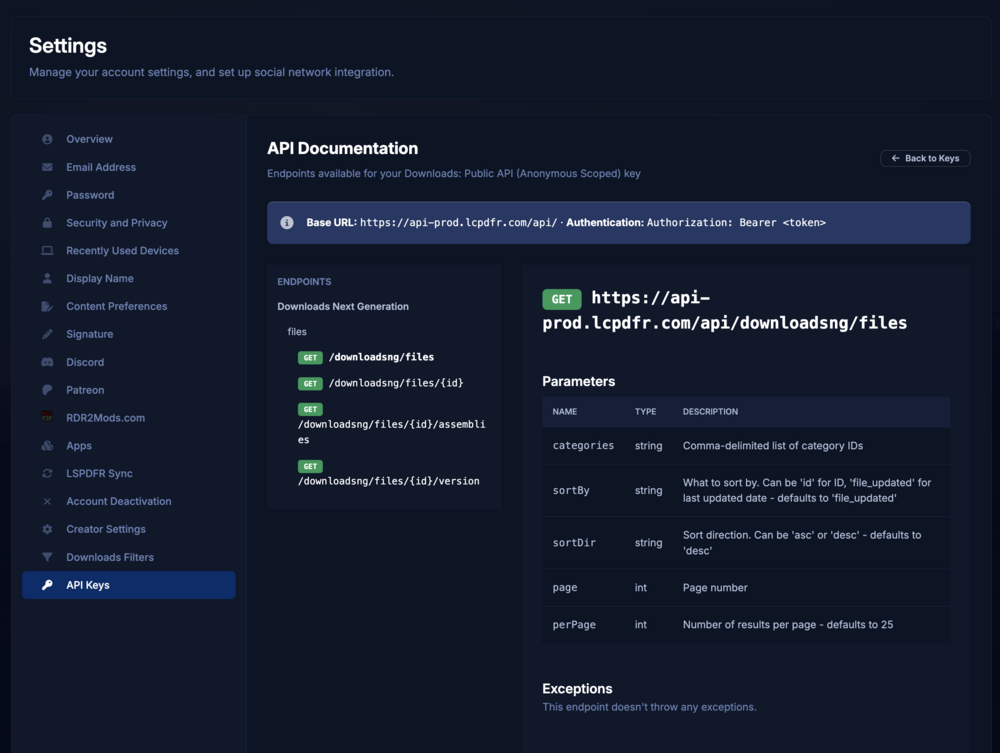
26 pointsHello everyone, I just want to say thank you for sticking with us through the biggest site update we’ve ever rolled out. Last year’s launch didn’t go as smoothly as we’d hoped and we know there have been some issues along the way, so we really appreciate your patience and feedback. It’s helped us get to a much stronger place moving forward. Now that things have stabilised a bit, today we’re launching a bunch of new features and changes that we think you’re going to love. Discovery: Tag FiltersThe whole point of our tag system has always been discovery. You’ve been able to click into tags and explore everything connected to them, but proper filtering on category pages was missing. That’s now changed. You can now explore and filter by tags directly on category pages, with the system built to expand much further over time. To start, we’ve added brand, country, and year filters to vehicle pages, along with a “Made with AI” filter on script pages. You can now filter by Brand, Country and Year on Vehicle pages. A small change on the surface, but a big step toward making discovery faster, cleaner, and far more useful across the platform. Discovery: Site Wide Tag ExclusionsTo give you even more control over what you see on LCPDFR.com, we’re introducing account-level, site-wide tag exclusions. Any files matching the tags you choose to exclude will be hidden across the site — including the downloads portal, download feeds, trending and featured sections, and search results. The tag filtering controls, now available in Account Settings. In this example, files tagged as outdated are being hidden. The downloads category page, showing 1 active account tag filter and 34 files hidden as a result of excluding the outdated tag. Whether you want to hide AI-generated work, certain vehicle types, specific countries, or even particular vehicle years, we hope this system helps you fully customize how you browse content on LCPDFR.com. Note: We're aware of an issue of going to Account Settings, then navigating to Downloads Filters will not load the tag box correctly and we're working to fix it. Refreshing the page if the tag box doesn't load will workaround this for now. Site Experience: Thanking CreatorsAs a thank you to our creators and contributors, we’ll be removing external advertisements for community members who are actively engaging with the community. The exact criteria may evolve over time, as our community contributes in many different ways. Whether you're helping new members with questions, uploading mods, or simply being an active part of the site, we want to recognize and reward those contributions. For creators who share their mods with the LCPDFR.com community, ads will be removed once you reach 1,000 verified unique downloads. For all other members, ads will be removed once you achieve the Sergeant rank (1,000 community points). Our rank system awards points for a variety of community activity, including forum posts, gallery uploads, comments and reviews (+1), giving or receiving reputation (+1), gaining followers (+2), and more. This change is going live today, though it may take some time after reaching the requirements for the benefit to be applied to your account. Logging in and out if you meet the criteria may help this apply sooner. We also plan to add a way for members to track their progress toward these thresholds in the future. This is one small way we can give back to the creators and community members who help make the site what it is. Developer: APIOur old API has started to show its age and wasn’t really built with the growth of the website in mind. Historically, we’ve had to handle security on LCPDFR.com in some fairly unique ways. While we want to discourage automated traffic, serving an API directly from our main website domain meant we also had to keep certain protections less aggressive than we would’ve liked. The API has been moved onto its own dedicated infrastructure, allowing us to properly monitor usage, apply separate security procedures, and relax some of the harsher caching behaviour that existed previously. We’ve also adopted the more standard approach of enforcing API keys across the new API. This allows us to better track usage, apply limits where necessary, and manage access more effectively. API keys are issued in line with our new API Guidelines, which outline acceptable usage and restrictions around commercial use. There are currently two key types available: Version Check Keys — designed for embedding into your own plugins, primarily for update and version checking. Full API Keys — provide broader access to the API, including mass file listings, extended file metadata (such as tags), .NET assembly data, and more. Full API keys require approval. We may contact you with questions about your intended usage. Both full and limited API keys require an active LCPDFR.com account that has been active for at least one week. You can request API keys in your Account Settings. You can see usage limits, documentation and regenerate your key from Account Settings. With the new downloads listing API, you can list up to 10,000 files at once. Full documentation available in Account Settings with an issued key. Overall, this new API infrastructure gives us a far more scalable and maintainable foundation moving forward. Separating the API from the main website allows us to improve security, reliability, and performance without impacting the experience of regular community members on LCPDFR.com. We’ll be deprecating the old API in stages. Effective today, the old version check API endpoint (checkForUpdates) will no longer be available for newly submitted files. All remaining endpoints, apart from checkForUpdates, will be turned off on 1 June. We understand that deprecating checkForUpdates may cause issues for some plugins. We plan to phase this out later this year in stages and with planned brownouts and will share more details in the API forum closer to the time. We’re not stopping there, either. While these updates are a big step forward for discovery, customization, and the overall site experience, we already know where we want to focus next, on search. The truth is, we’ve largely outgrown the search system our current software provides. It was never really built for our mod heavy platform with this much content, this many tags, and the kind of discovery features we now want to support properly. Because of that, search is probably going to involve a lot more custom work from us moving forward. Better relevance, smarter filtering with the new options announced above, and a generally cleaner experience are all things we want to improve over time. As always, we do appreciate your feedback. We try to guide LCPDFR.com based on what the community wants, alongside the areas where we feel we can improve and do better ourselves. We’re looking forward to seeing everyone use these new features, and we’re excited to keep improving the platform alongside the community that makes it what it is. Cyan.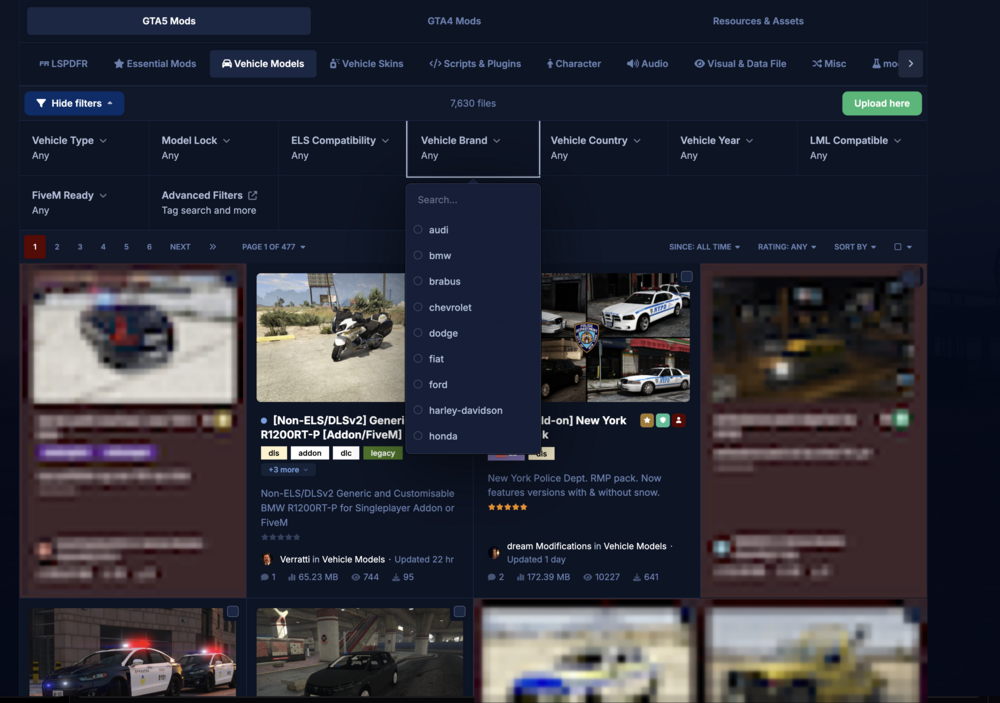
 26 points
 -
Swat/NOOSE tactical mod
wyattepd and 3 others reacted to Lennyy for a post in a topic
4 pointsVincentsgm had this in development but haven't heard anything about it in a year or two.4 points -
34 year old man dead after fatal stabbing; Police say.
Cali21 and 2 others reacted to Troopah911 for a post in a topic
3 pointsLast night at 10:00 PM, 34 year old James Cook was fatally stabbed at a hotel in San Andreas. Details are limited as there is currently an ongoing investigation.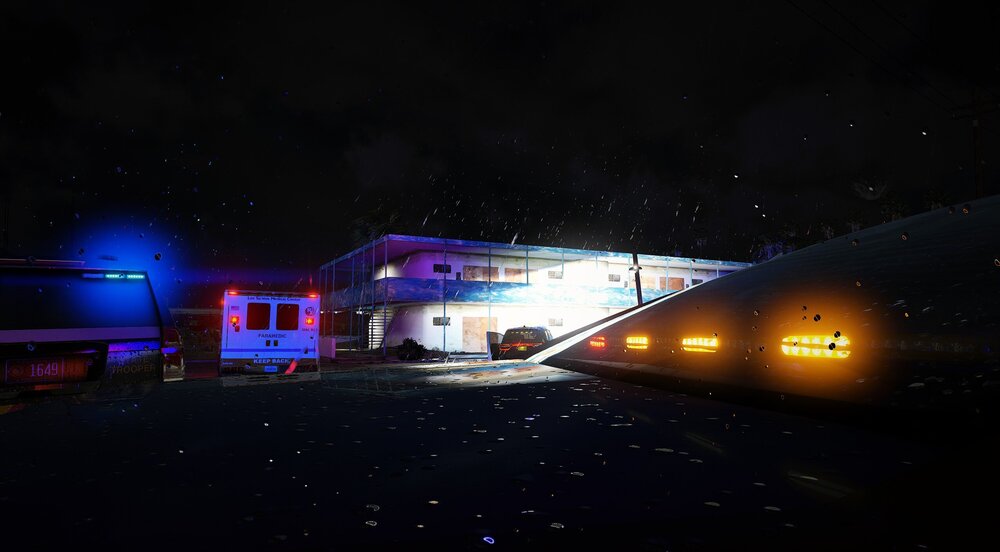 3 points
 -
Spring 2026 Site Update - New Features, Improvements & More
Joe C Wilson and 2 others reacted to mitchyd for a post in a topic
3 pointsOne thing I do miss is when looking through mods, it used to tell you if there were updates available for mods you've already downloaded3 points -
Your best LSPDFR 0.4 screenshots?
Officer Here and 2 others reacted to TrentMU for a post in a topic
3 points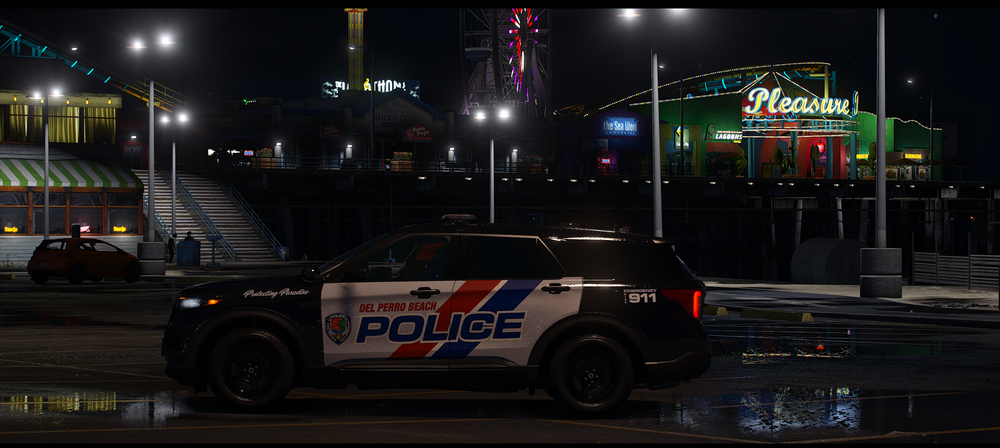 3 points
 -
New re shade lookin fine
Officer Here and one other reacted to Troopah911 for a post in a topic
2 pointsJust tweaked it a bit and it looks pretty good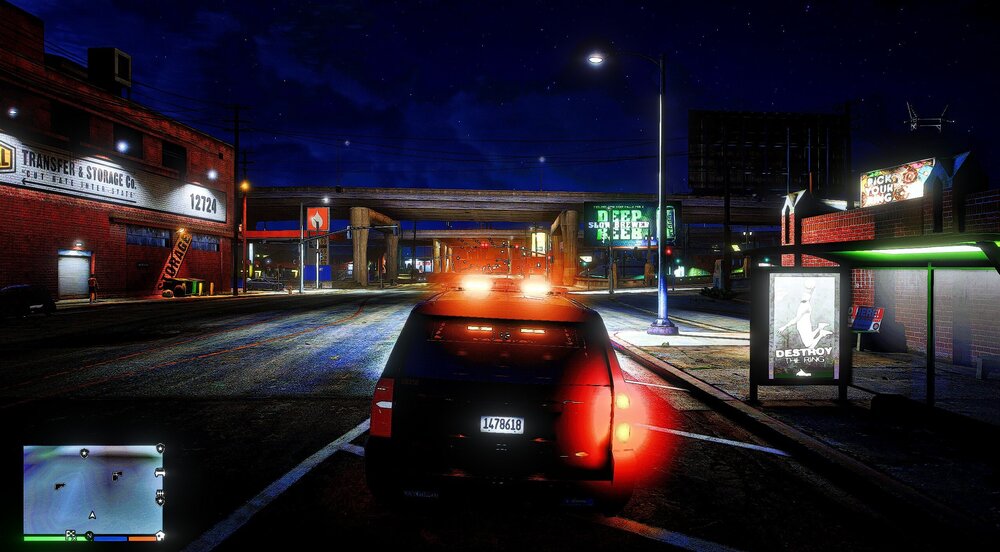
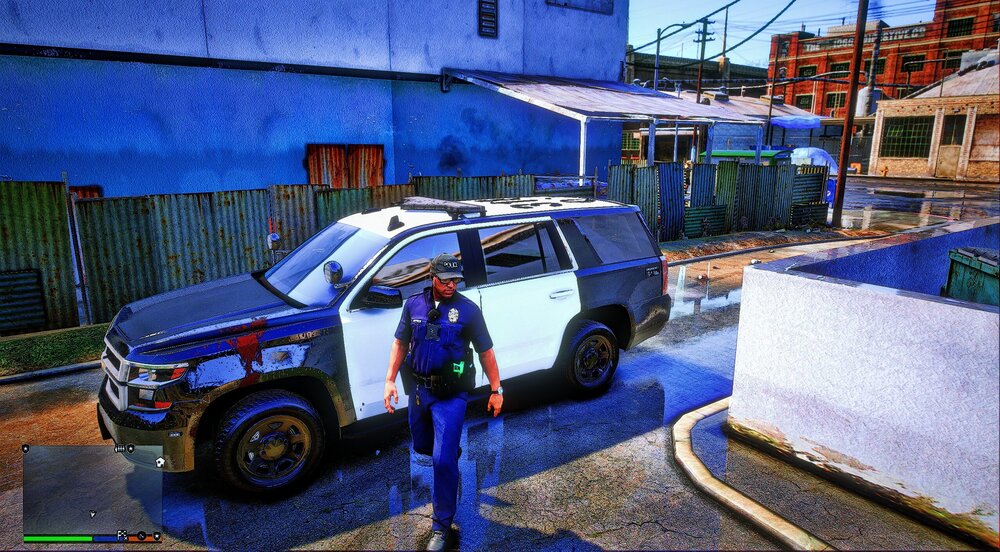 2 points
 -
New re shade lookin fine
Officer Here and one other reacted to Yasd for a post in a topic
2 pointsI think you might adjust that a little bit ;)2 points -
Your best LSPDFR 0.4 screenshots?
Officer Here and one other reacted to TrentMU for a post in a topic
2 points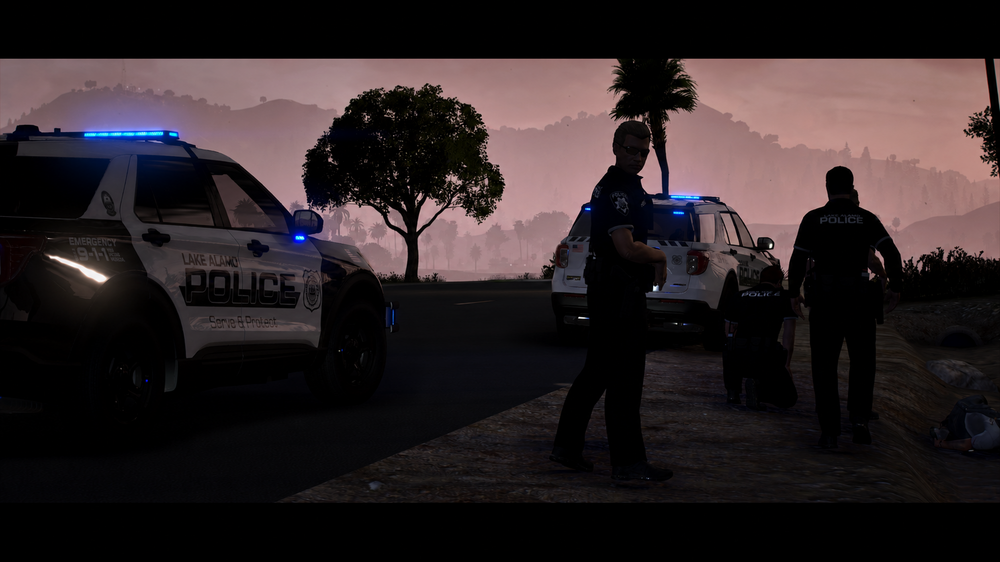 2 points
 -
GTA VI Unable to be Modded
UnknownBastion and one other reacted to Will for a post in a topic
2 pointsSounds like a fancy way of describing a senior moderator for GTA Online.2 points -
Spring 2026 Site Update - New Features, Improvements & More
Cyan and one other reacted to Luna Olson for a post in a topic
2 pointsTHANK YOU FOR THE VEHICLE FILTERS! I LOVE YOU FOR THAT2 points -
Spring 2026 Site Update - New Features, Improvements & More
GTA 5 Jedi Master and one other reacted to JM Modifications for a post in a topic
2 pointsThis update is wonderful news. We appreciate the hard work y'all do. Can't wait to see the future holds.2 points -
Spring 2026 Site Update - New Features, Improvements & More
GTA 5 Jedi Master and one other reacted to TrentMU for a post in a topic
2 pointsAnother fantastic update from the LSPDFR Team! Loving the new changes and implements to help users like myself navigate the sections. Downloads will be a game changer with the additional filters now we have.2 points -
How to play LSPDFR without "mission failed: you ______"
Officer Here and one other reacted to Cyan for a post in a topic
2 pointsYou need to reach a level of GTA V's story where you can free roam or use a 100% complete save.2 points -
If you use NVE, and the process just exits when tabbing out, you must switch your game to borderless windowed mode. The issue is reshade. You can use RagePluginHook's settings window to add commandlines, or you can do it manually by editing commandline.txt. Add -borderless, and -windowed. Or are you crashing at other times too?2 points
-
How to play LSPDFR without "mission failed: you ______"
Officer Here and one other reacted to Jayhawk60 for a post in a topic
2 pointswill do so after school and work today.2 points -
Random Crashes During Gameplay – Unsure Cause
kaydonis and one other reacted to Denzel de Koning for a post in a topic
2 pointsHi! I may can confirm that its probably Xscanner. Your not the only one having the issue. A lot of more players has experiencing issues the past week. I found out that Xscanner is receiving loads and loads of errors, which causes Xscanner having a meltdown and crashing the game. You probably used the scanner for live radio traffic. I just found an website: https://www.broadcastify.com/listen/. It has thousands of live radio traffic across the US.2 points -
Download button?
boomer2840 and one other reacted to Cyan for a post in a topic
2 pointsTo prevent automated downloads, we do serve CAPTCHAs. We initially had only shown this for guests sometimes, but we’ve been seeing increased automation with accounts. I’m hoping to make these more intelligently show as it’s probably now needed in some capacity always in the AI era.2 points -
Glitch - Area Ground Texture Missing
Gan Ceann and one other reacted to goodmichael5 for a post in a topic
2 pointsThere seems to have been a conflict between Enable All Interiors and the update "A Safehouse in the Hills." So I removed the script, and then when I launched the game, the ground textures started loading on start.2 points -
Traffic AI Acting Erratically During Pullovers
JakeKindaSus and one other reacted to MattCC16 for a post in a topic
2 pointsFirst thing I do when installing ELS is disabling the traffic control feature in the els.ini. That does not explain the swerving but it doesn't help as it causes drivers to floor it and crash. My other guess would be the realistic traffic AI mod. In my experience those types of plugins cause more problems than fixes. I have RiskierTrafficStops and Custom Pullover with no serious issues. You could try renaming your mods folder temporarily (which would disable all mods installed in there and make the game revert to the vanilla files) and see what happens with the AI. I second the removal of SuspectSense, I had a lot of issues with that mod and had to remove it a while back.2 points -
Idea for ad space.
Officer Here and one other reacted to Will for a post in a topic
2 pointsWe probably would not promote paid mods or have any sort of partnership program. Not only does it go against our principals, it opens us up to legal trouble as most paid mods are making money off of the intellectual property of other parties (primary concern being Rockstar themselves, but even companies like Ford or Axon could be more likely to pursue legal action once money is involved).2 points -
Your best LSPDFR 0.4 screenshots?
TheFrenchman40 and one other reacted to Lapd Code 3 for a post in a topic
2 points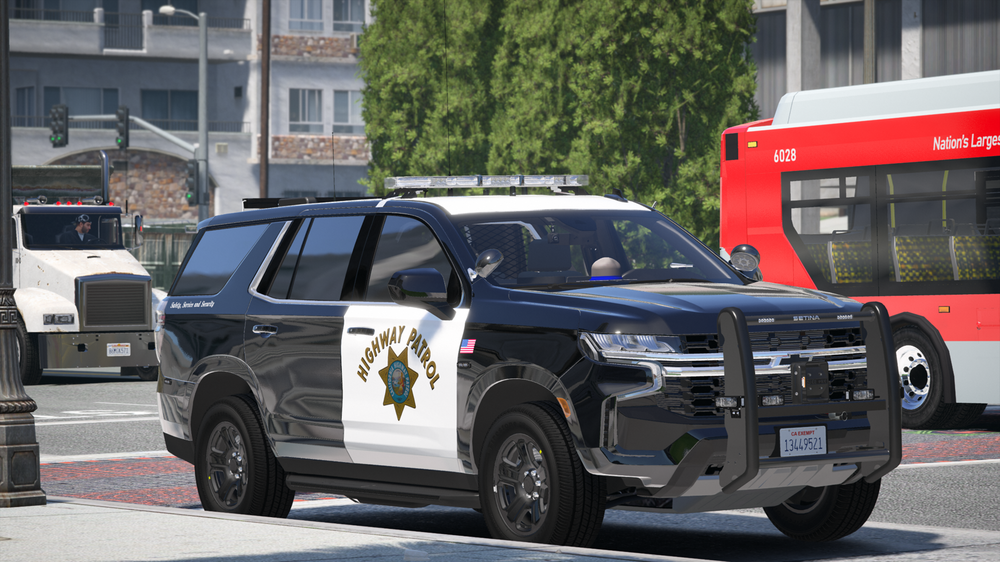
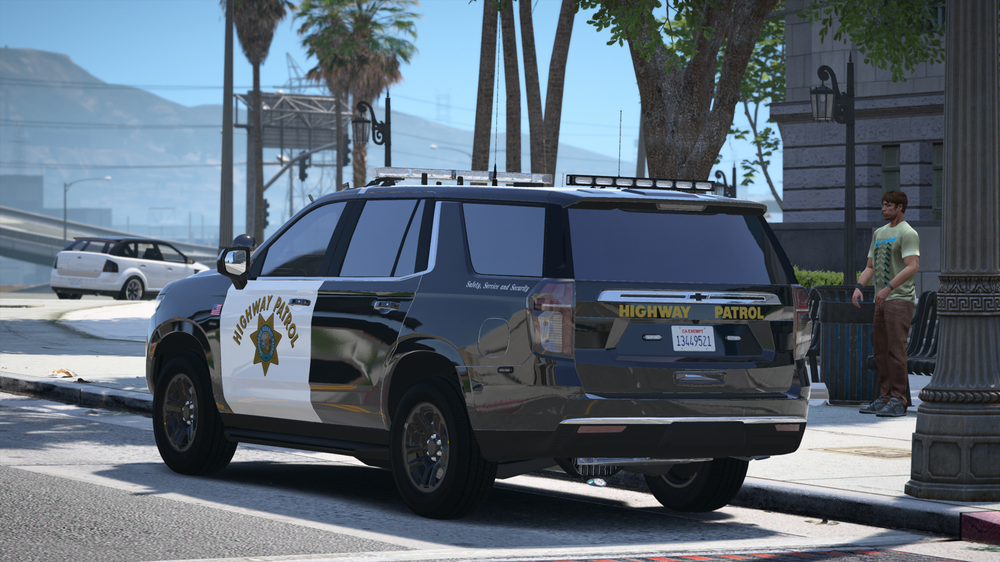
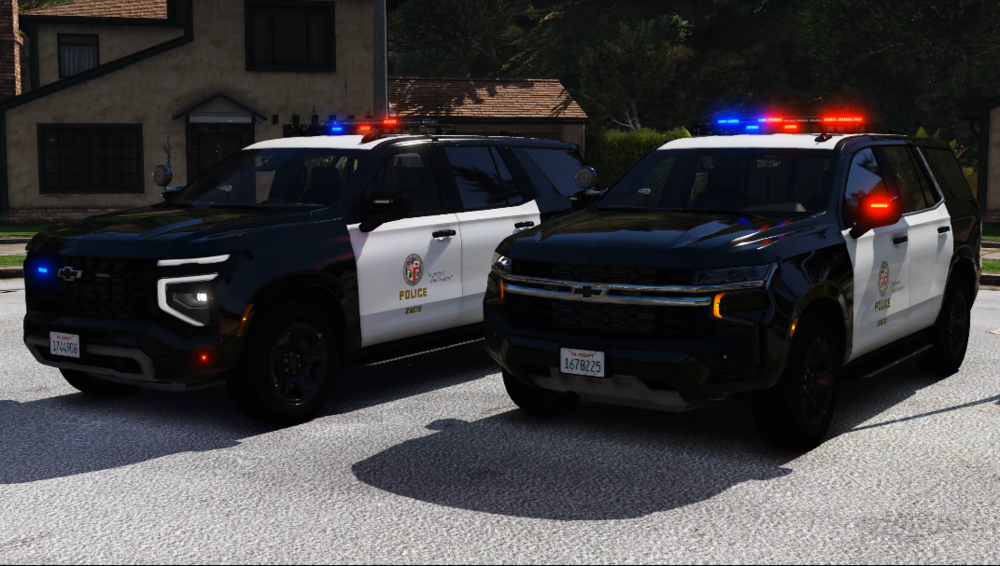 2 points
 -
★ Modslist / Plugins Suggestions (Stable&Tested 0.4.9 February 2026) ★
THEE OH and one other reacted to tritratratsche for a post in a topic
2 pointsHi There, Good decision to play LSPDFR (again) and good to have you here. I play LSPDFR several years and I modded the game to perfection. The provided Links here are hand picked and my favourites. It runs very stable and my aim is to achieve the greatest possible degree of realism and immersion and I attach great importance to realism and immersion. I have often read the question about stable plugins. That's why I decided to open this thread. i'm taking the time here to list the plugins with the links because i want to give something back to this community. Most plugins are from lspdfr.com. but some are from GTA5mods.com. Disclaimer: I do not own any of these plugins and I am not the owner. The software download links I linked are for informational purposes only. I do not endorse or guarantee the accuracy, safety, or suitability of the linked software. Please exercise caution and verify the legitimacy of the software before downloading or installing. I am not responsible for any issues, damages, or losses that may arise from the use of the linked software. Download and use at your own risk. I have marked the plugins or extensions with a *, which should satisfy your minimal plugin needs for a great gaming experience. E s s e n t i a l s LSPD First Respone (link) * Scripthook V (link) * Custom Gameconfig XML (link) * HeapAdjuster (link) * Packfile Limit Adjuster (link) * Emergency Lighting System (link) * Open IV (link) * Visual V (link) Brighter Emergency Lights by MSTB Developments 2.1 (link) Forest of San Andreas Revised (link) GTA V Remastered: Enhanced (link) Vegetation reflection (link) Stow that Weapon (link) Better Hit Reactions (link) KTFDO - Keep the F****** Door Open (link) Restrain the Deceased (link) Delete Vehicle (link) Scene Manager (link) Spotlight (link) Vehicle Keys (link) Deadly Weapons - Guns are actually dangerous! (link) Automatic Siren Cutout (link) Callout Interface (link) * Compulite (link) * Stop the Ped (link) * Ultimate Backup (link) * ALPR Lite (link) Speedradar Lite (link) Complete EUP Suite (follow the instructions in the text -> link)* GrammarPolice (link) Immersive Ambient Events (link) * Ransom Ambience (link) Plain Sight (link) Radio Realism FR (link) XScanner (link) * Kifflom Replacement - ID Requests from GTA IV (link) Player Location Display (link) * German Shepherd / Malinois - K9 Dog (link) Realistic Blood V (link) I am aware that there are many more (very good) callouts out there. But it has turned out that these callouts are sufficient, partly because they receive continuous updates. 686 Callouts (link) * Dynamic Callouts (link) BLK Highway Callouts (link) Kuchera Callouts (link) SuperCallouts (link) N*A*R*C*O*S (link) Country Murders (link) Community Mission Row Police Department (link) ... ... ... I hope this list helps you and I will try to keep it up to date. Feel free to bookmark the thread, click following on top of this thread and I would be happy about likes if you liked the post. You are also welcome to link the thread to other users. Please don't forget to like and review the developers' plugins to give a little love. Let me know what you think is missing and I'll see if I can add it. Please keep in mind that I am linking my self-installed plugins that I have tested extensively. Have a good Shift Officers!



 2 points
 -
Resourceadjuster was a problem. Removed resourceadjuster and its works fine now. Clean install is not required. Solved. Thanks guys1 point
-
New re shade lookin fine
Officer Here reacted to Troopah911 for a post in a topic
1 pointPossibly. Here is the most recent version: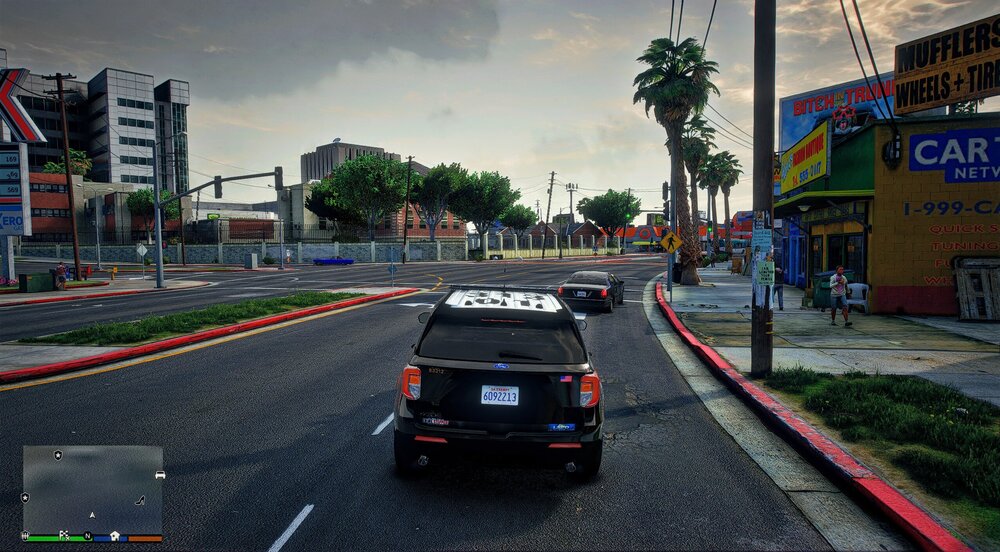 1 point
 -
Failed to initialize BackupTemplate
Gan Ceann reacted to Sergeant Johnson for a post in a topic
1 pointI found the solution, there was a missing </Vehicles> end tag1 point -
Flashlight
boomer2840 reacted to Yasd for a post in a topic
1 pointWith a trainer. Or via consolecommand GiveWeapon weapon_flashlight1 point -
LSPDFR.DLL crashing when going on duty
error404vibes reacted to Na8o for a post in a topic
1 pointok that worked which lowkey sucks because I really wanted that plugin lol Thank you though. Do you know any solution to it?1 point -
My game keeps crashing after like 5 mins of playing
La1nhart reacted to error404vibes for a post in a topic
1 pointRemove Force A Callout. Policing Redefined caused a crash. Check its installation or remove it and report the issue to the developer. Next time please post the RagePluginHook.log which can be found in the main folder. Tell me if it works.1 point -
LSPDFR.DLL crashing when going on duty
Gan Ceann reacted to error404vibes for a post in a topic
1 pointInvalid vehicle with hash: 0x9f05f101. (POLICE2) Take a look here to check the model name of the vehicle. Revert your changes in the vehicles.meta or get the default one from: GTAV\update\update.rpf\common\data\levels\gta5. Policing Redefined caused a crash. Check its installation or remove it and report the issue to the developer. Remove XScanner Pursuit Updates. [This will cause crashes on the latest version of GTAV (v3788.0, March 2026).]1 point -
Suggestion - 'Exclude AI Files' Toggle
Cyan reacted to Charlie686 for a post in a topic
1 pointThanks as always, glad to hear it is on the roadmap. Have a nice bank holiday weekend 🙂1 point -
Suggestion - 'Exclude AI Files' Toggle
Michael21107 reacted to Charlie686 for a post in a topic
1 pointMorning all, Wanted to share some feedback re filtering on Scripts & Plugins. I love the addition of the 'Made with AI' tag, but it doesn't work effectively for me because: It takes 5 clicks to exclude the tag. The tag needs to be reapplied on each page visit (at least in my experience - please correct me if I am wrong) For something that is becoming a common tag, this creates a fair amount of friction/difficulty for what feels like a popular user action. There's also a UX/usability perspective as well - when one or two files have this tag, it is much easier for these to stand out. With nearly half the page having this tag, it becomes harder to visually filter them out when browsing (and therefore increasing reliance on filtering tools instead...) Taking LSPDFR Plugins / Callouts for example. That filter is easier to use, persistent-ish (in the sense it updates the URL) and makes sense because it is something that users would often want to separate. That sort of sets the scene for why I am making this suggestion. Frequently used filters can work better when accessible and persistent, which is why I would like to see an accessible toggle for the 'Made with AI' tag. I'm not trying to penalise AI files with this suggestion, but I think filters that are often used should be prioritised for visibility. If you go into the effort of maintaining an AI classification system, you get more out of it by allowing users to take advantage of it in an easier way. Thanks for considering this suggestion, Charlie1 point -
Hook tow trucks not attaching vehicles (flatbed works fine) – Stop The Ped
Gan Ceann reacted to Leon Salijaj for a post in a topic
1 pointHi, Thanks for checking. I’ll make sure RAGENativeUI is in the main GTA V folder. Good to know the log looks fine and that it seems to be a Stop The Ped issue since others are reporting it too. Thanks for the help.1 point -
Lspdfr crashing when going on duty
Gan Ceann reacted to YoungJuneBug for a post in a topic
1 pointyea I fixed it now thanks guys!1 point -
Front Page reviews show incorrect rating
Michael21107 reacted to Scorpionfam for a post in a topic
1 pointJust something I noticed as it appears to be happening on another file as well as my pack. My RPD pack currently has 5 stars when you click on it. but on the "monthly trending" page on the home screen it shows it at 2.5/5 stars. same with MDTPro where it shows 3/5 but actually has 4/5 stars currently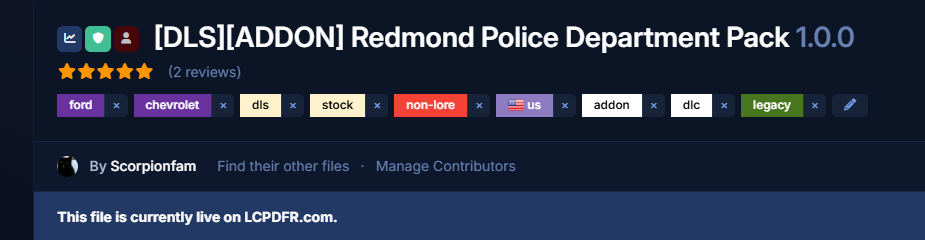
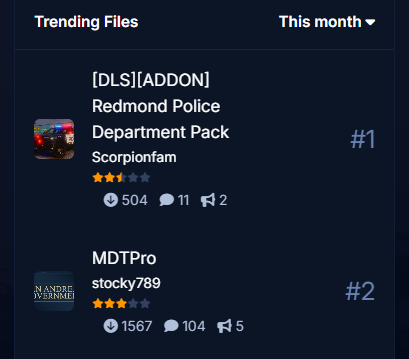 1 point
 -
I cannot unsee this now
Michael21107 reacted to Cyan for a post in a topic
1 pointThis was fixed as part of a site maintenance update today.1 point -
Is it possible to delete the mission row defaults for locker, garage etc.?
shudder00 reacted to Michael21107 for a post in a topic
1 pointOh yeah, I would prefer it to be customizable too; I can't see why it is hardcoded.1 point -
Weird Rageplugin Unhandled Exception Occurred. Any Help Welcome!
error404vibes reacted to Perfects for a post in a topic
1 pointThank you for this massive insight. I will do all of the following here soon and will come back and mark resolved when done. It likely has to do with my CalloutInterfaceAPI and XScanner Pursuit updates. Thanks immensely for your detailed and prompt response!1 point -
1 pointStop the ped seemed to have caused this issue, I've switched over to policing redefined. No worries!1 point
-
Rage Plugin Hook randomly stopped working
error404vibes reacted to GalaxyNull14 for a post in a topic
1 pointOH MY GOD, IT ACTUALLY WORKED, THANK YOU SOOOO MUCH!!!!!!!!1 point -
Your best LSPDFR 0.4 screenshots?
Lapd Code 3 reacted to Eastsiderellie89 for a post in a topic
1 pointhere is mines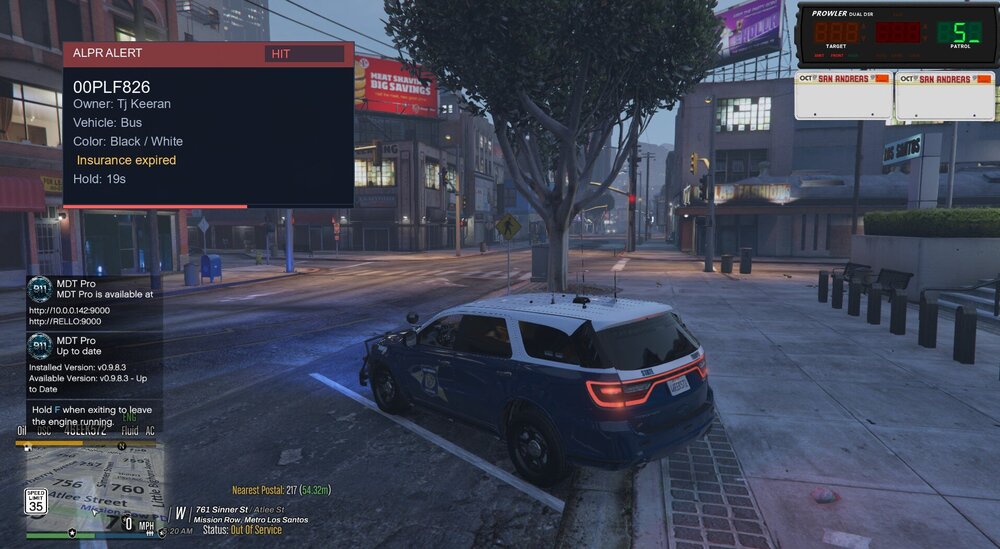 1 point
 -
Cool! Be aware that this is GTA Enhanced and not Legacy :)1 point
-
My LSPDFR setup
Inficem reacted to error404vibes for a post in a topic
1 pointTo be honest with you, I took inspiration from a similar topic that personally helped me. Maybe this topic will help those who are new to LSPDFR, as well as current players. I play LSPDFR with the setup below and have no issues. WHAT I CONSIDER ESSENTIAL: OpenIV Script Hook V ScriptHookVDotNet RAGENativeUI Simple Trainer for GTA V LemonUI: Open Source UI Library Enable All Interiors Gameconfig for Legacy fwBoxStreamerVariable and decals limit patch Packfile Limit Adjuster HeapAdjuster Resource Adjuster Weapon Limits Adjuster PedProp Limit Adjuster Emergency Lighting System Brighter Emergency Lights by MSTB Developments SirenSetting Limit Adjuster (Not compatible with newest update. You can download a new update from Cheheb Bacha Discord’s server) Realistic Blood V GTA V Audio Fixes - Removes high FPS stutters and the 188 FPS limit Auto Center Steering Patch EUP Menu Emergency uniforms pack - Law & Order Emergency uniforms pack - Serve & Rescue Disable Pistol Whip aka "Stop With The F***ing Pistol Whipping" Realistic Traffic AI Realistic AI Accuracy Ambient AI Police, Sitting patrols and Traffic Stops Skip Intro & Legal Messages Riskier Traffic Stops Better Hit Reactions Policing Redefined Damage Tracker Framework Deadly Weapons Callout Launcher ALPR Lite CompuLite Whelen Cencom Saphire Siren & Weapons Sounds Pack CALLOUTS: DeryllCallouts Regular Callouts Adam69 Callouts 686 Callouts MCCallouts LPCallouts Remastered Ricy's Callouts Federal Callouts Remastered Qwaned Callouts Code 3 Callouts Remastered VEHICLE MODS: [ELS][Addon/Replace] Los Santos County Sheriff's Department [ELS][Addon/Replace] San Andreas County Sheriff's Department [ELS] [DLC] [Reflective] LSPD (Houston Police Dept) Pack [ELS] BCSO Pack [32 Sirens][DLC][ELS Hybrid] LSPD Legacy Pack [ELS] Thero's State Wide Services Pack (LEO, EMS, Fire, Plus More) [ELS][DLC] FHP/SHP Pack [ELS] Whelen Edge 9x Mega Pack Paleto Bay PD Tahoe Pack [ELS HYBRID, ADDON] {ELS Hybrid} (Add-On) 2025 Chevrolet Tahoe PPV (Slicktop) {ELS Hybrid} (Add-On) 2025 Ford F-150 Police Responder (LSSD & LASD) {ELS Hybrid} (Add-On) 2018 Dodge Charger Slicktop/Undercover {ELS Hybrid} (Add-On) 2024 Chevrolet Tahoe PPV San Andreas State Patrol Mega Pack [ELS] [ADDON] [ELS][Addon/Replace] Blaine/Los Santos County Sheriff 2020 FPIU (ELS) Blaine County Sheriff's Office MEGA Pack (Addon)(R/B/W) 2 New Vehicle's[ELS-HYBRID][DLC][Fivem-Ready] San Andreas State Trooper Los Santos PD (WBPD Inspired) [ELS,NONELS HYBRID, ADDON] [ELS-Hybrid | DLC/Addon ] Low-Profile z71 Tahoes 1.0.0 VISUAL: Forests of San Andreas: Revised [Add-On | YMAP | YMT | CARGEN | LODs | OIV | SP | FiveM] GTA V Remastered: Enhanced [Add-On | YMAP | LODs | OIV | SP | FiveM] Vegetation reflection [Add-On | OIV | SP | FiveM]1 point -
Speech Engine
MattCC16 reacted to Legendary6amer9 for a post in a topic
1 pointThis is weird, my grammar police was working fine yesterday, but now when I go to load my game speech engine in GP not running. I even reinstalled the speech engines, both part and it's still saying the same thing. I thought it was because I added the new SSLA, but when I go to delete that and reload my game, my speech engine is still not running. Any help will be greatly appreciated.1 point -
[REL] Code 3 Callouts
Michael21107 reacted to Yasd for a post in a topic
1 pointHello! For everyone who has landed here since the Code 3 Callouts Remastered, welcome! I hope you enjoy these callouts! Thx Stealth22!1 point -
Your best LSPDFR 0.4 screenshots?
GTA 5 Jedi Master reacted to Lapd Code 3 for a post in a topic
1 point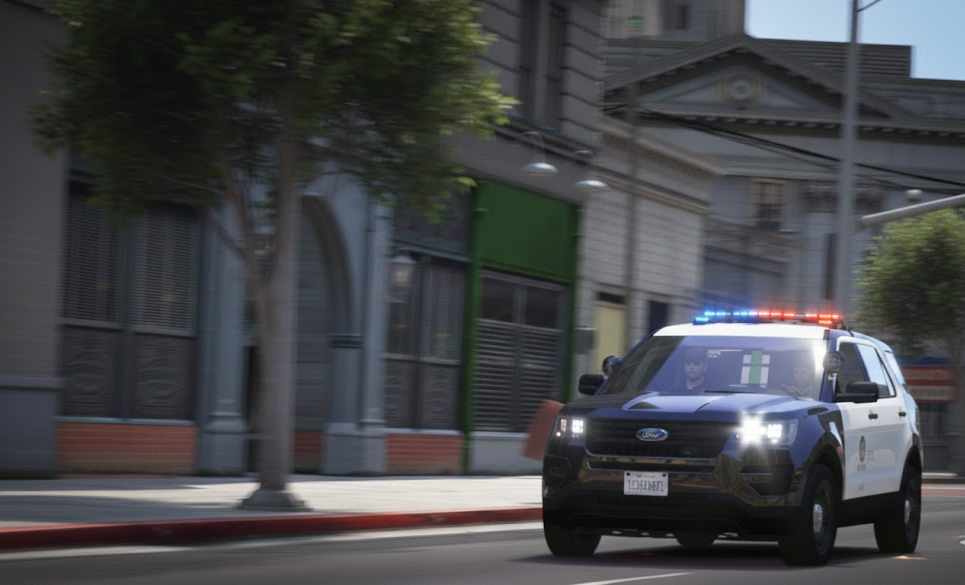 1 point
 -
Modification Universe site gone for good?
craio2lk reacted to Joe C Wilson for a post in a topic
1 pointI vaguely remember that they reopened their website during the summer, presumably under new management, but now they are closed yet again? Seems odd. Nothing personal to MU, but 90% of the time I was on there, whether it was before their 2022 shutdown or recently, I only saw Medic's vehicles or liveries being featured, and maybe 10% of community contributions. In retrospect, it honestly feels like it was just another site for people to download their mods on, with Medic using it as his own mod archive. You couldn't open MU without seeing a Medic car, and I gave up trying to find new mods to use because I kept seeing the same thing over and over again. I am not surprised, for lack of better words, that MU is dying out.1 point -
LCPDFR Online Services returns - track your stats
LAPDFR GET reacted to EricBills for a post in a topic
1 pointWhen i go to link my account after i put my api in it says there was an error and to go to lcpd.fr/legacylink to get my api even though i already entered my api into the file.1 point -
LCPDFR Online Services returns - track your stats
LAPDFR GET reacted to ZH540 for a post in a topic
1 pointThanks again @LMS for your help. Sadly this is still not working. I keep checking it in game in the sync & character menu's but it says not recording data etc. I added the above lines and added under [Networking]. See attached image (I removed my unique number obviously). Sorry to be a pain in the arse.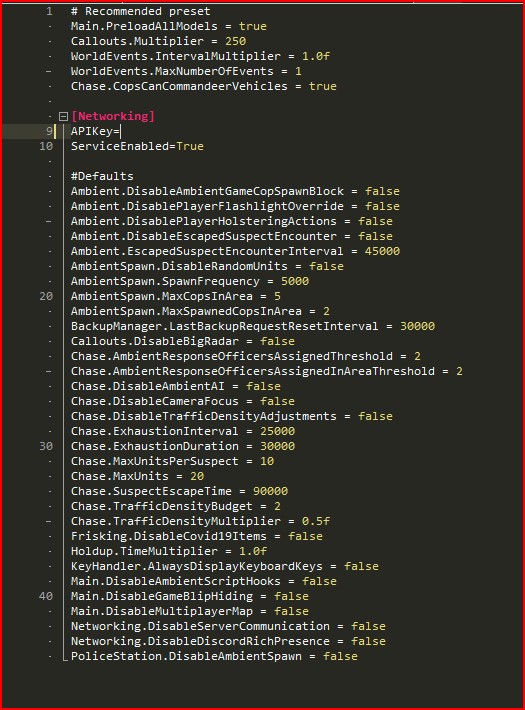 1 point
 -
LCPDFR Online Services returns - track your stats
LAPDFR GET reacted to Cyan for a post in a topic
1 pointCan you clarify what you mean? Your stats do show a few entries.1 point -
LCPDFR Online Services returns - track your stats
LAPDFR GET reacted to Cyan for a post in a topic
1 point@qawsApologies, this should now be fixed.1 point













.thumb.webp.d5bdb45c0b036e628eb2b4233b1f39d4.webp)