Skip to content
View in the app

A better way to browse. Learn more.

LCPDFR.com

A full-screen app on your home screen with push notifications, badges and more.

To install this app on iOS and iPadOS
  1. Tap the Share icon in Safari
  2. Scroll the menu and tap Add to Home Screen.
  3. Tap Add in the top-right corner.
To install this app on Android
  1. Tap the 3-dot menu (⋮) in the top-right corner of the browser.
  2. Tap Add to Home screen or Install app.
  3. Confirm by tapping Install.
Due to overzealous filtering on Microsoft’s side, some emails to Outlook and Hotmail addresses may not be delivered. If you’re affected, please use a different email address or try again later.

Cali21

Members
  • Joined

  • Last visited

  1. Rich West Responded to a [SC] Blocking Traffic in Downtown Vinewood, S Highland Ave
  2. Rich West Went off-duty at Hollywood Community Police Station in Mission Row, E Washington Blvd
  3. Rich West Went on-duty at Hollywood Community Police Station in Mission Row, E Washington Blvd
  4. Rich West Finished responding to a Dynamic Traffic Stop in Mission Row, San Pedro Ave
  5. Rich West Responded to a Dynamic Traffic Stop in Mission Row, San Pedro Ave
  6. Rich West Performed a traffic stop on a Black Intruder with registration 61KFS166 in Mission Row, San Pedro Ave
  7. Rich West Finished responding to a Dynamic Traffic Stop in Pillbox Hill, 6th St
  8. Rich West Responded to a Dynamic Traffic Stop in Pillbox Hill, 6th St
  9. Rich West Performed a traffic stop on a Red Jester with registration 81COW758 in Pillbox Hill, 6th St
  10. Rich West Reported a PC148 in Davis, W Compton Blvd
  11. Rich West Finished responding to a Dynamic Traffic Stop in Strawberry, W Compton Blvd
  12. Rich West Responded to a Dynamic Traffic Stop in Strawberry, W Compton Blvd
  13. Rich West Performed a traffic stop on a Graceful Red Rancher XL with registration 04OLR929 in Strawberry, W Compton Blvd
  14. Rich West Finished responding to a Dynamic Traffic Stop in Davis, W Compton Blvd
  15. Rich West Responded to a Dynamic Traffic Stop in Davis, W Compton Blvd
  16. Rich West Performed a traffic stop on a Graceful Red Rancher XL with registration 04OLR929 in Davis, W Compton Blvd
  17. Rich West Finished responding to a Family Dispute in Strawberry, E Vernon Ave
  18. Rich West Responded to a Family Dispute in Chamberlain Hills, E Compton Blvd
  19. Rich West Finished responding to a Dynamic Traffic Stop in La Puerta, San Diego Fwy
  20. Rich West Responded to a Dynamic Traffic Stop in La Puerta, Arbor Vitae St
  21. Cali21 changed their profile photo
  22. Cali21 started following CR7 Modding
  23.    Cali21 reacted to a post in a topic: CR7 Modding Media
  24.    Cali21 reacted to a post in a topic: CR7 Modding Media
  25. Cali21 started following CR7 Modding Media
  26.    GTA 5 Jedi Master reacted to a post in a topic: Your best LSPDFR 0.4 screenshots?
  27.    Cali21 reacted to a post in a topic: CR7 Modding Media
  28. Images added to a gallery album owned by Cali21 in GTA V Galleries
    Here I will post moments captured from my LSPDFR experience. My goal is to create an immersive California World! Below you can find the original Album I made which partially summarizes my build setup/goals where I will be posting more in depth scene photos and perhaps some showcase videos in the future.
  29. Cali21 started following Crowd Mod
  30.    Cali21 reacted to a file: Crowd Mod
  31.    Cali21 reacted to a comment on a file: Crowd Mod
  32.    Cali21 reacted to a file: INJURED STATE
  33. Thanakit Burapapornpan started following Cali21
  34. Cali21 started following TimmyLuke017 Gaming
  35.    Cali21 reacted to a gallery image: 2024-2026 New York State Police Tahoe PPVs
  36.    Cali21 reacted to a post in a topic: CR7 Modding Media
  37.    Officer Here reacted to a post in a topic: Your best LSPDFR 0.4 screenshots?
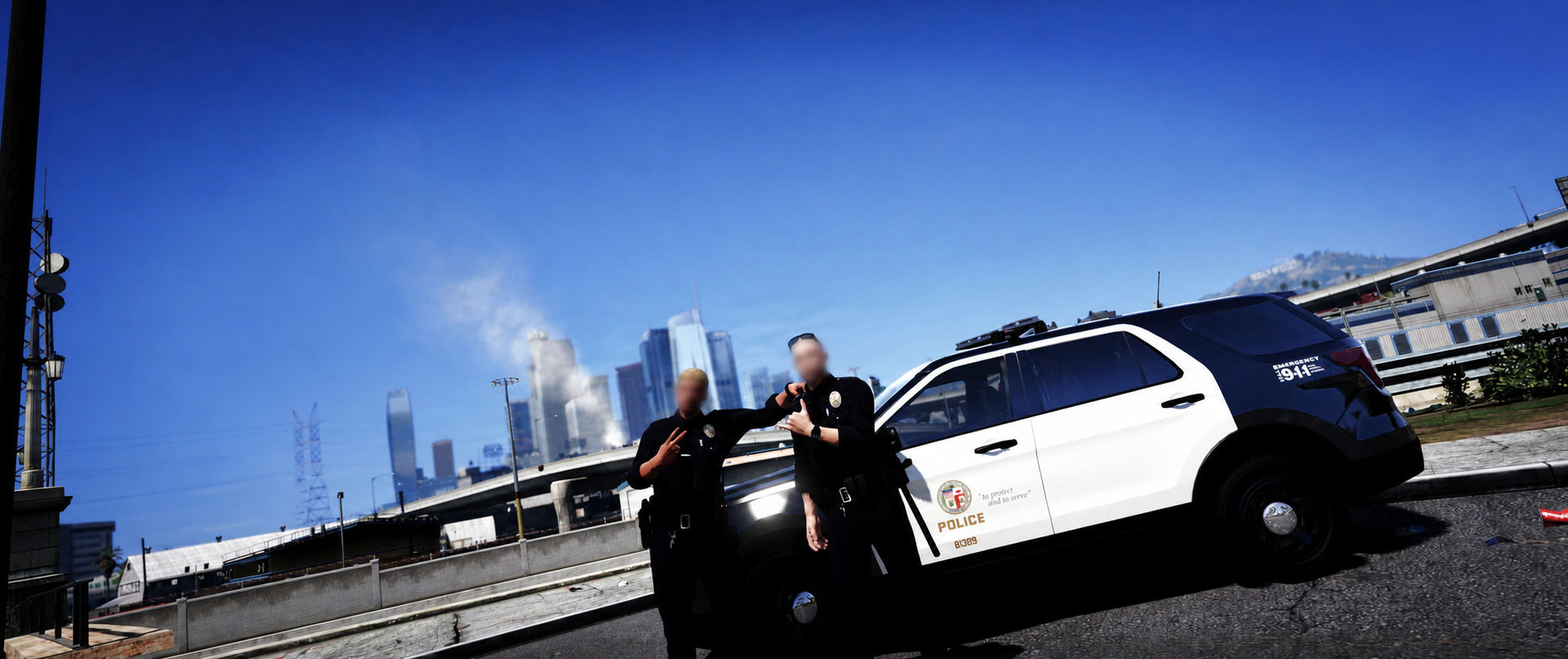
  38. LAPD Southeast Patrol Officers....
  39.    Cali21 reacted to a post in a topic: Your best LSPDFR 0.4 screenshots?
  40. Cali21 started following doublehook
  41.    Officer Here reacted to a post in a topic: Your best LSPDFR 0.4 screenshots?
  42.    Officer Here reacted to a post in a topic: Your best LSPDFR 0.4 screenshots?
  43.    Officer Here reacted to a post in a topic: Your best LSPDFR 0.4 screenshots?
  44. Cali21 started following Lewis H.
  45. Incident #010: LAPD Olympic Division [20] & BHPD | 4-15 Man With a Gun Response A Public Disturbance is Reported involving a Man Brandishing a Firearm at a Hotel in South Beverly Hills bordering the Northwest Koreatown Area Beverly Hills Police Department Officers responded and requested aid from LAPD LAPD Units out of the Olympic Station were Dispatched to Assist Suspect taken into Custody without further incident after dealing some Private Property Damage // //
  46.    Officer Here reacted to a gallery album: SoCalFR Gallery
  47.    GTA 5 Jedi Master reacted to a post in a topic: Your best LSPDFR 0.4 screenshots?
  48.    GTA 5 Jedi Master reacted to a post in a topic: Your best LSPDFR 0.4 screenshots?
  49.    GTA 5 Jedi Master reacted to a gallery image: 20251031033655_1.jpg
  50. AS332 L1 Super Puma - Los Angeles County Sheriff's Department Rescue 5 (Malibu S&R)
  51. Incident #009: LAPD Pacific Division | Pursuit Termination near Marina del Rey A High-End Luxury Astro Martin Sports Car was Reported Driving Erratically around Venice LAPD Units out of the Pacific Station were Dispatched to Engage Driver Failed to Yield & Fled Law Enforcement Pursuit Ends near the area of Marina del Rey
  52. Gotcha thanks for help - I haven't tried out PR yet does it basically offer the same special units & custom regions customizing features as UB did or is it more limited? I will look more into it perhaps could be a better easier setup.
  53. You can try reverting all of those replace edits in "patch2025_01" and move them over to the "patchday28ng" folder in mods instead which is what I use and always works for replacements. Most replace vehicle tutorials on YouTube will also usually suggest to use PatchDay28 as well so seems most reliable. *Also side note if you aren't planning to replace any other civilian AI vehicles within these mod folders you can simply just delete all those model files and only keep in your modded replace car files so things aren't so cluttered in there as the game will use the default cars anyways if not replaced with mods.* - You can see the image I attached of my folder used for replace mods which also shows the respective paths to follow hope this helps!
  54. Was wondering if the "livery_multi" feature listed here also works for ultimate backup xml files ? - Seems to be working just fine with the regular lspdfr agency.xml file - this is what the lines in my UB xml files look like (<Vehicle chance="15" pax="1" pax_chance="50" livery_multi="7, 8">lasd7</Vehicle>) anything off or is this just not an option ?
  55. @malikhagen Yeah I would assume either patreon or perhaps community discord then. Still good lapd packs on this site you can find nevertheless! LAPD is very popular so you will see a good variety of solid releases for sure without having to search for something to buy.
  56. Yeah you can customize the zones however you wish across regions its all personal preferences!
  57. LAPD Hollenbeck Unit Stops Driver
  58. '24 Chevrolet Tahoe PPV - Beverly Hills Police Department Spec Credits to @Delgad114 for realistic original model development.
  59. @malikhagen Thanks brother ! - My main LAPD/LASD/CHP fleets mainly consist of a mix of vehicles from both C3 Development and realistic public released packs around the lcpdfr site you can find. If you are looking for realistic stable vehicle packs for the big three thats where I recommend to look for best results! I've also been experimenting with introducing my own personal custom edited liveries as well for other external SoCal agencies such as VCSO, BHPD, SMPD ect. so will try to showcase some of those soon to give people who wanna include those in there builds some ideas since there aren't much reliable options for those departments out there.

Account

Navigation

Search

Search

Configure browser push notifications

Chrome (Android)
  1. Tap the lock icon next to the address bar.
  2. Tap Permissions → Notifications.
  3. Adjust your preference.
Chrome (Desktop)
  1. Click the padlock icon in the address bar.
  2. Select Site settings.
  3. Find Notifications and adjust your preference.