Skip to content
View in the app

A better way to browse. Learn more.

LCPDFR.com

A full-screen app on your home screen with push notifications, badges and more.

To install this app on iOS and iPadOS
  1. Tap the Share icon in Safari
  2. Scroll the menu and tap Add to Home Screen.
  3. Tap Add in the top-right corner.
To install this app on Android
  1. Tap the 3-dot menu (⋮) in the top-right corner of the browser.
  2. Tap Add to Home screen or Install app.
  3. Confirm by tapping Install.

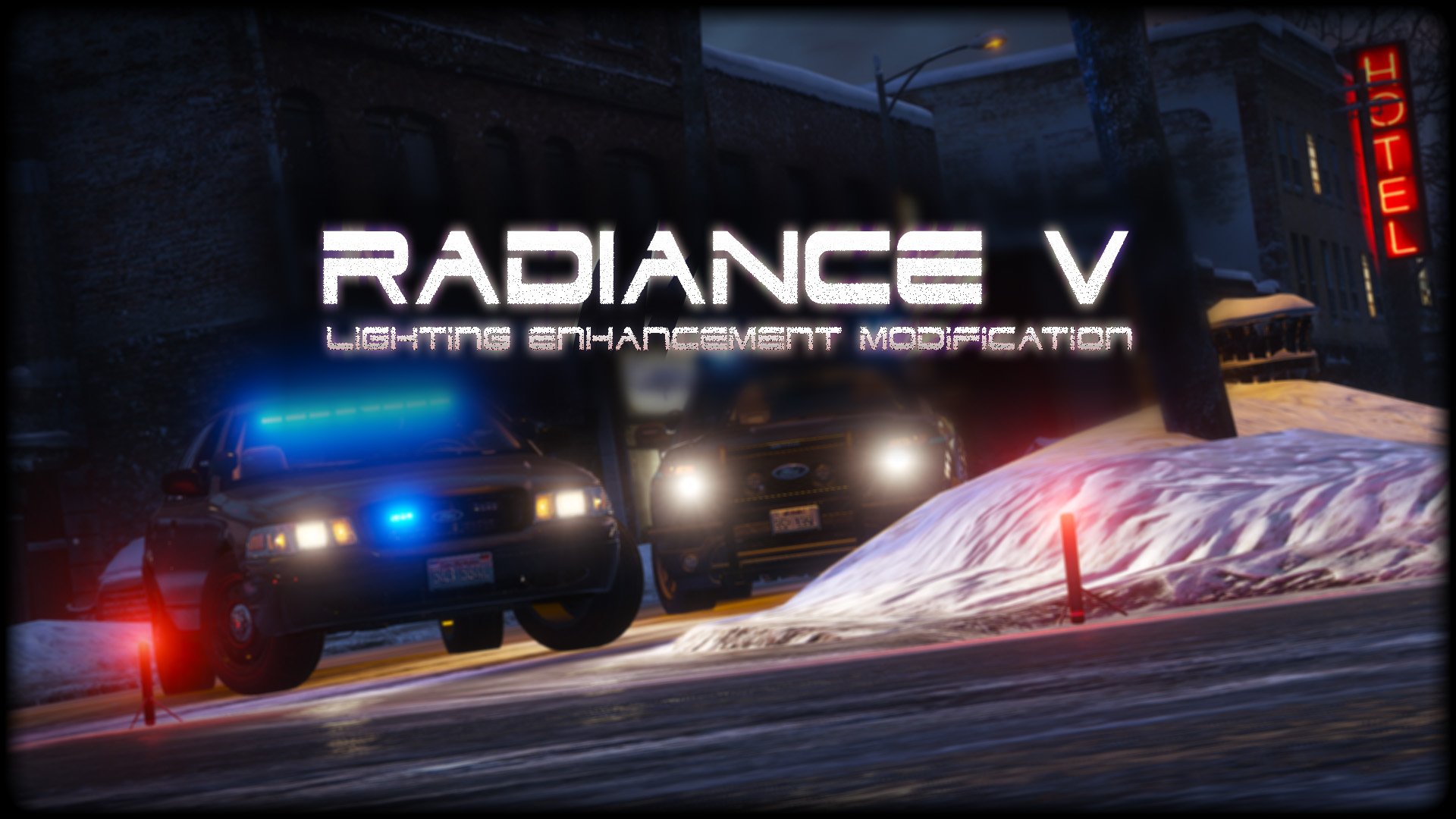
RADIANCE V 2.1

(70 reviews)

1 Screenshot

2bbTayS.png
 
88x31.png

This work is licensed under a

By downloading this file you agree to the TERMS OF USE AND DISTRIBUTION, If you can not abide by those terms then do not download this file.

Edited by Bxbugs123

What's New in Version 2.1

Released

v1.5 - Added Amber Parking Light's.

v1.6 - Tweaked All Settings.

v1.8 - Tweaked All Settings for Newest GTA V Update Version 1.0.877.1 Biker DLC, Please download Version 1.6 if you are on an older Patch.


v2.0 - Updated for latest version of GTAV,  Removed Amber Parking Lights,  Added OIV Install pack.

v2.1 - Reworked most Settings, Added Replace & Add options for pack installer,  Fixed issue with OpenIV giving unknown error on install (hopefully)


Short Description

Lighting Enhancement Modification

User Feedback

Recommended Comments

Hystery

Members

24 minutes ago, MFD218 said:

where did you get that vic at in the pic?

It's his own, and don't ask for it. It'll be released when it'll be released. If it ever is released.

MFD218

Members

50 minutes ago, Hystery said:

It's his own, and don't ask for it. It'll be released when it'll be released. If it ever is released.

i figured so and i wasnt lol thats why i was asked where it was. i dont ask for it if its not released to anyone else. 

CharlieETF

Members

For some reason i installed this again aswell as PinnacleV and MiracleV because i had to update my game version and RadianceV isn't working, can anybody help?

Kilyin

Members

Just now, charlieetfwalker said:

For some reason i installed this again aswell as PinnacleV and MiracleV because i had to update my game version and RadianceV isn't working, can anybody help?

This mod is one file - visualsettings.dat

so overwrite it in \update\common\data with this one.

CharlieETF

Members

5 hours ago, Kilyin said:

This mod is one file - visualsettings.dat

so overwrite it in \update\common\data with this one.

I have done that, it's the last thing i install to make sure that the ENB files don't overwrite it but still nothing. It used to work whilst running the same ENB's but now for some reason it doesn't. I know that RadianceV is compatible with ENB's because Polecat324 and Jeff Favignano both use it in their YouTube videos

Kilyin

Members

1 hour ago, charlieetfwalker said:

I have done that, it's the last thing i install to make sure that the ENB files don't overwrite it but still nothing. It used to work whilst running the same ENB's but now for some reason it doesn't. I know that RadianceV is compatible with ENB's because Polecat324 and Jeff Favignano both use it in their YouTube videos

I use it with Pinnacle, VisualV and ENB as well and that's all I had to do.

Pumpk1in

Members

The lightings are perfect at daytime, but at night... the rear red lights  and brake lights are too much powerfull.
When I play 3rd person view its really hurting my eyes ^^'

Even if I reduce a lot the power of the emmiters its so powerfull (I reduced it from 30 to 5). I suppose that its due to the power of the coronas that are enormous at night, but if I reduce it, I suppose that the day lights will be less powerfull so... I don't know what to do. Actually, I play only during day time to avoid this problem :)

OfficerLee

Members

Really nice but is there going to be any ESL for GTA V?

J T

Members

do you have a visual settings for visual v? or what needs to be edited in the file? 

Street001

Members

How do you get this to work with VisualV? When installing VisualV then adding the visualsettings file from RadianceV it corrupts my update.rpf

Alex101

Members

(edited)

Nice

Edited by Alex101

Kilyin

Members

(edited)

Anyone know which value controls this? Seems to be an issue on most addon cars. These are just daytime running lights, headlights are turned off.

Spoiler


7yXO5R8.png


Edited by Kilyin

DLM3

Members

(edited)

On 3/1/2016 at 3:14 PM, Pumpk1in said:

The lightings are perfect at daytime, but at night... the rear red lights  and brake lights are too much powerfull.
When I play 3rd person view its really hurting my eyes ^^'

Even if I reduce a lot the power of the emmiters its so powerfull (I reduced it from 30 to 5). I suppose that its due to the power of the coronas that are enormous at night, but if I reduce it, I suppose that the day lights will be less powerfull so... I don't know what to do. Actually, I play only during day time to avoid this problem :)

That's pretty much my experience with all the lighting tweaks around. It really (I mean really, really) improves how lights are seen during daytime but:

- at night they are way too powerful and you end with too much contrast between your lights and the darkness around (if you are not in the city) that it's hard to see things like the road.

- taxis that look like moving lighthouses. Their advertisement is so bright and nothing can reduce it but to make lights less powerful which defeats the purpose of the tweaks since it applies to all lighting effects.

So in the end I mostly use it when I am outside the city (no taxis), during daytime.

Edited by DLM3

Pumpk1in

Members

1 hour ago, DLM3 said:

That's pretty much my experience with all the lighting tweaks around. It really (I mean really, really) improves how lights are seen during daytime but:

- at night they are way too powerful and you end with too much contrast between your lights and the darkness around (if you are not in the city) that it's hard to see things like the road.

- taxis that look like moving lighthouses. Their advertisement is so bright and nothing can reduce it but to make lights less powerful which defeats the purpose of the tweaks since it applies to all lighting effects.

So in the end I mostly use it when I am outside the city (no taxis), during daytime.

I use a modded taxi : no "ad on roof" version ^^ So its not a problem anymore.

But Yeah, in the desert at night the road is invisible due to the contrast... its Sad :( But I don't have this problem with LED enahncement mod, because the coronas are smaller.

Its Sad that Rockstar didn't used special light variables for emergency vehicules. Its the same problem we had in GTA4.

AlexAsHimself

Members

I have the 'bright' settings installed and my graphics settings pretty much maxed out. At night when driving in 3rd person the light bar on the roof is blinding to where I can hardly see cars in front of me.  Even the brake lights are incredibly bright. Any suggestions on how I can fix this or is it just how the mod is?

JamesMcain

Members

(edited)

is the very bright cool ?

Edited by jamesRasmussen

John23

Members

Is there a fix to the darkening at night? At nigh time when I use the lights, it dims down the rest of the game a crazy amount so much I can't play

49gallegos

Members

I need some help, whenever i drag and drop the visual setting it doesnt actually change the one in gta. It literally does nothing. Any help would be appreciated thanks!

Mercuri

Members

(edited)

Why my red lights looks pink and my blue lights looks white?

Edited by Mercuri

Azteco

Members

(edited)

On 1/22/2016 at 7:45 PM, 49gallegos said:

I need some help, whenever i drag and drop the visual setting it doesnt actually change the one in gta. It literally does nothing. Any help would be appreciated thanks!

Right click open iv, properties and depending on which windows you use under your tab options change the policy setting of run as administrator by un checking this then click apply and ok close out of the window start open iv normal and try dragging and dropping after this in edit mode in open iv. See if that works for you.

Edited by Azteco

49gallegos

Members

36 minutes ago, Azteco said:

Right click open iv, properties and depending on which windows you use under your tab options change the policy setting of run as administrator by un checking this then click apply and ok close out of the window start open iv normal and try dragging and dropping after this in edit mode in open iv. See if that works for you.

Wait so am i checking or unchecking run as admin?

Azteco

Members

3 hours ago, 49gallegos said:

Wait so am i checking or unchecking run as admin?

If your having issues dragging and dropping try un checking the run as admin. If it isn't checked try having it checked. Make sure you update open iv to the latest.

Titan44x

Members

The amber parking lights are always on.. Is there a way to turn them off? 

Matties

Members

If I install this my interior lights (eg speedometer) light goes crazy it blinds almost in first person, any fix?

Eriiaa

Members

On 1/10/2016 at 11:48 PM, Kilyin said:

Anyone know which value controls this? Seems to be an issue on most addon cars. These are just daytime running lights, headlights are turned off.

  Reveal hidden contents


7yXO5R8.png


Maybe I'm a bit late, but I had the same problem by using the amber parking light version, when I went back to the classic version the bug disappeared. If you are using amber parking light, try to change to the normal parking lights

Create an account or sign in to comment

Account

Navigation

Search

Search

Configure browser push notifications

Chrome (Android)
  1. Tap the lock icon next to the address bar.
  2. Tap Permissions → Notifications.
  3. Adjust your preference.
Chrome (Desktop)
  1. Click the padlock icon in the address bar.
  2. Select Site settings.
  3. Find Notifications and adjust your preference.