Skip to content
View in the app

A better way to browse. Learn more.

LCPDFR.com

A full-screen app on your home screen with push notifications, badges and more.

To install this app on iOS and iPadOS
  1. Tap the Share icon in Safari
  2. Scroll the menu and tap Add to Home Screen.
  3. Tap Add in the top-right corner.
To install this app on Android
  1. Tap the 3-dot menu (⋮) in the top-right corner of the browser.
  2. Tap Add to Home screen or Install app.
  3. Confirm by tapping Install.
Due to overzealous filtering on Microsoft’s side, some emails to Outlook and Hotmail addresses may not be delivered. If you’re affected, please use a different email address or try again later.

PEDTALK AI v1.0 - COMMUNITY EDITION 1.0.0

(0 reviews)

1 Screenshot

PedTalk AI Community Edition 1.0

MAIN Version - https://www.patreon.com/c/RioticGamer

Join our Discord for support, updates, and help:
https://discord.gg/EQBp44AvH

PedTalk AI brings natural, voice-driven NPC conversations to GTA V LSPDFR. Speak directly to drivers, passengers, suspects, witnesses, and civilians using your microphone and receive dynamic AI-powered responses through Google Gemini.

Features

  • Natural voice conversations with NPCs

  • Context-aware AI responses

  • Driver, passenger, suspect, witness, and civilian interactions

  • Spatial NPC voice audio

  • Automatic language detection

  • Animated HUD and microphone waveform

  • Customizable controls and settings

Controls

N - Hold to speak to an NPC
F6 - Open PedTalk AI settings

Requirements

  • GTA V Legacy

  • RAGE Plugin Hook

  • LSPDFR

  • Microphone

  • Internet connection

  • Google Gemini API key

  • Microsoft .NET Desktop Runtime 10 — Windows x64

Download .NET here:
https://dotnet.microsoft.com/en-us/download/dotnet/10.0

Installation

  1. Install .NET Desktop Runtime 10 (Windows x64).

  2. Extract the PedTalk AI ZIP.

  3. Drag and drop the included Plugins folder into your main GTA V folder.

  4. Allow Windows to merge the folders.

  5. Open:

Plugins\LSPDFR\PedTalkAI\Bridge\gemini.key

  1. Paste your Gemini API key into the file and save it.

  2. Launch GTA V through RAGE Plugin Hook, go on duty, and hold N near an NPC to talk.

PedTalk AI Community Edition is free and provides the core voice-driven NPC conversation experience for LSPDFR.

Created by RioticGamer.

Edited by RioticGamer
Added missing Discord/support links and shortened the description to make it clearer and more reader-friendly.


Short Description

Speak naturally with drivers, passengers, suspects and civilians using Gemini-powered voice conversations in LSPDFR.

AI disclosure

The author has disclosed that AI tools were used in creating the following aspects of this file:

  • Description
  • Images
  • Mod and Mod Content (Moderate)

PedTalk AI uses Google Gemini at runtime to interpret the player’s speech and generate contextual NPC dialogue and voice responses. AI-assisted development tools were also used during coding, testing, documentation and refinement of the plugin. All advertised features were manually reviewed and validated before release.

User Feedback

Recommended Comments

RioticGamer

Members Author

1 hour ago, Curtis56239 said:

Is this like a knockoff version of NPCAI...?

Not at all. NPCAI is a separate project, and I respect what its developers have created. PedTalk AI was developed independently with its own codebase, architecture, interface, and direction.

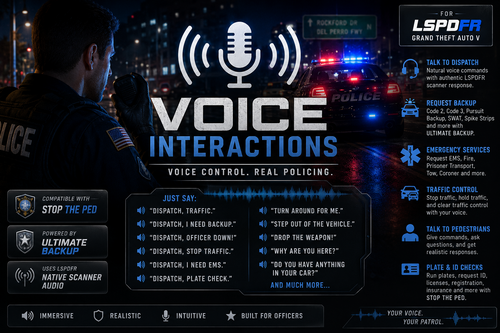
Both mods fall under the broad category of AI-powered NPC interaction, so some surface-level similarity is unavoidable. PedTalk AI is specifically focused on voice-first LSPDFR roleplay, multilingual conversations, traffic-stop context, participant roles, persistent memory, passenger and scene dynamics, and compatibility with mods such as Stop The Ped and Ultimate Backup.

It is better to try both and judge them by their actual features and gameplay rather than assuming one is a copy of the other.

D4avid

Members

Hi, I don't know if you'll understand this, but I replaced the `gemini.key` file inside the archive and it caused a bug; basically, uninstalling and reinstalling the archive doesn't help—it just won't work. I had put my own `gemini.key` into the archive and saved the changes. I'd appreciate any help you can give.

RioticGamer

Members Author

(edited)

8 minutes ago, D4avid said:
Hi, I don't know if you'll understand this, but I replaced the `gemini.key` file inside the archive and it caused a bug; basically, uninstalling and reinstalling the archive doesn't help—it just won't work. I had put my own `gemini.key` into the archive and saved the changes. I'd appreciate any help you can give.

Hi, I understand the issue. Editing and saving gemini.key directly inside the ZIP can sometimes corrupt the archive structure or cause the key file to be saved with the wrong encoding or filename. Reinstalling from that same edited archive would simply reinstall the same problem.

Please try this clean installation:

  1. Delete the edited ZIP and download a completely fresh copy of PedTalk AI and Extract the fresh archive normally

  2. Remove the existing PedTalk AI files from your GTA V installation.

  3. Extract the fresh archive normally do not edit anything while it is still inside the ZIP.

  4. After extraction, Go to: Grand Theft Auto V\plugins\LSPDFR\PedTalkAI\Bridge\

  5. Open gemini.key with Notepad and paste only your Gemini API key on one line. Do not include quotation marks, labels such as API_KEY=, or extra spaces. and thats it

and Please just download and install Microsoft .NET Desktop Runtime 10.0.10 https://dotnet.microsoft.com/en-us/download/dotnet/10.0

Edited by RioticGamer

Tymvss

Members

5 hours ago, LoganGuy1YT said:

keeps saying bridge connection failed

same for me

Jasmin Vindicta

Members

Sorry, I just have a quick question. First of all, I think projects like this are really awesome, and I'm always happy to see new alternatives. However, I'm already using NPCAI, and I'd rather not download multiple similar plugins if they essentially do the same thing.

So I was wondering what makes this plugin different from NPCAI. Does it offer any unique features or improvements that set it apart?

For example, one thing that really bothers me about NPCAI is that suspects almost always just deny everything after being arrested. It would feel much more realistic if they gave different responses depending on the situation or explained why they committed the crime. Does your plugin provide more variety in suspect dialogue or generally make NPC behavior feel more realistic?

Thank you in advance for taking the time to answer my question.

RioticGamer

Members Author

(edited)

2 hours ago, Jasmin Vindicta said:

Thanks for the question. PedTalk AI focuses on natural voice interaction, scene memory, and more varied NPC responses rather than fixed or repetitive dialogue.

Suspects can deny, confess, justify themselves, blame someone else, contradict themselves, stay silent, or reveal information depending on the situation. Drivers, passengers, witnesses, civilians, partners, and dispatch can also respond based on their role and what has already happened.

8 hours ago, LoganGuy1YT said:

keeps saying bridge connection failed

just download and install Microsoft .NET Desktop Runtime 10.0.10 https://dotnet.microsoft.com/en-us/download/dotnet/10.0 , it will fix the issue.

Edited by RioticGamer

KILLER420

Members

(edited)

hi im trying to figure this out with the key. i have done everything in the comments but when i log it it just says bridge disconnect restart i see whats missing its the key but i pasted the key after extracting the files to my desktop, i put the key in gemini.key and it still doesnt work. and just looked all the files are there

Could contain: text, screenshot, person

Edited by mikeyd99

D4avid

Members

On 7/23/2026 at 3:48 AM, RioticGamer said:

Hi, I understand the issue. Editing and saving gemini.key directly inside the ZIP can sometimes corrupt the archive structure or cause the key file to be saved with the wrong encoding or filename. Reinstalling from that same edited archive would simply reinstall the same problem.

Please try this clean installation:

  1. Delete the edited ZIP and download a completely fresh copy of PedTalk AI.

  2. Remove the existing PedTalk AI files from your GTA V installation.

  3. Extract the fresh archive normally—do not edit anything while it is still inside the ZIP.

  4. After extraction, open:

Grand Theft Auto V\plugins\LSPDFR\PedTalkAI\Bridge\

  1. Open gemini.key with Notepad and paste only your Gemini API key on one line. Do not include quotation marks, labels such as API_KEY=, or extra spaces.

  2. Confirm that the file is actually named gemini.key, not gemini.key.txt. In File Explorer, enable View → Show → File name extensions to verify it.

  3. Save the file and restart the game. go on Duty and Enjoy. if that dont help u can send me the PedTalkAI.log


Hi, it still doesn't work; when I launch the game—even after following your instructions—it tells me that gemini.key is missing. What can I do?

RioticGamer

Members Author

(edited)

just download and install Microsoft .NET Desktop Runtime 10.0.10 https://dotnet.microsoft.com/en-us/download/dotnet/10.0 , it will fix the issue.

3 hours ago, D4avid said:


Hi, it still doesn't work; when I launch the game—even after following your instructions—it tells me that gemini.key is missing. What can I do?

just download and install Microsoft .NET Desktop Runtime 10.0.10 https://dotnet.microsoft.com/en-us/download/dotnet/10.0 , it will fix the issue.

Edited by RioticGamer

nova2727

Members

Wow this sounds like an interesting mod. One question what I did not like about npci was when you try talking to passengers you had to go to there window. Does this mod fix this and can you talk to passengers from drivers side window. I love this concept if it’s more immersive and great for traffic stops etc then I will give it a go

RioticGamer

Members Author

7 hours ago, nova2727 said:

Wow this sounds like an interesting mod. One question what I did not like about npci was when you try talking to passengers you had to go to there window. Does this mod fix this and can you talk to passengers from drivers side window. I love this concept if it’s more immersive and great for traffic stops etc then I will give it a go

Yes, you can talk to the passenger from the driver’s side. Just say “passenger” and PedTalk AI will switch the conversation to them; say “driver” to switch back.

Both characters understand whether they are the driver or passenger, have their own stories, and are aware of each other, which makes the conversation feel natural. It is not 100% perfect in every situation, but it works reliably and makes traffic stops much more immersive.

nova2727

Members

Just tried this and it’s amazing. I may need to create custom prompts but works great, for those people that are having a bridge service disconnect. I have a solution you need to download windows.net 10 and everything be fine. I just did a YouTube tutorial on this

D4avid

Members

20 hours ago, RioticGamer said:

check your gemini quotas as well.

check your gemini quotas as well.

and you can see what the issue is in the PedTalkAI.Bridge log file within ur bridge folder


I couldn't even reset the archive to set it up—it stayed the same. What should I do?

RioticGamer

Members Author

(edited)

3 minutes ago, D4avid said:


I couldn't even reset the archive to set it up—it stayed the same. What should I do?

if you truly follow every instruction in the readmettext file it will work. fyi Before installing or launching PedTalk AI, you must install: Microsoft .NET Desktop Runtime from the official microsoft page.

Edited by RioticGamer

nova2727

Members

D4avid

Members

21 minutes ago, RioticGamer said:

if you truly follow every instruction in the readmettext file it will work. fyi Before installing or launching PedTalk AI, you must install: Microsoft .NET Desktop Runtime Windows x64 from the official microsoft page.

I did everything and followed the steps, but it still doesn't work; I don't know what else to do. It's no use putting the key in there—when I launch the game, it still tells me the Gemini key is missing.

nova2727

Members

Download.net 10 and also make sure you save the gemini key in the text document

RioticGamer

Members Author

5 minutes ago, D4avid said:
I did everything and followed the steps, but it still doesn't work; I don't know what else to do. It's no use putting the key in there—when I launch the game, it still tells me the Gemini key is missing.

say hi on our Discord server and i will help u now

nova2727

Members

I want to say I purchased the pro version and it’s has lots more to offer. Great job in having it compatible with stop the ped, also the custom prompts work like a dream adding my own prompts to make them more believable is a bonus, keep up good work on this mod add more features please maybe add option to talk to your k9 dog

RioticGamer

Members Author

(edited)

14 hours ago, nova2727 said:

I want to say I purchased the pro version and it’s has lots more to offer. Great job in having it compatible with stop the ped, also the custom prompts work like a dream adding my own prompts to make them more believable is a bonus, keep up good work on this mod add more features please maybe add option to talk to your k9 dog

Thank you for supporting the Pro version! I’m glad the StopThePed compatibility and custom prompts are working well for you. Talking to your K9 is a great suggestion. I wouldn’t make the dog speak like a human, but I’m seriously considering a proper K9 interaction system with voice commands, barking, body-language reactions, personality and handler bonding. That could be a very immersive future feature. Thanks for the idea and the support!

Edited by RioticGamer

RioticGamer

Members Author

On 7/24/2026 at 11:21 PM, D4avid said:


Hi, it still doesn't work; when I launch the game—even after following your instructions—it tells me that gemini.key is missing. What can I do?

give it your gemini api key, u clearly didnt follow the instruction

(edited)

On 7/22/2026 at 5:07 PM, RioticGamer said:

Not at all. NPCAI is a separate project, and I respect what its developers have created. PedTalk AI was developed independently with its own codebase, architecture, interface, and direction.

Both mods fall under the broad category of AI-powered NPC interaction, so some surface-level similarity is unavoidable. PedTalk AI is specifically focused on voice-first LSPDFR roleplay, multilingual conversations, traffic-stop context, participant roles, persistent memory, passenger and scene dynamics, and compatibility with mods such as Stop The Ped and Ultimate Backup.

It is better to try both and judge them by their actual features and gameplay rather than assuming one is a copy of the other.

Does this pair well with NPCAI or is it pick one or the other?

Edited by originalgamester

Create an account or sign in to comment

Account

Navigation

Search

Search

Configure browser push notifications

Chrome (Android)
  1. Tap the lock icon next to the address bar.
  2. Tap Permissions → Notifications.
  3. Adjust your preference.
Chrome (Desktop)
  1. Click the padlock icon in the address bar.
  2. Select Site settings.
  3. Find Notifications and adjust your preference.