Jump to content

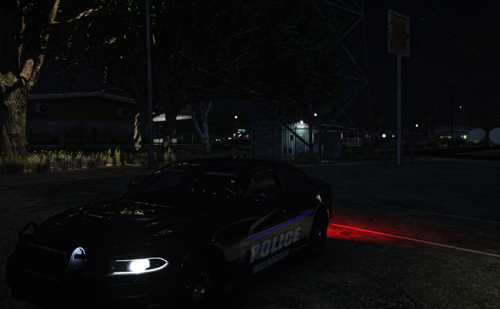
2014 DODGE CHARGER PURSUIT V1.4RX 1.4RX

   (24 reviews)

7 Screenshots


aA1dEYn.png
 
88x31.png

By downloading this file you agree to the TERMS OF USE AND DISTRIBUTION, If you can not abide by those terms then do not download this file.


What's New in Version 1.4RX

Released

  • Updated Carcols  & Carvariations.
  • Removed RADIANCE V Auto Installer from Package, Please download the version of RADIANCE V you need from the download page.
  • Added Custom vehicles.meta file to Install Package.
- 2014 Dodge Charger from Real Racing 3, Converted to IV by GeorgieMoon, Converted & Modified for GTA V by Bxbugs123 & Carper.
- Headlights, Taillights, Interior, Grill from Foza, Fitted, Modified, Textured & Converted for GTA V by Bxbugs123,
- Headlight & Taillight Textures By Bxbugs123, Interior Textures Remade by Carper.
- Chassis L2,s & L3's Modeled, Converted & Textured for GTA V by Bxbugs123.
- Rim by GerryStudio Modified, Converted & Textured For GTA V by Bxbugs123.
- All Police Equipment Modeled, Textured & Converted for GTA V by Bxbugs123 (see model overview for full list of equipment.)
- All Police Lighting Equipment Modeled, Textured & Converted for GTA V by Bxbugs123 (see model overview for full list of Lighting.)
- Setina Pushbar Wrap Modeled, Textured & Converted for GTA V by Bxbugs123.
- All Vehicle Antennas Modeled, Textured & Converted for GTA V by Bxbugs123.
- M870 Shotgun by GRIM, AR by Rockstar Games, Pro-Gard Gun Rack by Bxbugs123.
- Setina Partition Modeled, Textured & Converted for GTA V by Bxbugs123.
- HighSpeed LEE Console & Coffee Cup Modeled, Textured & Converted for GTA V by Bxbugs123.
- Decatur Genesis I Radar Made & Converted by Bxbugs123, Textures By Bxbugs123 & DoTTGaMMa.
- SKINS Made By Bxbugs123 & Lt.Caine

Optimized for

  • RADIANCE V

    Lighting Enhancement Modification
    Bxbugs123

    By Bxbugs123

    Updated

    • 929.8k
  • User Feedback

    Recommended Comments


    1 hour ago, anotherc6vette said:

    thanks for answering ,  the problem i having now that it created a new update folder and the only cars that are in the dlcpacks folder now are just the bxbugs chargers i have ,  so now when i try to add vehicles to the other update folder they are not showing up in the game ?  I now have 12 patchday folders ,  is that normal ?  Some how the new update folder that has the dlcpacks is overiding any other vehicles i try to  add


    when you usually click the dlcpacks folder there are usually all the other folders and patchday folders in it ,  but now since i used the oiv installer the only folders that are in the dlc packs are the chargers and crown vic that bugs created ,  hope this makes sense hard to explain i guess i should do a screen shot


    Yes that dlcpack is custom & only that vehicle should be in it & it overlays all the rest but the fact there is only one vehicle in it will only overlay that slot being used.

    Link to comment
    Share on other sites

    16 hours ago, Bxbugs123 said:


    Yes that dlcpack is custom & only that vehicle should be in it & it overlays all the rest but the fact there is only one vehicle in it will only overlay that slot being used.

    Thanks bugs,  but do you know why i have so many patchday folders ?  I downloaded a tahoe and was told to put it in the patchday 3 folder but ive tried that and it does not show in game ,  i see the car in openiv but thats it ,  ive even put it in the patchday 12 and even the x64e just to check if it would work that way ,  just condfused as to why i can add anymore vehicles now

    Edited by anotherc6vette
    Link to comment
    Share on other sites

    On 10/25/2016 at 5:33 PM, anotherc6vette said:

    thanks for answering ,  the problem i having now that it created a new update folder and the only cars that are in the dlcpacks folder now are just the bxbugs chargers i have ,  so now when i try to add vehicles to the other update folder they are not showing up in the game ?  I now have 12 patchday folders ,  is that normal ?  Some how the new update folder that has the dlcpacks is overiding any other vehicles i try to  add


    when you usually click the dlcpacks folder there are usually all the other folders and patchday folders in it ,  but now since i used the oiv installer the only folders that are in the dlc packs are the chargers and crown vic that bugs created ,  hope this makes sense hard to explain i guess i should do a screen shot

    yeah a screen shot would help plus if you are trying to replace a slot that the car uses (this one uses the fbi slot) in any other folder the add on back that the oiv installer made will overwrite the others (ps im not the best when it comes to this kinda thing but i will do my best to help and other members are free to help out if they wish)

    7 hours ago, anotherc6vette said:

    Thanks bugs,  but do you know why i have so many patchday folders ?  I downloaded a tahoe and was told to put it in the patchday 3 folder but ive tried that and it does not show in game ,  i see the car in openiv but thats it ,  ive even put it in the patchday 12 and even the x64e just to check if it would work that way ,  just condfused as to why i can add anymore vehicles now

    oops just saw this and i don't know how to delete my other comment

    Edited by TrustedChimp
    Link to comment
    Share on other sites

    • Added Custom vehicles.meta file to Install Package.


    Just a heads up, I uninstalled my current version. Then used the the new installer and I had liveries in the ytd file but game still only loads one skin. 


    Had to go into my vehicles meta and add the line to the flag to enable skins in game. It was not there from the installer.


    Everything else looks great!

    Link to comment
    Share on other sites

    Bugs last question ,  is it possible for me to just combine the update.rpf and the x64 that was created with your oiv to my original update.rpf and x4 folder ?  as in just combine the two folders ,  im guessing what happend was i did not have a update folder in my mods originally ,  I just had update.rpf and x64 so im thinking thats why it made a whole new thing is because i didnt have an update folder under mods ?

    Link to comment
    Share on other sites

    23 minutes ago, anotherc6vette said:

    Bugs last question ,  is it possible for me to just combine the update.rpf and the x64 that was created with your oiv to my original update.rpf and x4 folder ?  as in just combine the two folders ,  im guessing what happend was i did not have a update folder in my mods originally ,  I just had update.rpf and x64 so im thinking thats why it made a whole new thing is because i didnt have an update folder under mods ?


    I'm not bugs, but if you don't have update.rpf in \mods\update it isn't doing anything anyway. The file structure has to match the original game.

    Link to comment
    Share on other sites

    thanks kilyin i think thats where i messes up ,  when i made my mods folder i forgot to just copy the update folder ,  i just copied the update.rpf and the x64 files and placed them in my mods folder ,  thats where i went wrong . Im just going to start from scratch lol thanks for your help !

    Link to comment
    Share on other sites

    Hello all,

    As mentioned in this post, I am looking to have cars spawn with equipment:


    On 10/10/2016 at 2:20 PM, JFDumont24 said:

    I have the car in the police 2 slot... I want the car to spawn with the lightbar, how can I do that? Thanks for your help!

    Within the default vehicles.meta file under "police2",

    Replace this code.

    <requiredExtras />

    With this code.

    <requiredExtras>
        <Item>EXTRA_1</Item>
    </requiredExtras>

    I have Charger 1.3A in Police and Charger 1.4RX in FBI. I would like AI to spawn these cars with the light bar and some other lights. Would it be as simple as adding another <Item>EXTRA_2 line to below the one mentioned above? Basically I am looking to have both models spawn with the light bar and all other lights for AI usage.


    If I have these as required, If I spawn the vehicles for myself (slicktop), can I still turn these extras off via the trainer (I assume yes)?


    Thanks again for the great models and helping me out!

    Link to comment
    Share on other sites

    Hey all. 


    I tried putting this code into the vehicles meta for FBI:

    <requiredExtras>
        <Item>EXTRA_1</Item>
    </requiredExtras>

    Still cannot get the car to spawn with the light bar (extra 1)? Is it because FIB cruisers do not normally have a light bar? I am able to get it if I keep spawning a car or manually add the extra via the trainer. 


    Thanks again!

    Link to comment
    Share on other sites

    On 10/6/2016 at 10:11 PM, Bxbugs123 said:

    Edit your vehicles.meta file & under the fbi flags add "FLAG_HAS_LIVERY"


    So I can enable the liveries, what is the path to the vehicles.meta file?

    Link to comment
    Share on other sites

    I Have a problem. When i installed this Beutiful car. With all these lovely liveries. only one works. (the first one) even trying to change them liveries in the trainer won't work ethier. Please tell me how to fix this and i will leave a 10000000000000000000000000000/5 rating. :D /Nils Carlson

    Edited by Nissekula
    Link to comment
    Share on other sites

    You going to make an ELS version of this model? I've been waiting for an ELS 2014 Charger and am surprised there isn't one yet.

    Link to comment
    Share on other sites

    How do i install this for the police 2 slot and actually have everything to work?


    I have tried to go into the Car variations file and tried to change fbi to police2, but this does not seem to help.


    Thank you in advance for all the help. 

    Link to comment
    Share on other sites

    installed it, load in game, only has 1 livery, which is state trooper. the vehicles.meta in the update for the charger has the correct flags. do i need to change my updates.rpf vehicles.meta?


    *****FIXED*******


    so if you go into the common vehicles.meta, in update, update.rpf, common, data, levels, gta5 or whatever the path is, extract the vehicles.meta, open it in word, add the FLAG_HAS_LIVERY into the flags line for the fbi vehicle, save, and drag it back into openiv.

    Edited by Jaytaps
    Link to comment
    Share on other sites

    On 10/18/2016 at 4:50 PM, adammalo said:

    When I try to add liveries, they dont show up. And, only the "san andreas state patrol" livery out of the ones included works for mine. Should I just reinstall the whole vehicle? 

    This happens to me too, did you find a fix?

    How do you add the lightbar?

    Link to comment
    Share on other sites

    How do i make the lights brighter. Like reflections on the walls etc. I have seen people have that on their FiveM server, but i cant figure it out. Can someone please help me? Thx:D

    Link to comment
    Share on other sites


    Create an account or sign in to comment

    You need to be a member in order to leave a comment

    Create an account

    Sign up for a new account in our community. It's easy!

    Register a new account

    Sign in

    Already have an account? Sign in here.

    Sign In Now
    ×
    ×
    • Create New...