Skip to content
View in the app

A better way to browse. Learn more.

LCPDFR.com

A full-screen app on your home screen with push notifications, badges and more.

To install this app on iOS and iPadOS
  1. Tap the Share icon in Safari
  2. Scroll the menu and tap Add to Home Screen.
  3. Tap Add in the top-right corner.
To install this app on Android
  1. Tap the 3-dot menu (⋮) in the top-right corner of the browser.
  2. Tap Add to Home screen or Install app.
  3. Confirm by tapping Install.
Due to overzealous filtering on Microsoft’s side, some emails to Outlook and Hotmail addresses may not be delivered. If you’re affected, please use a different email address or try again later.

haccyy

Members
  • Joined

  • Last visited

  1. haccyy changed their profile photo
    • 40 downloads
    • Version 1.0.0
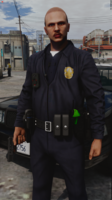
    🚔 5x Belt & Holster Pose PackLooking to add a little more realism and variety to your officer's stance? This pack includes 5 different belt & holster poses, perfect for LSPDFR patrols, screenshots, videos, and roleplay. And more are comming soon! ✨ Features🎯 5 unique Belt & Holster poses 👮 Designed for police roleplay 📸 Great for screenshots & cinematic scenes 🚔 Perfect for patrols 🎬 Adds more variety and immersion to your character Whether you're standing around the station, conducting a traffic stop, talking to a civilian, or simply waiting for your next callout — these poses are a great way to make your officer feel more natural and immersive. 📦 What's Included5x Belt / Holster Animations Install the pack and use the poses in your next patrol. 📝 CreditsBelts: CrunchyCat Pack/Release: https://www.lcpdfr.com/downloads/gta5mods/character/51021-generic-patrol-belt-for-mp-character/ All credits for the included belts/holster goes to CrunchyCat. 💬 DiscordWant to see future releases, get support, or just join the community? 👉 Join my Discord: https://discord.gg/ffzwaTWdm3 ⭐ If you enjoy the pack, consider leaving a rating or review. Your feedback is greatly appreciated! Have fun & stay safe on patrol! 🚔
  2. Very cool Emote! Keep going with your work!

Account

Navigation

Search

Search

Configure browser push notifications

Chrome (Android)
  1. Tap the lock icon next to the address bar.
  2. Tap Permissions → Notifications.
  3. Adjust your preference.
Chrome (Desktop)
  1. Click the padlock icon in the address bar.
  2. Select Site settings.
  3. Find Notifications and adjust your preference.