


Ekalb
Members
-
Joined
-
Last visited
Everything posted by Ekalb
-
rjn4 is right, this error is caused when the installer doesn't have permissions to make the necessary modifications to your game files. Run it as administrator and make sure your gta iv folder and the folders and files inside it (in your program files directory) are not set to read only.
-
Are you using the default police vehicles or custom, modded vehicles. Because some of the cars you have (if they are modded) might require ELS to get the lights working.
-
Holy shit, do people not understand that a criminal justice system cannot place such a high value on human life and at the same time be so keen to take it? The two ideals are not compatible (I'm looking at you, states with the death penalty). If you still think 'an eye for an eye' is considered just or is effective at all, please tell me how life is in the dark ages where you obviously must live. Just because the guy shot and killed others doesn't mean the next time he gets seen he should be shot on sight. We have justice system procedure, human rights doctrines and use of force regulations to consider.
-
Get the Steam version, it is much better since you can repair your game if a mod screws it up. Or just get whatever is cheaper.
-
It's not really to do with your system. I believe it's more to do with the game not being optimised to handle cars that take any extra load to the default ones that it was built for. It really just depends on how highly detailed the custom vehicles are and how many of them you get. Or you could just download trafflicflow or trafficload mods to correct the taxi bug. I do miss normal traffic though :(
-
Not a LCPDFR-specific issue. Get your custom vehicles from the Downloads section on this forum, GTApolicemods.com, gtainside.com, gta4-mods.com etc. etc. Watch this video http://www.youtube.com/watch?v=8ZHhAMJs6Ac You might also need ELS for some custom vehicles for their lights and sirens to work. You can download it from the same places you get cars from generally.
-
This is a topic for the LCPDFR Support forums. Run the installer as administrator and make sure your gta iv directory and the files/folders inside it are not read only (right click > properties > read only).
-
Oh he PIT'd you good at the 30 seconds mark.
-
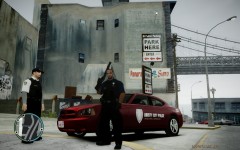 I can send it to you if you'd like but at the moment I don't think it's finished. When the car is going it seems really empty, I'm not sure how else to change it but at the moment it's the same sort of design as my cruisers but it doesn't translate well to the civilian style car.
 -
SMPA60 is usually an error about modded vehicles. Are you playing on a savefile that you've had modded vehicles on before? Also please run the diagnostic tool and post your log.
-
Flashpoint is awesome. I did attempt just a texture for them that replaces my NOOSE tactical team. All it really does is change the clothing (under the vest) to grey as pictured in the bottom two pictures and the writing on the back of their vests says POLICE, and I don't even think they wear uniforms like that in the show anymore. It doesn't really do enough to turn them into SRU though, that'd probably require new models or more creative approaches.
-
The model is the same as the normal cop model. The body armour texture for the shirt is by James95 on GPM and was originally developed for an Australian police uniforms pack I believe (so this means I cannot release these without permission) I've then edited his textures and made new normal maps for them so they look as they do but I cannot take full credit for them. I fixed up some problems the originals had (particularly with the shirt buttons) and then redid the colours, texturing and details. Really I should redo the top to be entirely my work.
-
Come on man, you've gotta look at some of the other support threads before you post. This will fix your installer issue: Then run the G17 debug tool if you still have issues starting the game and it might tell us what's going on. It could be anything to do with your version of the game or anything that the mod installer might have tried to install like the asi loader.
-
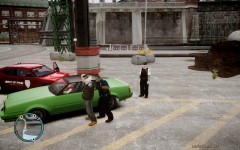
From the album: Other Modding
Work in progress Originally body armour uniforms by James95, edited versions not to be released without his permission. -
From the album: Other Modding
Work in progress -
Double click the icon on your desktop? Actually first up, do you own a copy of Grand Theft Auto IV? Is it installed? If there isn't an icon on your desktop go to Program filesrockstar gamesgrand theft auto iv and double click launchgtaiv.exe
-
You could attempt to look at the support threads that are actually in the support forum for the easy fix you are looking for
-
Right click the grand theft auto iv folder inside your program files (probably in the rockstar games folder if you have a disc version of the game) and go to properties, then deselect the 'write only' box to turn off write-protection. If you go to check it and the read only box is still filled in there isn't a problem, what is really necessary is that each file inside the commondata folder is not read only.
-
I've already +repped him for you.
-
You have to finish the first couple of missions and save before playing the mod or you will have that problem. Did that not occur to you at all?
-
http://www.gtagaming.com/downloads/gta-iv/script-mods/9171
-
Extract the image files from the texture file using sparkIV and then draw on them in photoshop/paint/anything like that.
-
Lots of people use torrents to get files like games or patches that they then use their legitimate registrations for, often because it can be faster. Piracy isn't intrinsic to torrenting.
-
right click the gta iv (or grand theft auto iv) folder and go to property, then untick the read only box. It is particularly important that the commondata folder and all the files inside it are not read only.
-
Post that diagnostics log for us to see please.


