


Ekalb
Members
-
Joined
-
Last visited
Everything posted by Ekalb
-
Well to record speed zones it would have to record gps data or some other kind of location data as well as time and date.
-
System.AccessViolationException: Attempted to read or write protected memory. This is often an indication that other memory is corrupt. at Scripting.?A0xf88de8d2.GetOffsetFromCharInWorldCoords(Int32 , Single , Single , Single , Single* , Single* , Single* ) at FirstResponse.LCPD.PullOver.eval_LCPDFR-0(Object A_0, EventArgs A_1) Run game as administrator, make sure the files and folders in your gta directory (particularly gtaivcommondata) are not ready only.
-
Support A place to request support with any problems you may have related to LCPDFR such as installation issues. NEED SUPPORT? READ THIS FIRST. Posted by Sam Community Guidelines Posted by Sam PINNED ?do=embed' frameborder='0' data-embedContent> Started by Harper, 06 Oct 2011 ?do=embed' frameborder='0' data-embedContent> ?do=embed' frameborder='0' data-embedContent>page__st__20
-
No, it isn't a traditional weapon (that's why it doesn't appear if you scroll through your weapon slots).
-
I don't think you can for the taser.
-
No, they should be. Really not sure, my only thought is that somehow you're getting they key combination wrong because installation seems to have worked fine... Unless the installation was somehow corrupted in another way.
-
Are there files called amb_nailgun.wtd and amb_nailgun.wdr in your root directory?
-
Ah thank you, that clears it up for me. I have responded. However I can't honestly see anyone opting to buy something like this. Also the social researcher in me is irritated by the use of likert scales in the survey.
-
You cannot give your partners weapons. Currently regular cops have glocks, NOOSE have M4s and FBI can have shotguns or M4s. You can give yourself weapons by using an ingame trainer to spawn weapons, buying them from gunshops or downloading and installing this armory mod:
-
Everything seems okay. Are you absolutely sure that you are going on duty at a police station, then holding the left alt key down and pressing the button? Do you have any other mods or trainers installed?
-
You need to have the latest verison, rc2-r2 installed and you must have selected 'install LCPDFR taser' when installing the mod. When installing the taser make sure the files and folders inside gtaivcommondata are not ready only and run the installer as administrator so that it can overwrite the necessary files to install the taser. You can also open firstresponse.ini and see if the line 'showholsteredtaseronplayer' is in there. If it is, then the taser has been installed and your key combinations are incorrect. if it is not, then you have the incorrect version.
-
I don't quite understand it. Is it a proposal for a new device that will use gps and speed zone data to determine if you are exceeding the speed limit? How is it different to a speedometer? If it's an optional extra to tell you when you are speeding, can't I do that myself by looking at my speedo? Or will it limit the vehicle from exceeding the speed limit?
-
Just pressing the P button turns definition on and off. Post a current diagnostics log.
-
Yeah the aussies! Most are holden commodores (omega) from Western Australian police I think. There are also some ford falcons and ford territories in the unmarked cars with unmarked/non-police commodores. Dignitary cars all have CHOGM number plates (Commonwelath Heads of Government Meeting). Lightbar though I'm not too sure, there's a group of aussies on GPM who might be able to pick it though.
-
Find custom mods on gta4-mods.com, gtainside.com, gtapolicemods.com, gtagarage etc. or the dowloads section here or really anywhere you can find them, just google 'GTA 4 mods' and they should come with instructions or you can find tutorials on youtube for installing most types of mods. Car/Weapon/Player model modifications generally include replacing model(wtd) and texture files (wft) in vehicles.img/componentspeds.img/weapons.img in gtaivpcmodelscd images using sparkIV
-
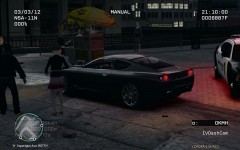
From the album: My Vehicles
Just playing around with default cars and ELS until we can do this for realsies when (if?) Illumination 2.0 gets finished. (what I did was add it to ELS so it has sirens and change the colour of part of the indicator lights to blue so I can press alt-y to and have crude lights and sirens) -
Man..; How to use sparkiv to add(replace) custom vehicles http://youtu.be/-t0spZkab5A How to add custom skins to modded vehicles Use sparkIV to open vehicles.img, find the vehicle that you are editing the skin of, press the edit button with the texture file of that car selected, on the left pane find the texture you are replacing (if it's a main body for the car, it's probably called police_sign_1/2/3/4) and then press the import button, find the image you have downloaded and select it and it should replace what was there. Then save and close. Don't be afraid to use the search function to look for other times these questions have been asked.
-
Installing cars and other mods is exactly the same with any copy of gta. The directory is slightly different for steam users, something like steamsteamappscommongrand theft auto ivgtaiv for your root folder. You'll need sparkIV or openIV to install vehicles and custom weapons and player models (no such thing as a steam specific verison) Find custom mods on gta4-mods.com, gtainside.com, gtapolicemods.com, gtagarage etc. or the dowloads section here or really anywhere you can find them, just google 'GTA 4 mods' and they should come with instructions or you can find tutorials on youtube for installing most types of mods. Car/Weapon/Player model modifications generally include replacing model and texture files in vehicles.img/componentspeds.img/weapons.img in gtaivpcmodelscd images using sparkIV Other modifications like script modifications are placed into gtaivscripts or just the gtaiv root folder. It's just really important that you use your web searching skills as much as you can, as cliche as it sounds, google is your friend. Remember to backup original files before modding but the advantage of the steam version is you can just repair your game through steam without having to reinstall it entirely. Also unzipping files you just need winrar or 7zip or anything like that. Pretty sure windows xp and any later verisons of windows operating systems can extract .zip files by themselves anyway without the need for a third party tool.
-
Or you could just follow the stickied support topics.
-
ENB will work with LCPDFR you just have to turn off AAing.
-
What button are you calling backup with? Alt-B or F10?
-
What was the result?
-
All you need to do for the taser to install properly is to run the installer as admin and make sure gtaivcommondata and all the files and folders inside that data folder are not write protected. Actually Sam may have uploaded separate files for people to manually install the taser too.
-
Just replace the sultanrs handling line with that of the vehicle your custom ones were originally made to replace. Ie if you downloaded a ferrari that was made to replace the infernus and you want it as your sultanrs then use it to replace the sultanrs but also use the infernus' handling lines to replace the sultanrs ones.
-
Hm not the bast but you could be able to manage to make some decent things with it. Use the line tool it has (you can hold shift while drawing a line to make it straight) to essentially draw shapes, then use the paintbucket to fill the inside of them

