




Cyan
Management Team
-
Joined
Everything posted by Cyan
-
-
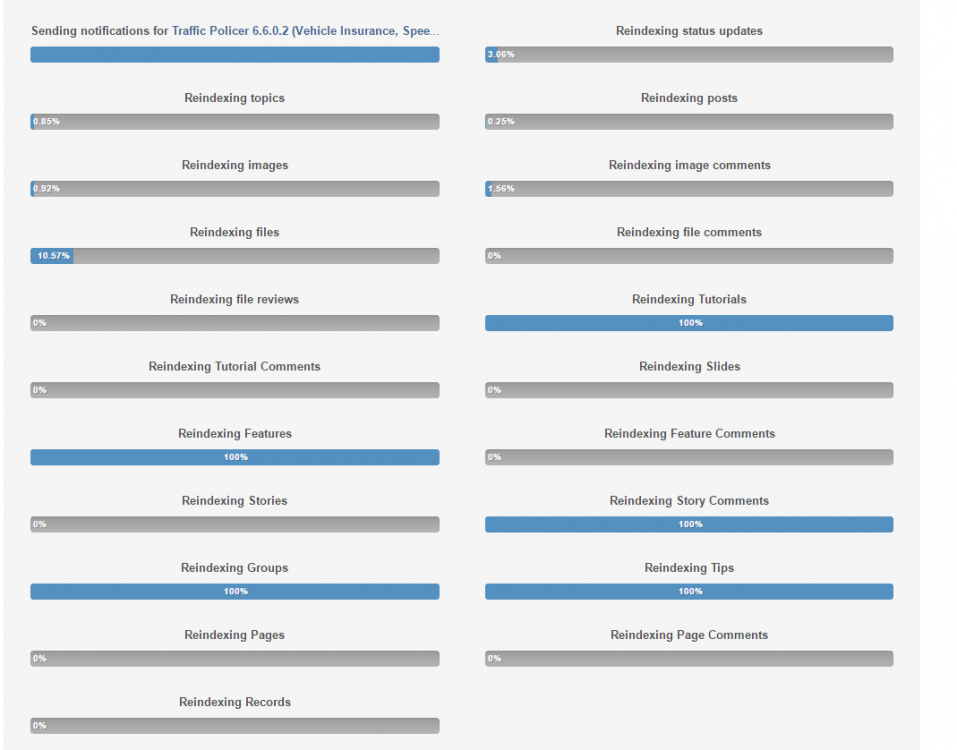
Reindex is complete, search should be working per normal.
-
From what I've heard, this is fixed.
-
-
What's Spark? You want to install WinRAR and OpenIV.
-
Obviously not. I use and manage the site on my phone just fine. Most likely this is caused due to a stale cache somewhere (whether it be your ISP, your phone, or whatever). There's nothing we can do but wait in this situation, as the problem shouldn't be occurring because the DNS is completely operational on our end. My analytics show mobile traffic hasn't dropped, so this is an edge case; and not at all effecting everyone.
-
Your ISP didn't listen to the TTL (time to live) or SOA on our DNS records, which means when we had a brief DNS outage it's stuck with incorrect data. There's nothing you (or we) can do except wait until your ISP eventually clears the invalid records, which will probably happen automatically at some point.
-
Not just you; it looks like the latest upgrade of our board software cleared our search index. Sorry, looks like we'll probably be waiting a few hours until search is back to normal.
-
This topic has been closed by G17 Media Community Team Staff as it is a topic regarding support for the RAGE Plugin Hook. We are unable to provide support for the RAGE Plugin Hook (RPH), and require all support topics pertaining to this be posted over on the official RAGE Plugin Hook forums: http://forums.ragepluginhook.net/ If you feel this topic has been closed in error, please report this post.
-
Thank you for your feedback. Although, I'd suggest that an attack on a western country and culture will resonate a lot deeper with western audiences -- which is what the majority of our site consists of.
-
This topic has been closed by G17 Media Community Team Staff as it is a topic regarding support for the RAGE Plugin Hook. We are unable to provide support for the RAGE Plugin Hook (RPH), and require all support topics pertaining to this be posted over on the official RAGE Plugin Hook forums: http://forums.ragepluginhook.net/ If you feel this topic has been closed in error, please report this post.
-
This topic has been closed by G17 Media Community Team Staff as it is a topic regarding support for the RAGE Plugin Hook. We are unable to provide support for the RAGE Plugin Hook (RPH), and require all support topics pertaining to this be posted over on the official RAGE Plugin Hook forums: http://forums.ragepluginhook.net/ If you feel this topic has been closed in error, please report this post.
-
Your topic has been moved to GTA V Support, this is not LSPDFR related. Please post in the correct location in the future.
-
This topic has been moved to the appropriate forum. Please post in the correct location in the future.
-
If you feel this topic has been closed in error, please report this post.
-
You already have a topic for this.
-
This topic has been moved to the appropriate forum. Please post in the correct location in the future.
-
Your topic has been moved to GTA V Support, this is not LSPDFR related. Please post in the correct location in the future.
-
Your topic has been moved to GTA V Support, this is not LSPDFR related. Please post in the correct location in the future.
-
This topic has been moved to the appropriate forum. Please post in the correct location in the future.
-
Even my 4G is better - and this is a pretty slow result from how it has been recently. (this is also my home connection) You seem to not even be getting decent ADSL speeds -- perhaps your exchange is over-saturated.
-
Never ever. We have absolutely 0% interest in modding consoles.
-
This topic has been closed by G17 Media Community Team Staff as it is a topic regarding support for the RAGE Plugin Hook. We are unable to provide support for the RAGE Plugin Hook (RPH), and require all support topics pertaining to this be posted over on the official RAGE Plugin Hook forums: http://forums.ragepluginhook.net/ If you feel this topic has been closed in error, please report this post.
-
We are working on a solution to allow access to the site from this ISP, but require approval for any registrations from it. This would allow all registered users to access the site again from these ranges. I'll post here when this is done.
-
Your topic has been moved to GTA V Support, this is not LSPDFR related. Please post in the correct location in the future.


