




Cyan
Management Team
-
Joined
Everything posted by Cyan
-
Can you take a screenshot? I can definitely confirm that we don't delete mods randomly like that.
-
Hello there -- welcome to LCPDFR.com and thanks for trying out LCPDFR! Please do the following: Make sure you aren't using a crack - We don't support cracks or people using pirated softwareUpdate GTA IV to 1.0.7.0 (the latest version of the game, or 1.1.2.0 for EFLC) - These patches are needed. Make sure that you run the game as an administrator.Make sure that your GTA IV root folder (and every subdirectory) is not set to "read-only"Ensure that AdvancedHook.dll, ScriptHook.dll, ScriptHookDotNet.asi and Dsound.dll OR Xlive.dll are in the GTA IV ROOT folderEnsure that there is a folder titled 'LCPDFR' in the ROOT GTA IV folder.Check that all the above files exist, if they do not, reinstall LCPDFR with the MANUAL installation.Ensure that you are using up to date versions of every LCPDFR dependency and LCPDFR itself.Install these: https://www.microsoft.com/en-us/download/details.aspx?id=30653 , https://www.microsoft.com/en-us/download/details.aspx?id=30679 In some cases, your issue is resolved after following the above steps. If it did help, please let everyone know in the topic that your issue is resolved. If you do have to post a topic, do the following; Give a clear, detailed description of the problem.Explain any circumstances surrounding the problem.State what solutions you have tried.Post ALL relevant logs (LCPDFR.log, Scripthook.log, ScriptHookDotNet.log, AdvancedHook.log).Include as much information as possible.Post your system specifications.Post what other mods you are using. This includes car and script mods.Post a screenshot of your GTA IV or EFLC game directory. Please note that failure to follow these instructions may cause this thread to be closed.
-
Again, something on your end. Works fine for the 1,000+ downloads we've had today alone.
-
You'll have to contact your ISP if the default download option doesn't work. There's no reason that you should be having issues with MaxCDN
-
It's irresponsible to both yourself and your users to ever have a database connection information inside your application. Instead, adopt an API model. For other reasons though, it can be helpful to obfuscate. A lot of us use Confuser for this purpose. If you do continue down this route, anybody with Wireshark or decent reversing skills will be able to get your database info regardless.
-
See my other reply;
-
Then you haven't installed the required dependencies. Where did you get your copy from? Steam would have installed the required DirectX redists for you.
-
This topic has been closed by G17 Media Community Team Staff as it is a topic regarding support for the RAGE Plugin Hook. We are unable to provide support for the RAGE Plugin Hook (RPH), and require all support topics pertaining to this be posted over on the official RAGE Plugin Hook forums: http://forums.ragepluginhook.net/ If you feel this topic has been closed in error, please report this post.
-
We changed DNS settings a few days ago. Most ISPs update within 24 hours. Bad ISPs don't. You'll have to wait until your ISP flushes it's cache, but this is a problem with your ISP not respecting the DNS cache times.
-
There's no other mirror. Apologies. There's probably an issue between your ISP and MaxCDN, you'd need to contact your ISP about that.
-
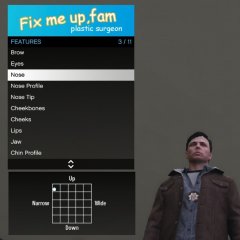 smh tbh fam
 -
Your topic has been moved to GTA V Support, this is not LSPDFR related. Please post in the correct location in the future.
-
Your topic has been moved to GTA V Support, this is not LSPDFR related. Please post in the correct location in the future.
-
This topic has been moved to the appropriate forum. Please post in the correct location in the future.
-
Your topic has been moved to GTA V Support, this is not LSPDFR related. Please post in the correct location in the future.
-
But then all derivatives must be GPL. I'm not sure where referencing GPL code in .NET, then using an attribute from it stands legally, as I'm not sure whether it's considered a derivative work at that point, as you'd only be using an attribute. Generally, using GPL libraries in your code is considered a derivative work, and you must provide the source code to your own code.
-
You can access other AppDomains within your plugin, and LMS has provided an example of this before (for accessing certain LSPDFR features without being an LSPDFR plugin). Although it's a bit ugly. I'd certainly be happy to add something like this in LSPDFR, but it would probably need to be limited to API plugins by-design.
-
It's up to the plugin developers to incorporate this into their plugin. There's not much you as the user can really do, sorry.
-
Your topic has been moved to GTA V Support, this is not LSPDFR related. Please post in the correct location in the future.
-
Your topic has been moved to GTA V Support, this is not LSPDFR related. Please post in the correct location in the future.
-
You've not installed one of the required dependencies. Read the dependencies again, and install all of them.
-
This topic has been closed by G17 Media Community Team Staff as it is a topic regarding support for the RAGE Plugin Hook. We are unable to provide support for the RAGE Plugin Hook (RPH), and require all support topics pertaining to this be posted over on the official RAGE Plugin Hook forums: http://forums.ragepluginhook.net/ If you feel this topic has been closed in error, please report this post.
-
Your topic has been moved to GTA V Support, this is not LSPDFR related. Please post in the correct location in the future.
-
Your topic has been moved to GTA V Support, this is not LSPDFR related. Please post in the correct location in the future.
-
They don't mind any mod that doesn't hurt their bottom line. It's as simple as that. If you make anything that hurts Rockstar financially, by either giving the game a bad name (through something like a sex mod) or making multiplayer (which they see would hurt their shark card sales) then they will go after you. Basically, like any generic big corporation. Not good, not evil. Don't misplace any loyalty into a big corporation. If LSPDFR ever started work on an online component, they would probably go after us.


