




Illusionyary
Members
-
Joined
-
Last visited
Everything posted by Illusionyary
-
Not sure why nobody has done it for V yet, it only takes 20 seconds to edit the steelies in Zmod.
-
Depends on the model you're using. Some use custom plates, others don't. So your best bet is to just add one anyway.
-
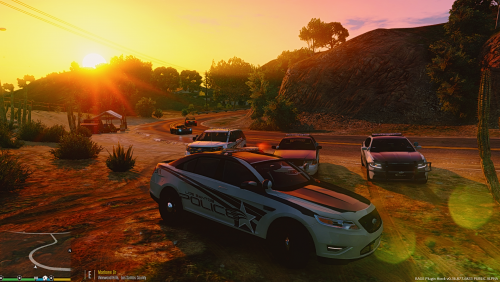 Decal positioning needs some major work, the only texture that actually lines up correctly is the CVPI, and that's only because it uses the same template as IV.
 -
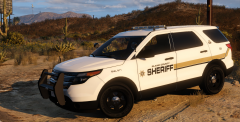 Ah yes, the Kuro skins. :P Glad you like 'em. I should really expand that pack...
 -
Pretty sure that's just the standard Q Siren airhorn.
-
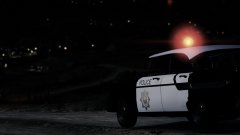 Wrong game.
 -
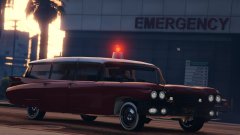 Lund just works on 80 projects at once and never finishes any of them. lol
 -
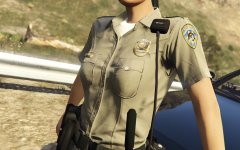 "San Andreas Highway Patrol" on patch, "Los Santos Police" on badge. Wat.
 -
Nope. The developers do this in their spare time for free, the only money coming in is from donations and advertisements, however this mostly goes into the website domain.
-
Good stuff, that was my biggest complaint about the later versions for IV. I quite like to flick my lights on and off a lot so having it beep every time is very annoying, heh.
-
It looks great, I do hope there's an option to turn off the sound effects the controller makes though (the beeping). I know quite a few people, myself included, find the beeping to be somewhat annoying even if it is realistic.
-
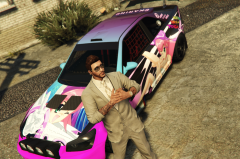 "Too horny to fight crime!" Princess Robot Bubblegum is actually more accurate to generic ecchi anime shows than one might think.
 -
Pen tool, pen tool, pen tool. If you don't have access to Photoshop, GIMP has a similar "paths" tool which does basically the same thing.
-
Eighteen - my age! :3
-
 If you were actually a loli you'd be mine already.
 -
He's a liar, plain and simple. Before he was suspended from LCPDFR.com, he claimed to have "exclusive access" to the LSPDFR Modification before it was even publicly released in one/several of his videos. Nobody but the staff team/testing team ever had access to modification. This has always been the case and it was extremely blatant that he was using a different modification entirely yet people still somehow believed him. Those "LSPDFR" videos racked in thousands of views. I can only assume his goal is to make as much money as he can off of ignorant people, and he's doing a good job at it. Just look at how many advertisements are placed inside his videos. The first one I clicked on had four in-video advertisements, and one advertisement off to the side. No legitimate YouTuber who cares about their fans would put them through that many advertisements in one 15 minute video.
-
Please provide more information as to what exactly your issue is. Moved to GTA IV Support Requests. This topic has been moved to the appropriate forum. Please post in the correct location in the future.
-
Moved to GTA IV Suggestions and Requests, the GTA IV Vehicle Showroom is for showcasing released modifications only. This topic has been moved to the appropriate forum. Please post in the correct location in the future.
-
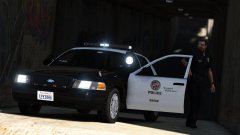 Anyone with a communist star (Not too sure about @Prophet though, but regular moderators can). For whatever reason images just haven't been featured recently, I honestly can't say why. I featured a couple a few hours ago and I'll try and feature more from now on.
 -
The game should always update to the latest version whenever you launch it provided you have not blocked the program from connecting to the internet or have your Steam settings set to not automatically update games.
-
 I installed the same modification thinking the images looked fantastic, but then I got in-game and saw the colours exactly like your images and immediately uninstalled it.
 -
I hate this modification, it completely over saturates the colours and looks terrible. VisualV on it's own looks pretty good though.
-
Ready for release!
-
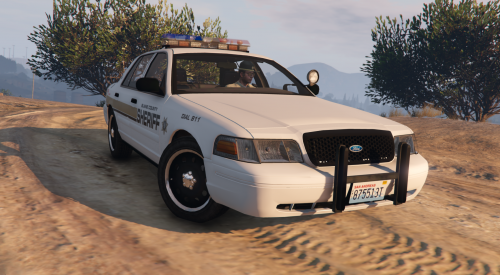 The instructions provided in my readme were an example only, if you want to replace the Sheriff textures it would be sheriff.ytd, yes.
- 13 comments
- 2 reviews
-
 Porn when?


