Skip to content
View in the app

A better way to browse. Learn more.

LCPDFR.com

A full-screen app on your home screen with push notifications, badges and more.

To install this app on iOS and iPadOS
  1. Tap the Share icon in Safari
  2. Scroll the menu and tap Add to Home Screen.
  3. Tap Add in the top-right corner.
To install this app on Android
  1. Tap the 3-dot menu (⋮) in the top-right corner of the browser.
  2. Tap Add to Home screen or Install app.
  3. Confirm by tapping Install.

HBengtson

Members
  • Joined

  • Last visited

  1.    Deactivated Member reacted to a gallery image: Cars12.jpg
  2.    Deactivated Member reacted to a gallery image: chp1.jpg
  3.    Deactivated Member reacted to a gallery image: CHP On Scene
  4.    Deactivated Member reacted to a gallery image: CHP7.jpg
  5.    Deactivated Member reacted to a gallery image: HWay1.jpg
  6.    Deactivated Member reacted to a gallery image: HWay3.jpg
  7.    Deactivated Member reacted to a gallery image: HWay4.jpg
  8.    Deactivated Member reacted to a gallery image: Woods.jpg
  9.    Deactivated Member reacted to a gallery image: New Units for the LSPD
  10.    Deactivated Member reacted to a gallery image: LSPD On Scene
  11. srax1 started following HBengtson
  12. Plague Doctor started following HBengtson
  13. Enforcer3213 started following HBengtson
  14. HBengtson started following t0y
  15. BaconHotdog started following HBengtson
  16. Wilde started following HBengtson
  17. OfficerNaughty started following HBengtson
  18. You can make skins even if people don't request them. Try starting off with easy ones, like black and whites (such as LAPD and CHP), and then move on to more complex designs, like North Carolina Highway Patrol or Alaska State Troopers. Also, make sure you download fonts such as Serpentine and Eurostile bold. These are really common on American police cars.
  19. Your daily humor: https://www.policeone.com/uniform-stories/articles/231229006-15-of-the-most-absurd-police-department-names/
  20.    HBengtson reacted to a review on a file: LSPD Texture Pack #2 - ELS Version (4K)
  21.    HBengtson reacted to a comment on a file: LSPD Texture Pack #2 - ELS Version (4K)
  22. Huh, I guess we'll have to wait and see if anything is released
  23. There is. I haven't really considered an all white. Maybe if I make a Community Policing variant then I will. Glad to hear it! This is in the works now Nope she's still alive Its on the way
  24. KnightHawkOne started following HBengtson
  25. Xaraxoz started following HBengtson
  26.    HBengtson reacted to a review on a file: LSPD Texture Pack #2 - ELS Version (4K)
  27. Can you PM me with pictures? In the next release, you can expect the Explorer, 2016 FTPI, and maybe a few more surprises...
  28.    HBengtson reacted to a gallery image: Not Popo, but would still pullover
  29. For the next release, I plan on adding textures for both the 2015 Charger and the 2013 Impala. I will consider adding K9 variants once more K9 themed v=models are released. As for plates on the 2015 Tahoe, the template I used did not include areas assigned to license plates. As far as I know, there are a few models already released that include plates as part of the model itself.
  30.    HBengtson reacted to a review on a file: LSPD Texture Pack #2 - ELS Version (4K)
  31.    HBengtson reacted to a file: [ELS] FPIU Mini - Pack
  32.    HBengtson reacted to a review on a file: LSPD Texture Pack #2 - ELS Version (4K)
  33.    HBengtson reacted to a comment on a file: LSPD Texture Pack #2 - ELS Version (4K)
    • 8,775 downloads
    • Version 1.4.0
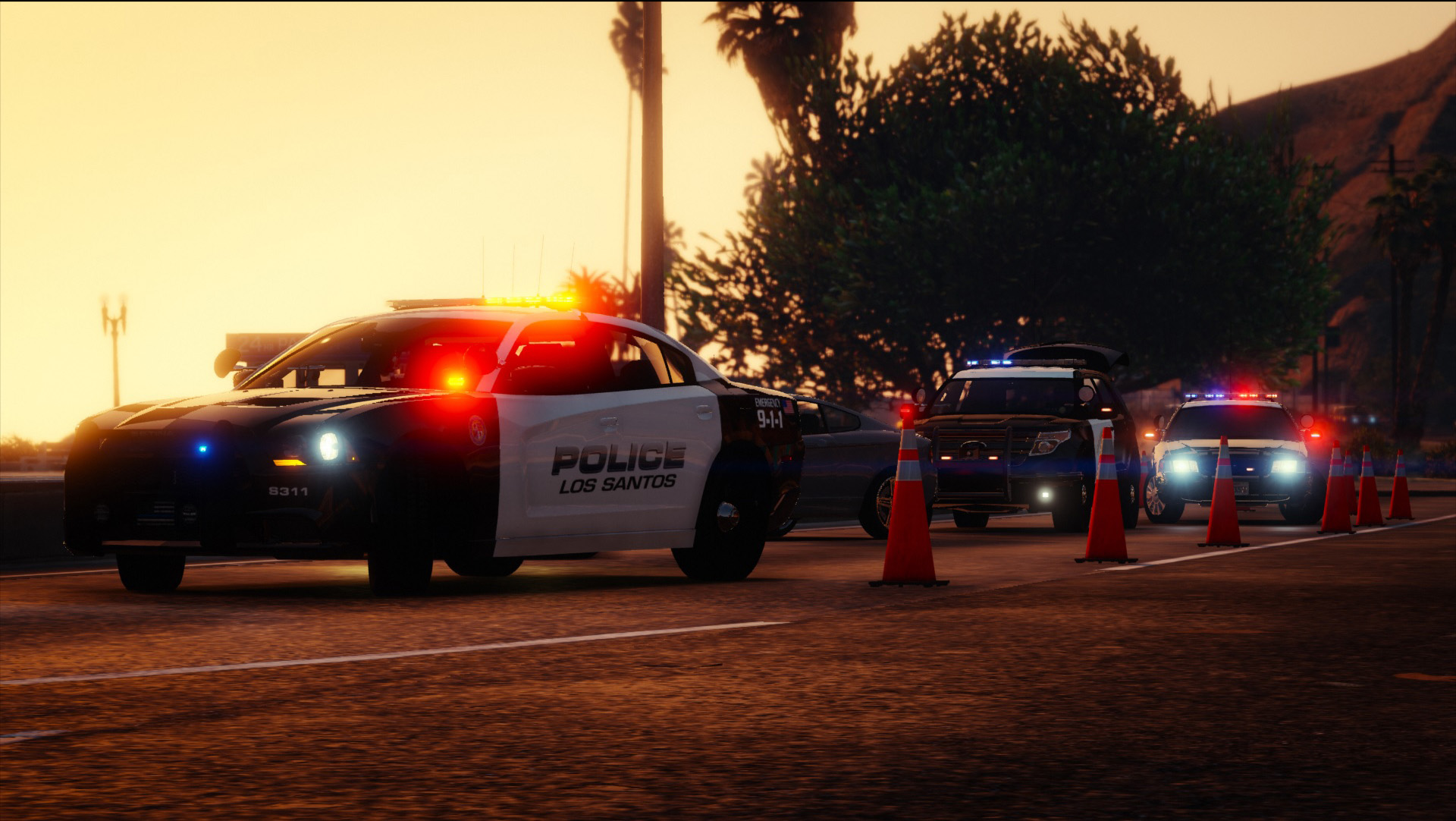
    Los Santos Police Department Texture Pack #2 - ELS Reboot - by HBengtson and HBengtson Designs Skins are based on the Smithfield, Rhode Island Police Department The original version of this pack was released back in Spring 2016. This version is specifically for ELS-enabled models. Textures in this download include: CVPI - DSF CVPI - BxBugs123 2014 Charger - Carper 2015 Charger - OfficerUnderwood 2013 Tahoe - OfficerUnderwood 2015 Tahoe - Thehurk 2014 FPIU - BlackJesus1 2016 FPIU - Thehurk 2014 FTPI - IronicRainbow 2013 Impala - OfficerUnderwood 2016 FTPI 2006 Tahoe All textures are made from scratch in Adobe Photoshop CS6. INSTALLATION: Simply replace the texture in one of the models below with the textures in the download. If you need any help installing, you are welcome to PM me. Questions? Problems? Bugs? You are always welcome to PM me. I will usually respond within a day. Enjoy! TERMS: By downloading this file, you agree to the following terms: You WILL NOT reupload this skin without my permission. You WILL NOT edit this skin and then upload it without my permission. You WILL NOT claim this work to be your own. If you can not follow these terms, then do not download this file
  34. Since the Bkier DLC update, I am unable to spawn my addon cars. Both the RPH console and trainer say that the addons are invalid models. I have added the models to Patchday11, and put the .meta entries in mpstunt, the way I did before the update. The cars that replaced vehicles (ie police, police2, etc.) spawn normally. Any ideas? Thanks
  35. The method suggested by rekram doesn't work for all vehicles. A fair amount of vehicles only show the equipment, not the "siren"
  36. Is there any easy way to figure out which siren on a car corresponds to which lighting fixture (ie the lights in the grill are sirenX)?
  37. Yep that worked. Thanks a ton!
  38. For a while now, my game has been crashing on startup if I add too many vehicles (usually 8-10). Since the update, I can only add one vehicle without the game crashing on start. I have tried changing the vehicle, have checked the carvar and vehicle.meta entries, etc. I've been putting the .metas in mpstunt and have been putting the actual vehicle files in patchday11. NOTE: My game works perfectly when I don't add more than one vehicle, so I am certain that this is the problem. Does anyone know a fix?
  39. Are you editing any .metas? My game crashes on startup if there is an error in one of them
  40. Are you using a mods folder?

Account

Navigation

Search

Search

Configure browser push notifications

Chrome (Android)
  1. Tap the lock icon next to the address bar.
  2. Tap Permissions → Notifications.
  3. Adjust your preference.
Chrome (Desktop)
  1. Click the padlock icon in the address bar.
  2. Select Site settings.
  3. Find Notifications and adjust your preference.